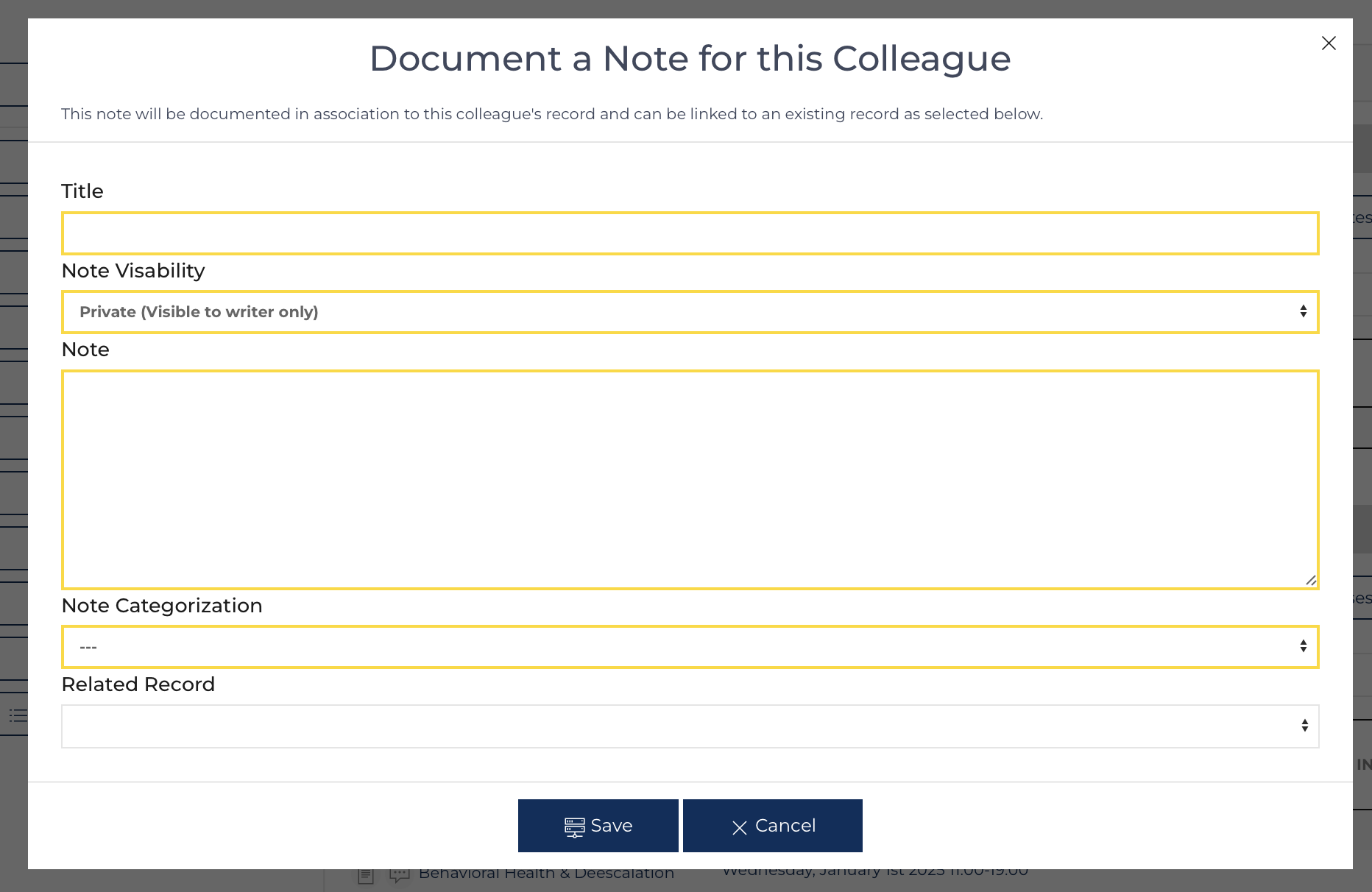
Navigate to the Colleague's page by clicking on their name from the Colleagues list view. Then click on the button from the Colleague Note list view. This list view can be saved as a PDF. Clicking on the link in the Related results column brings the user to the oritinal document (Evaluation, Event, Competency Document, or Outcome),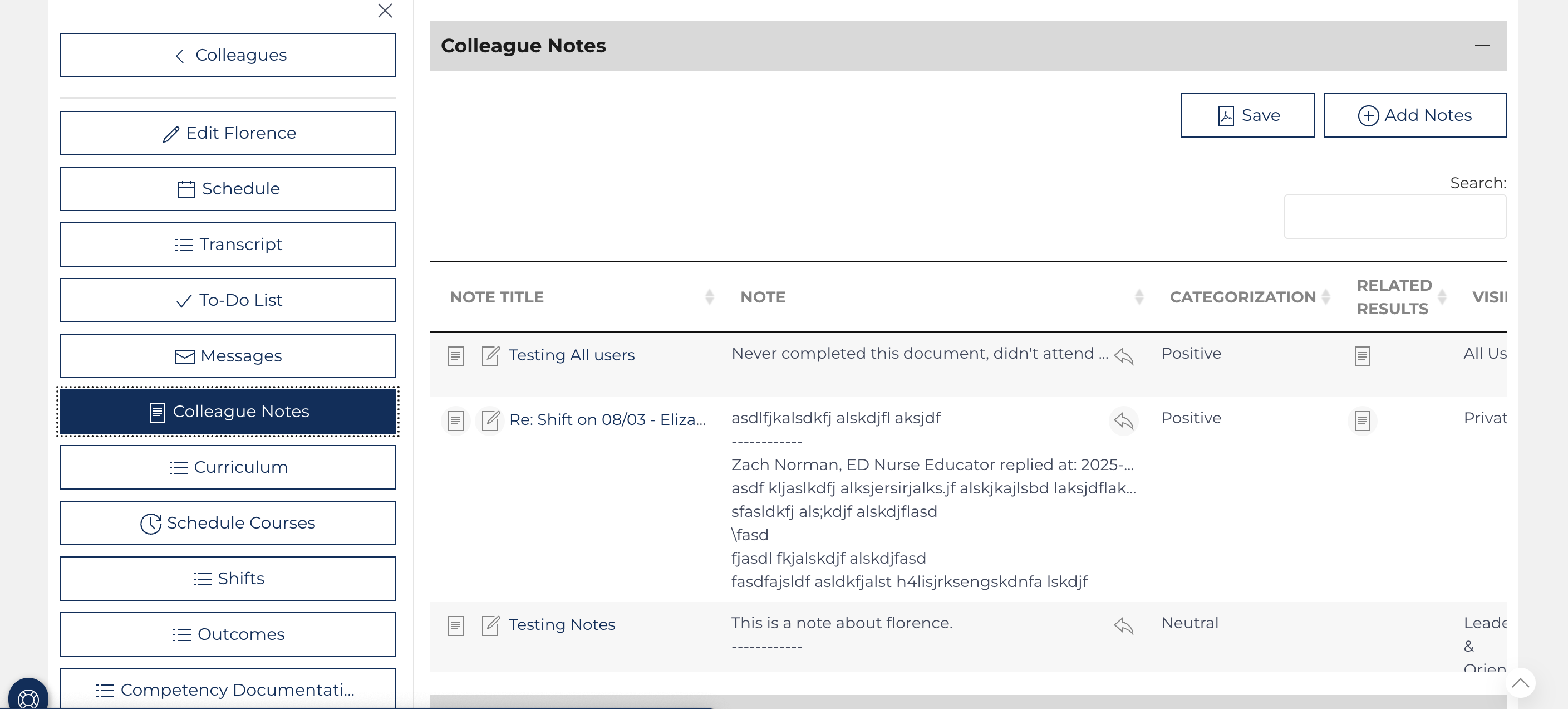
Required fields are outlined in yellow:
- Title (Subject of note)
- Note Visibility (Private, only author; Orientation Nurse Users, Leadership Users, Orientation Nurse and Leadership Users, or All Users)
- Note (content)
- Note Categorization (Positive, Negative, Neutral)
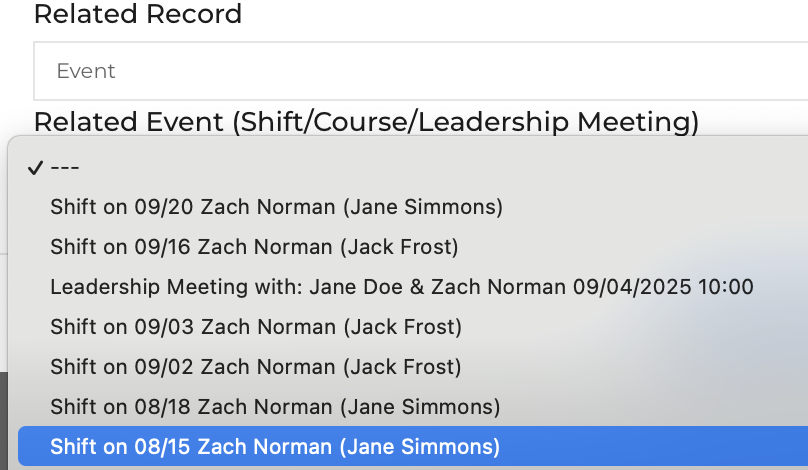 The user can connect this note to other content by selecting a related record. Select the type of record to connect, then connect the content to an Evaluation, an Event (Shift/Course/Leader Meeting), a Competency Document, or an Outcome.
Note View
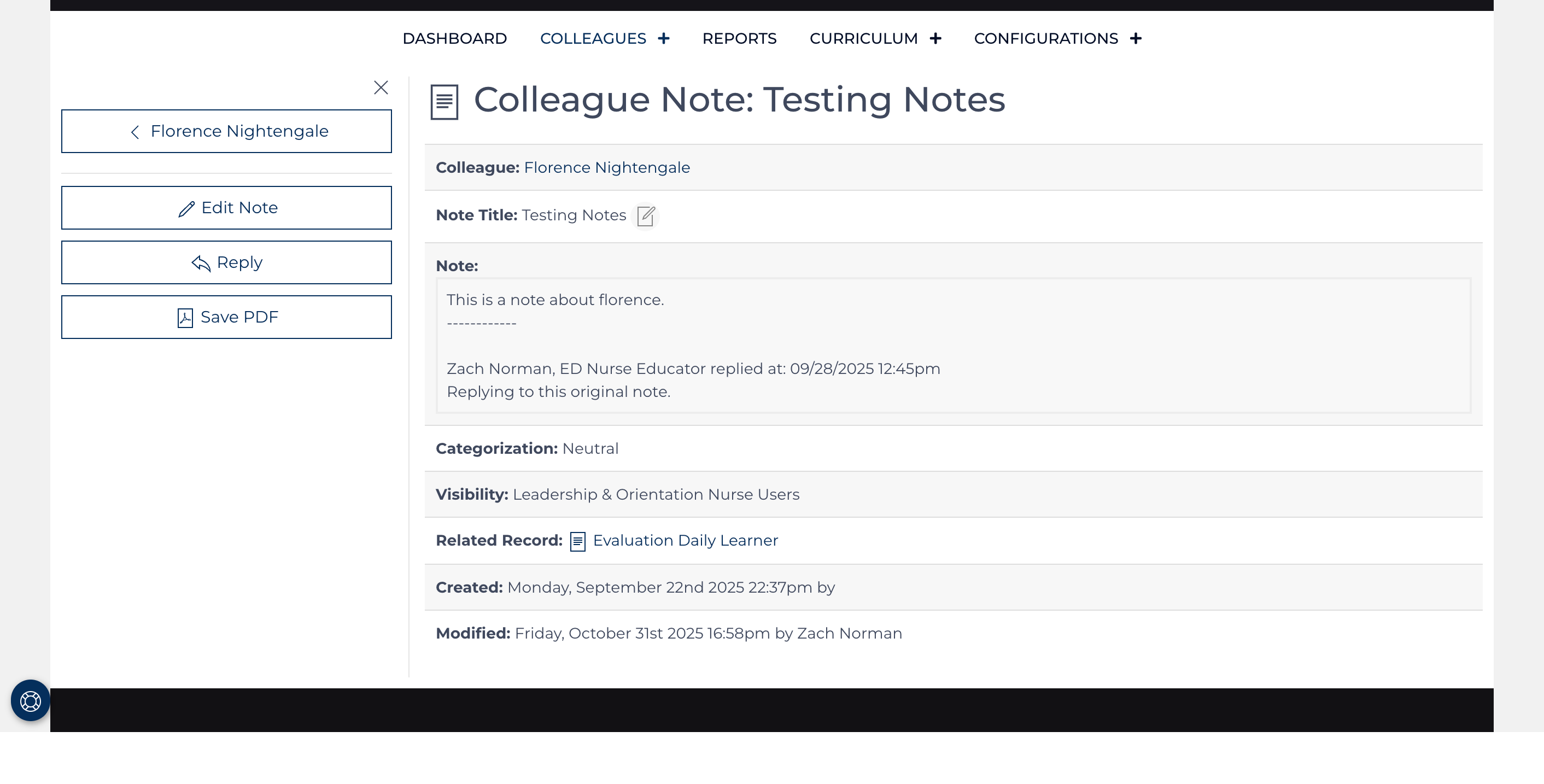
Clicking the title of an existing note opens a view screen for the note, which can be printed or saved as a PDF. If a related result was selected, a link to the original document (Event, Evaluation, Competency Document, or Outcome) is provided.
Use the Quick Links on the left to navigate.
Reply to a Note
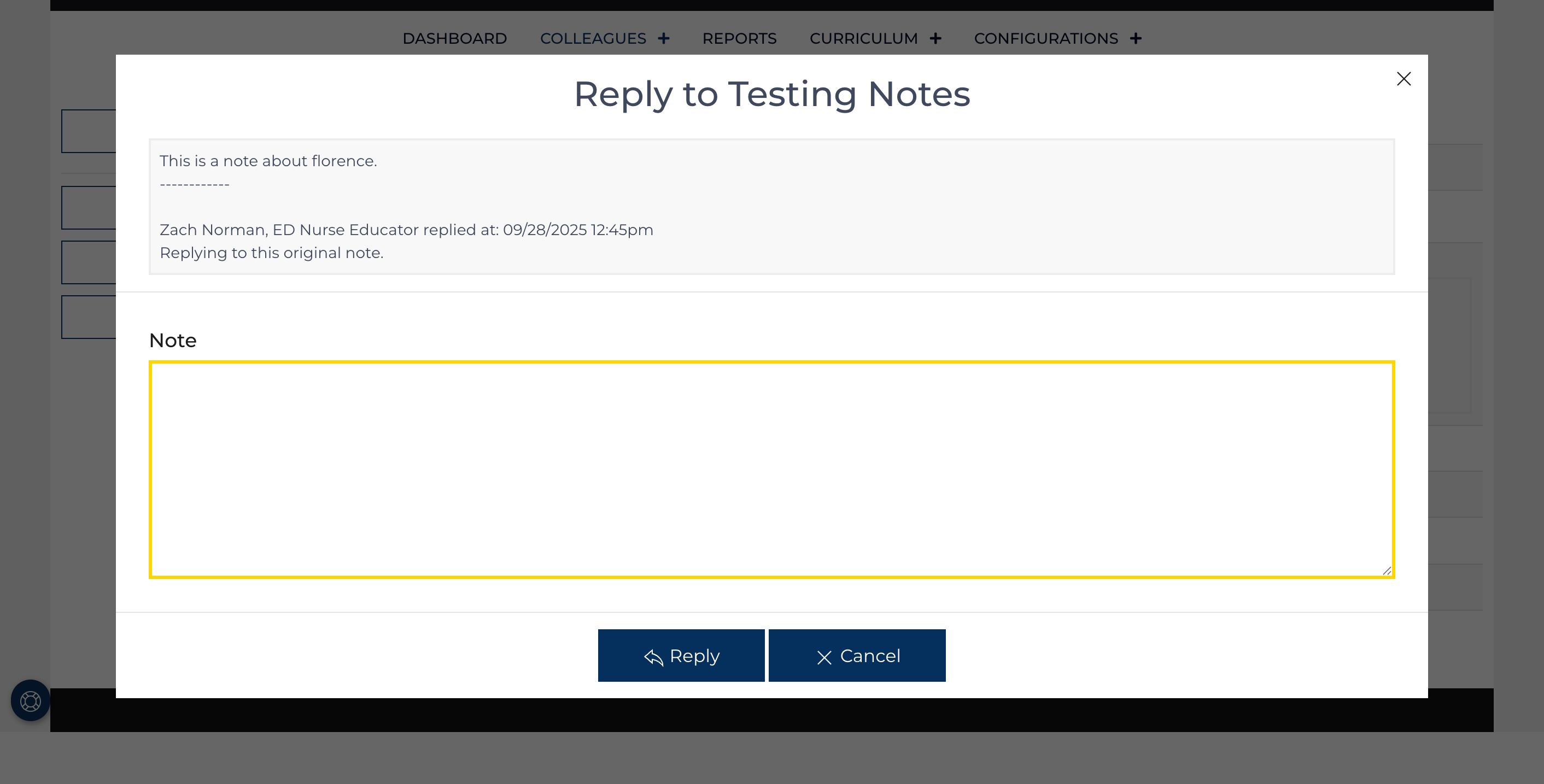
Use the Quick Link to post a time-stamped follow-up reply to the original note. The reply is signed with the user's name and role.
Note Edit
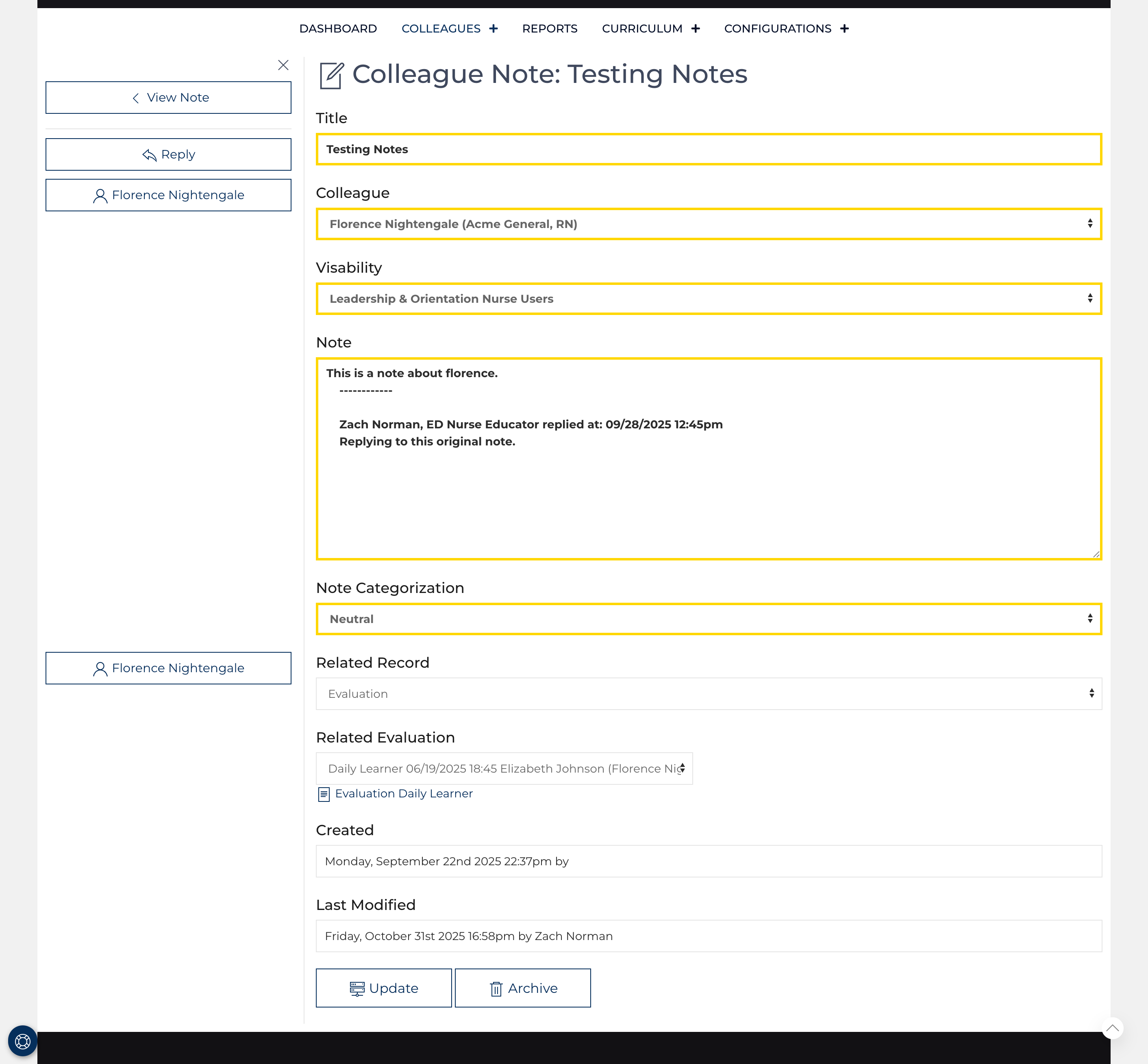
A note can be edited[1] by using the Quick Link or edit icon from the Colleague Note list view. All fields outlined in Yellow must have content.
Best Practice: reserve edits for clarifying the title or selecting a related record. It should not be used to manipulate the content[1] of the note.