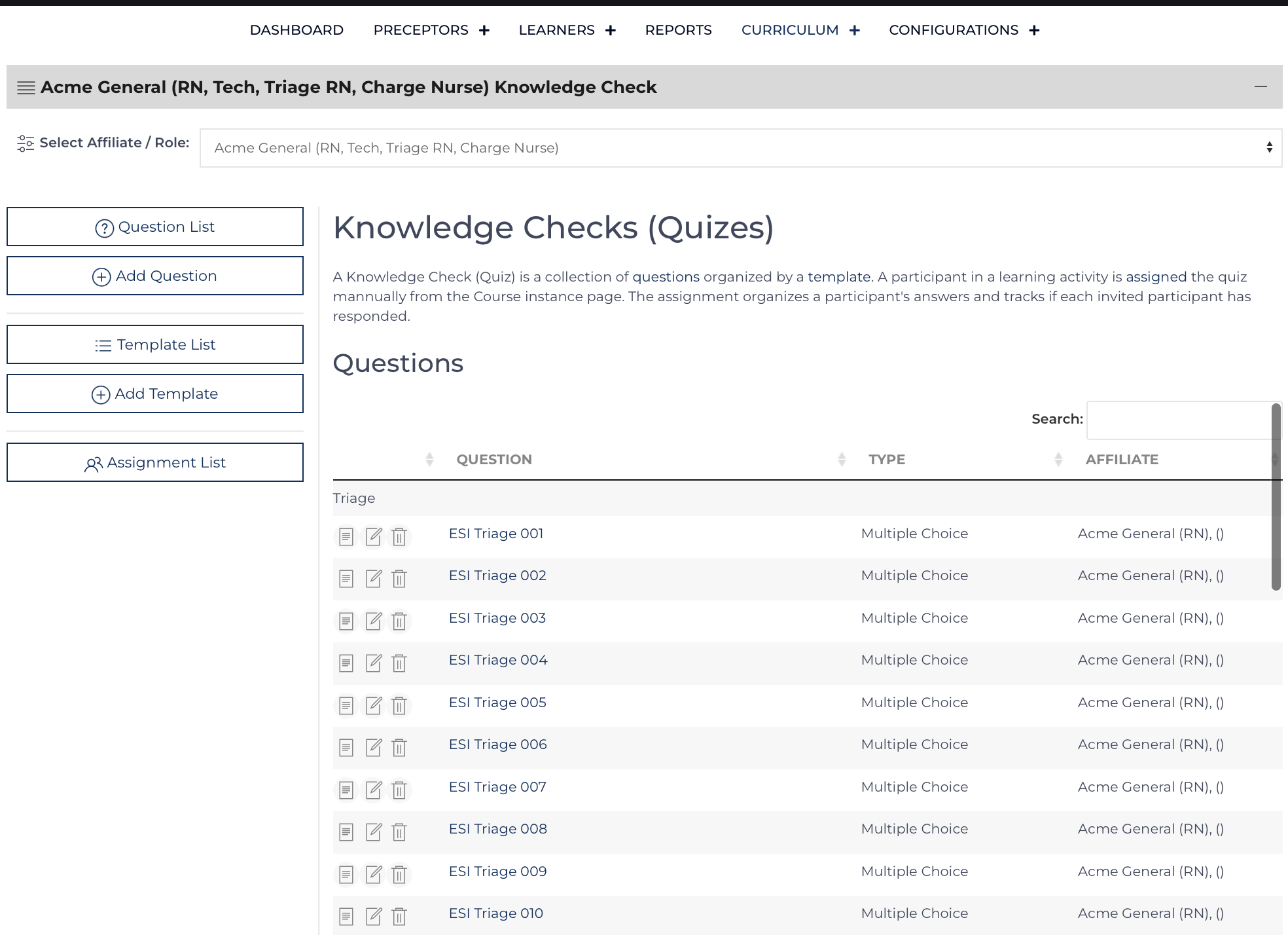
The Knowledge Check section extends Curriculum to either conduct an on-demand poll for a course in progress or the ability to review content and assess for knowledge gained. Examples of use: poll to determine the next two steps during a Point-of-View Simulation, pre-education survey, collect answers during a group game such as Jeopardy, post education quiz.
The default view has three List Views: each List View includes a set of icons to , , or . Questions (these individual questions can be used across multiple templates), Templates (group of questions), and Assignments (designating that a participant needs to complete the knowledge check). The assignment is used to group their answers. Once answers have been submitted the educator can analyze all the responses or they can click on and individual assignment that has been completed.
Add/Edit Questions
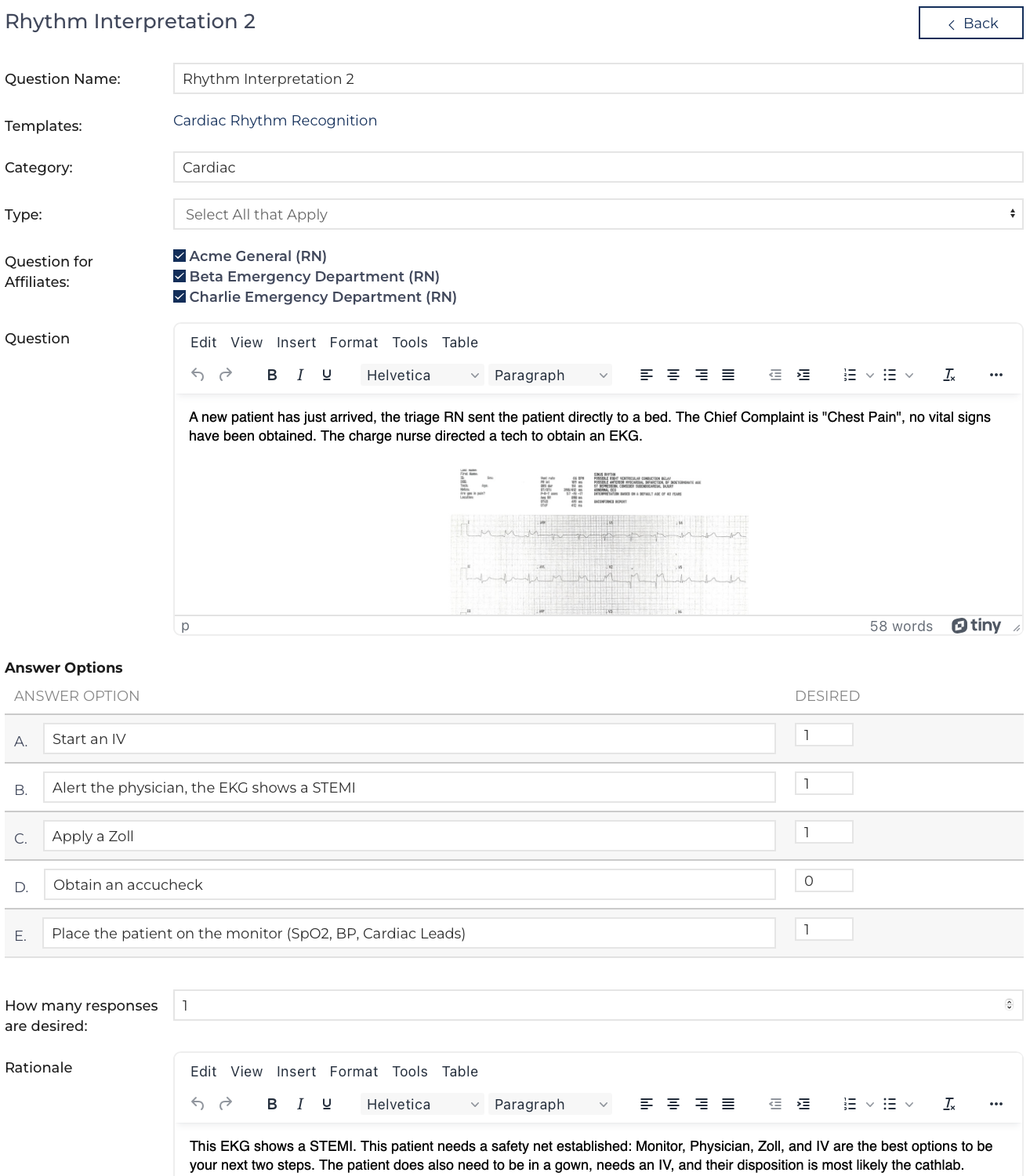
An individual question includes the HTML for the Question itself (can include multi-media), data that is used to organize the question, determine what type of answer is desired and determine the answer and desired response. Finally, each record allows for a rationale to be included.
Important data used to categorize / control what is displayed though not directly visible to the participant answering the question:
The Questions for Affiliates allows Questions to be loaded into the template that will display to some participants, but not others. Example: Nurses and Techs will both take the same course. The RN role will answer certain assessment-based questions whereas techs who attend the same course, will not have questions displayed that test knowledge outside their scope of practice.
Each question type below includes a demonstration on how the content should be entered by the user preparing the question on the left and an example of how it will appear when answering the question for a participant.
Multiple Choice, Select all that Apply, Dropdown
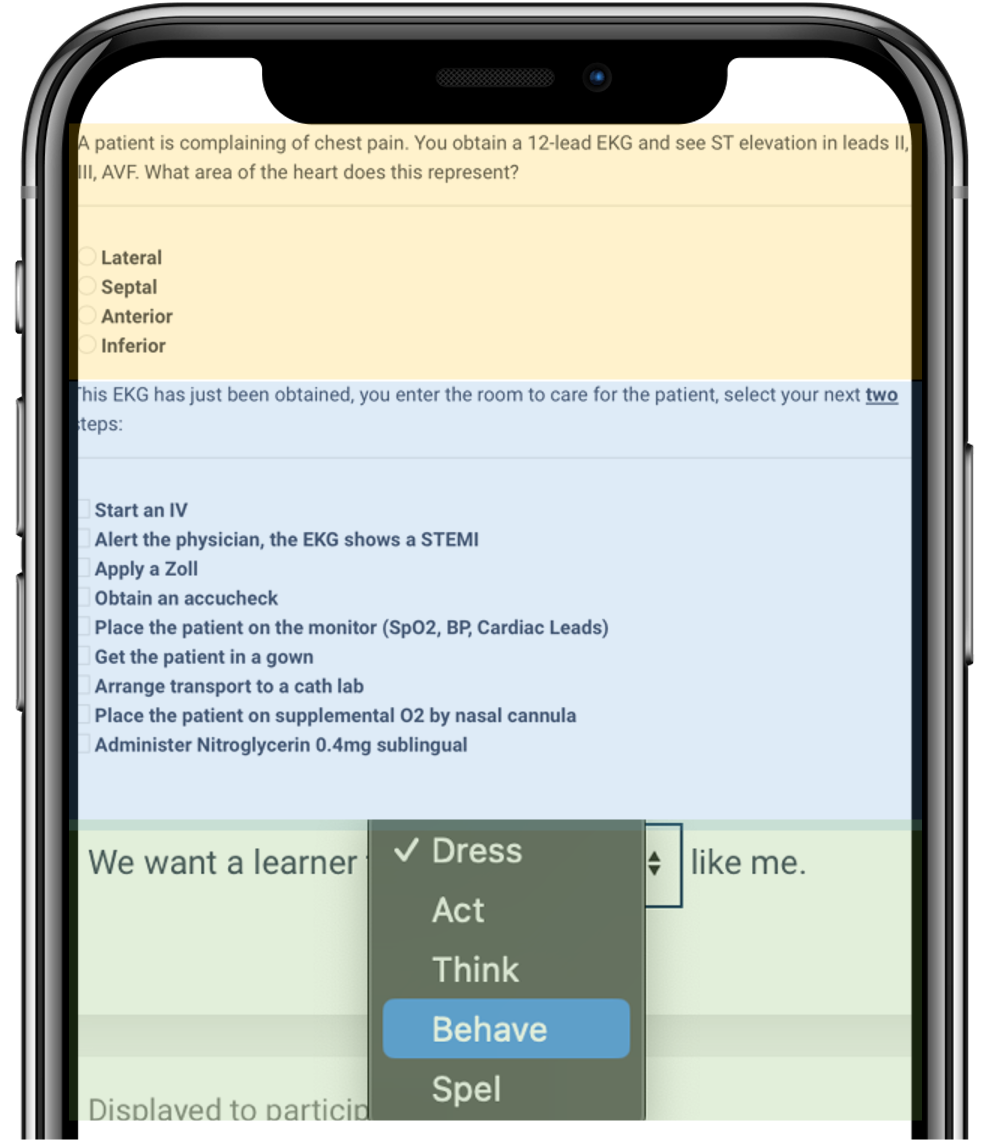 Add up to 10 options, a participant can choose only one answer for Multiple Choice (highlighted yellow) or Dropdown (highlighted green) where they can choose many for Select All that Apply (highlighted blue). The Question can designate if the answer is desired or not. A desired answer is designated with a 1 where the undesired is designated with a 0. There can be an unlimited number of desired answers.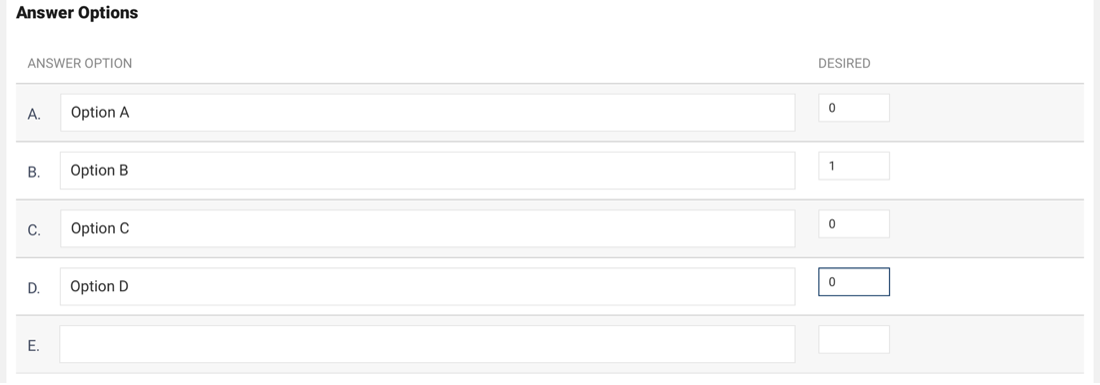
Use a Multiple Choice or Dropdown question for True / False or Yes / No questions. Enter __________ (10) underscores in the Question field for the dropdown field to be moved into the middle of the sentence.
Matching
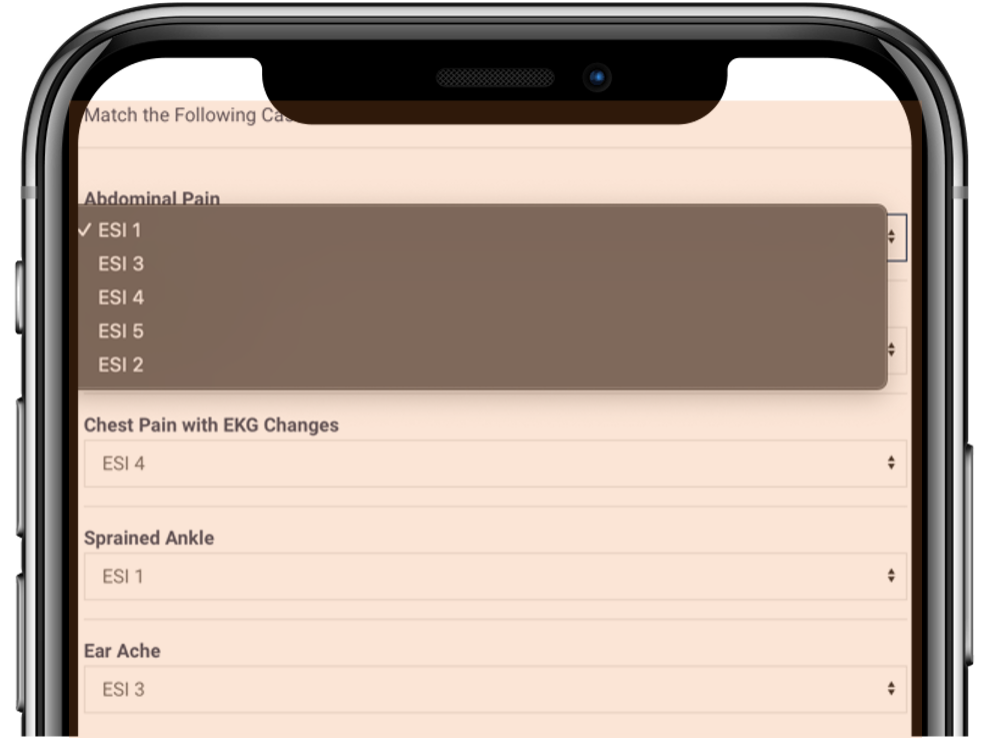 A third column is displayed for a Matching Question (highlighted orange). The Answer Option column (first) will display to the participant in a random order as a drop down next to each Definition. The Definition will display as a sentence. Enter the text of the Answer Option in the Desired column. There can be up to 10 options. If there are more definitions than options enter --- in the option column.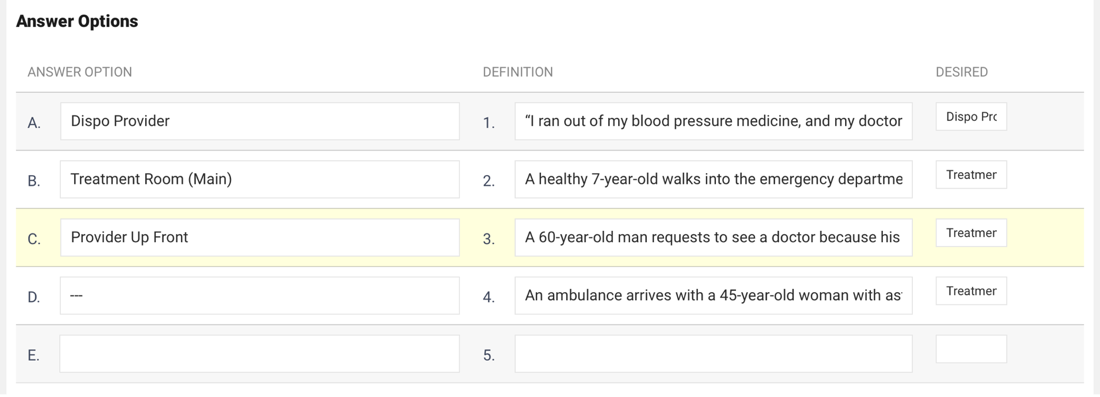
Likert/Range
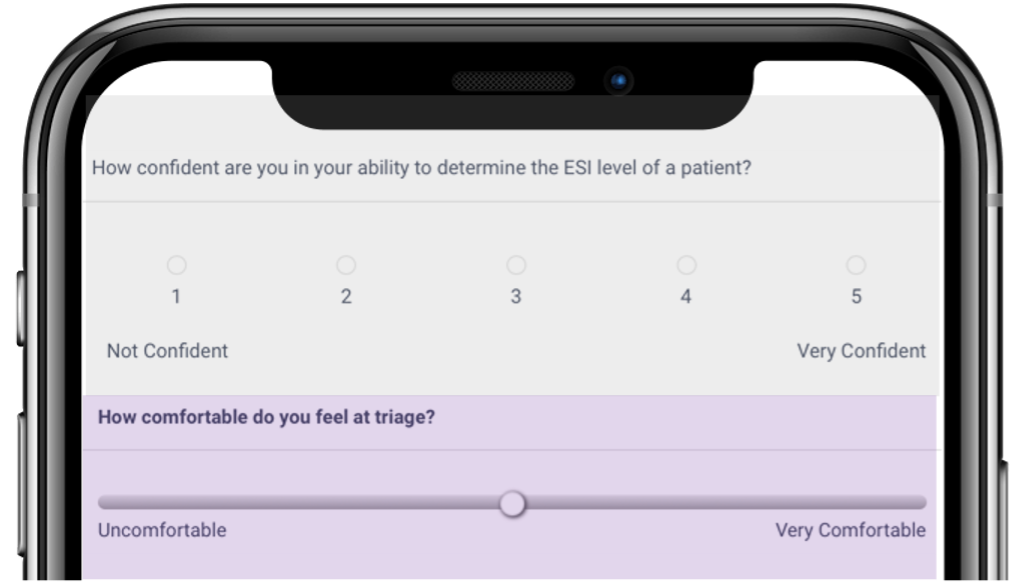
These Questions are designed to be opinion questions. How confident do you feel, how comfortable are you with XYZ… They will display a Likert Scale (highlighted grey) or Range Slider (highlighted purple) depending on the type selected. There is no desired answer. However, the Analyze page will average all the responses.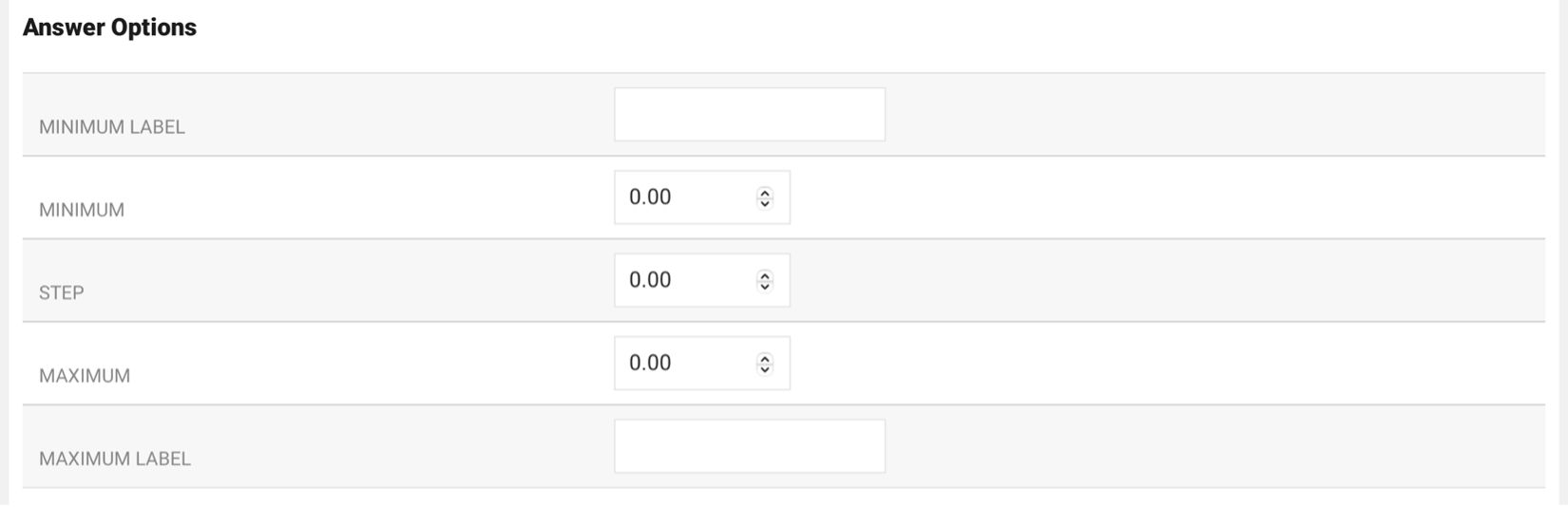
Fill-in-the-Blank
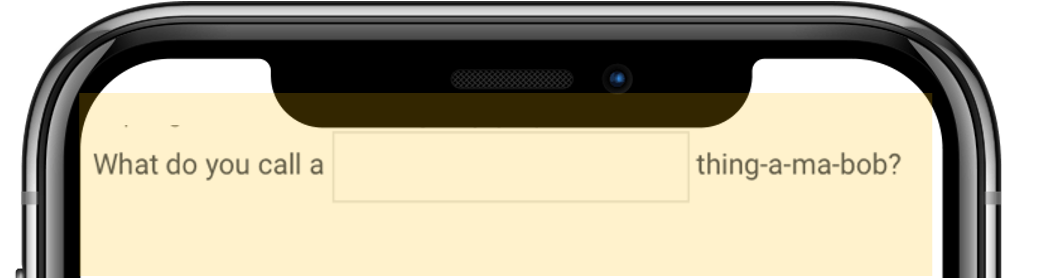 Like the dropdown Question, enter __________ (10) underscores in the Question to place a text box into the sentence. The answer option is text for the answer that is desired of the participant. The example is highlighted yellow.
Essay
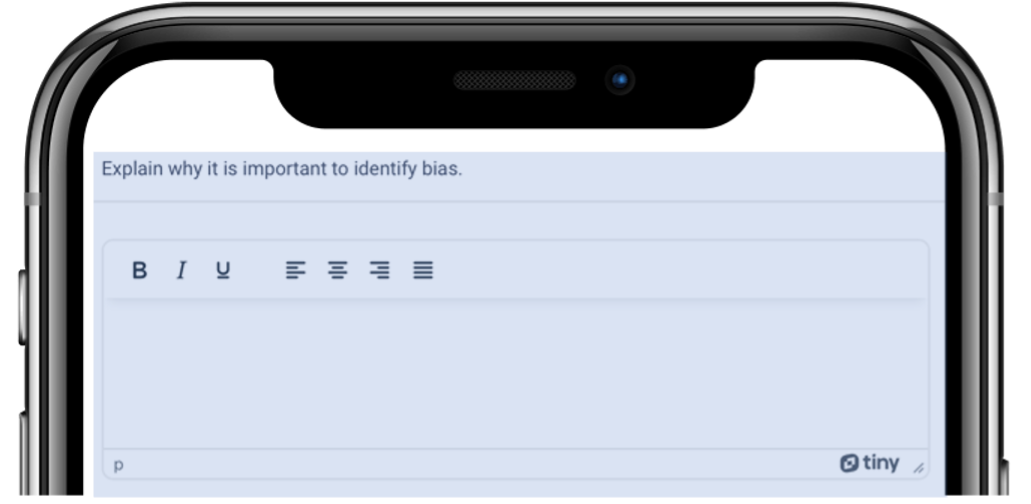 Similar to the Fill in the Blank type the desired response is recorded, instead of a small text box a large text area with a basic editor is displayed. The example is highlighted blue.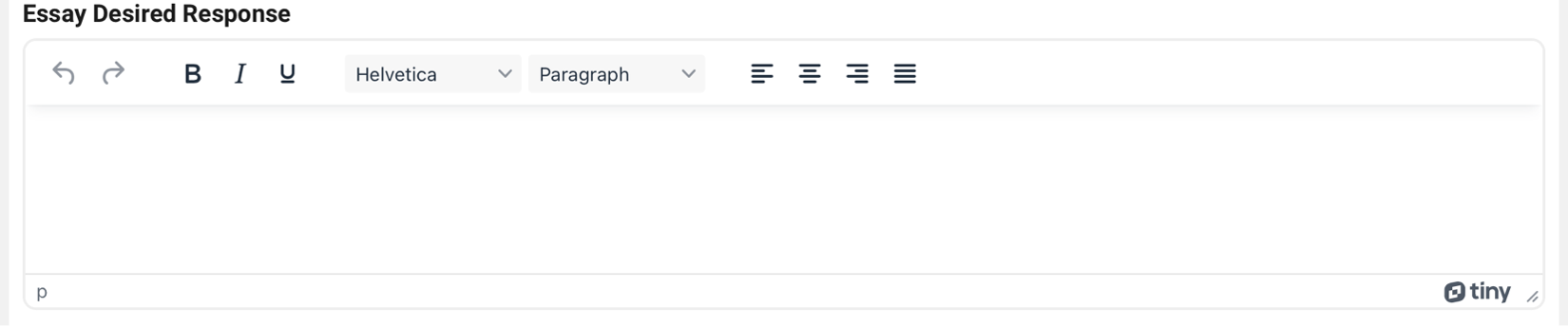
the new Question, the user will be re-directed to the Question View screen. Return to the Edit screen at any time. Additional buttons appear when returning to the Edit screen to archive or copy the question.
| |
Question View
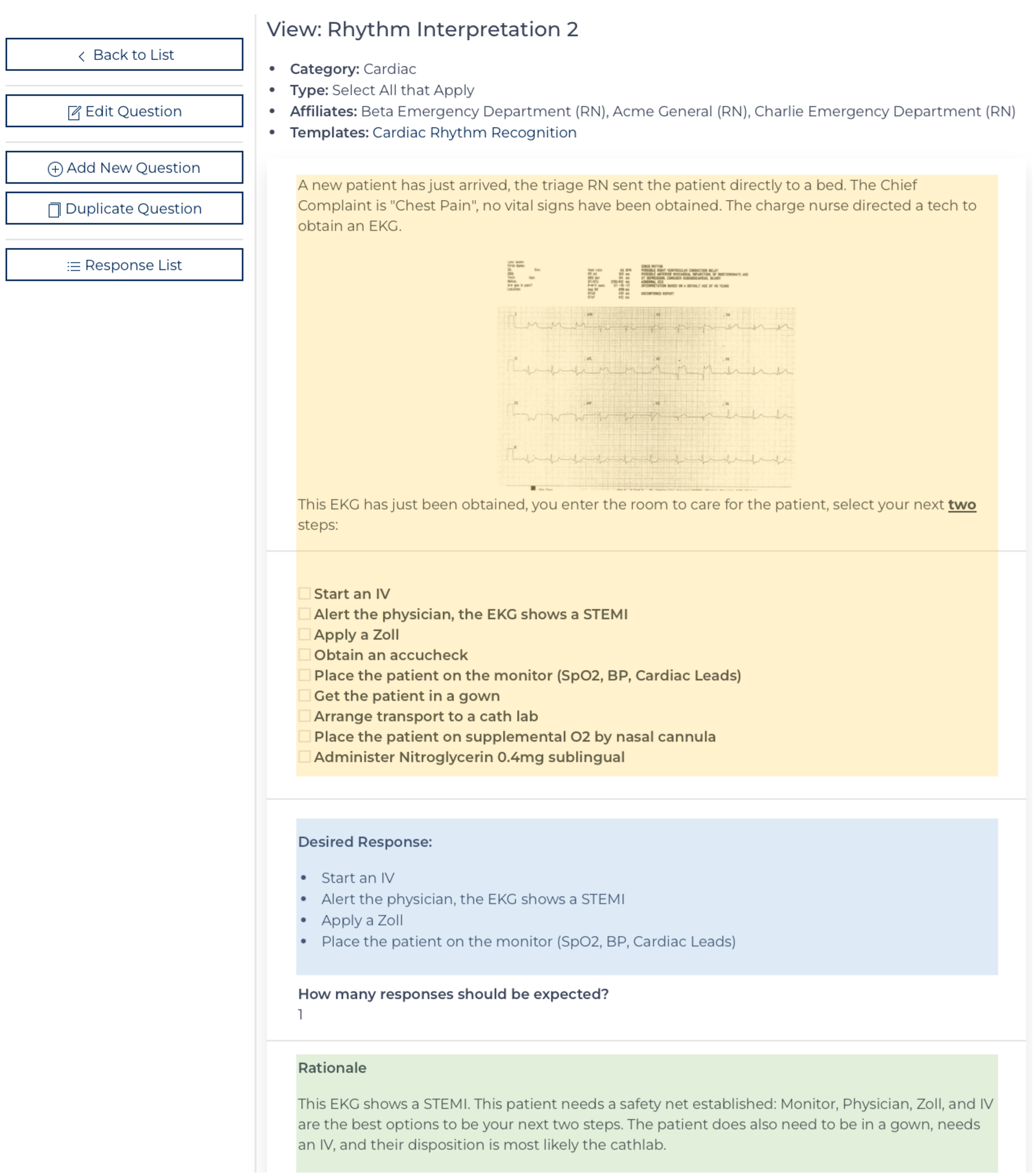
Once saved the Question can be viewed, it shows the user how and to whom the question will display to a participant (highlighted yellow). It shows answers that will are desired (highlighted blue) and the rationale (highlighted green). There is a menu on the left.
Add / Edit Template
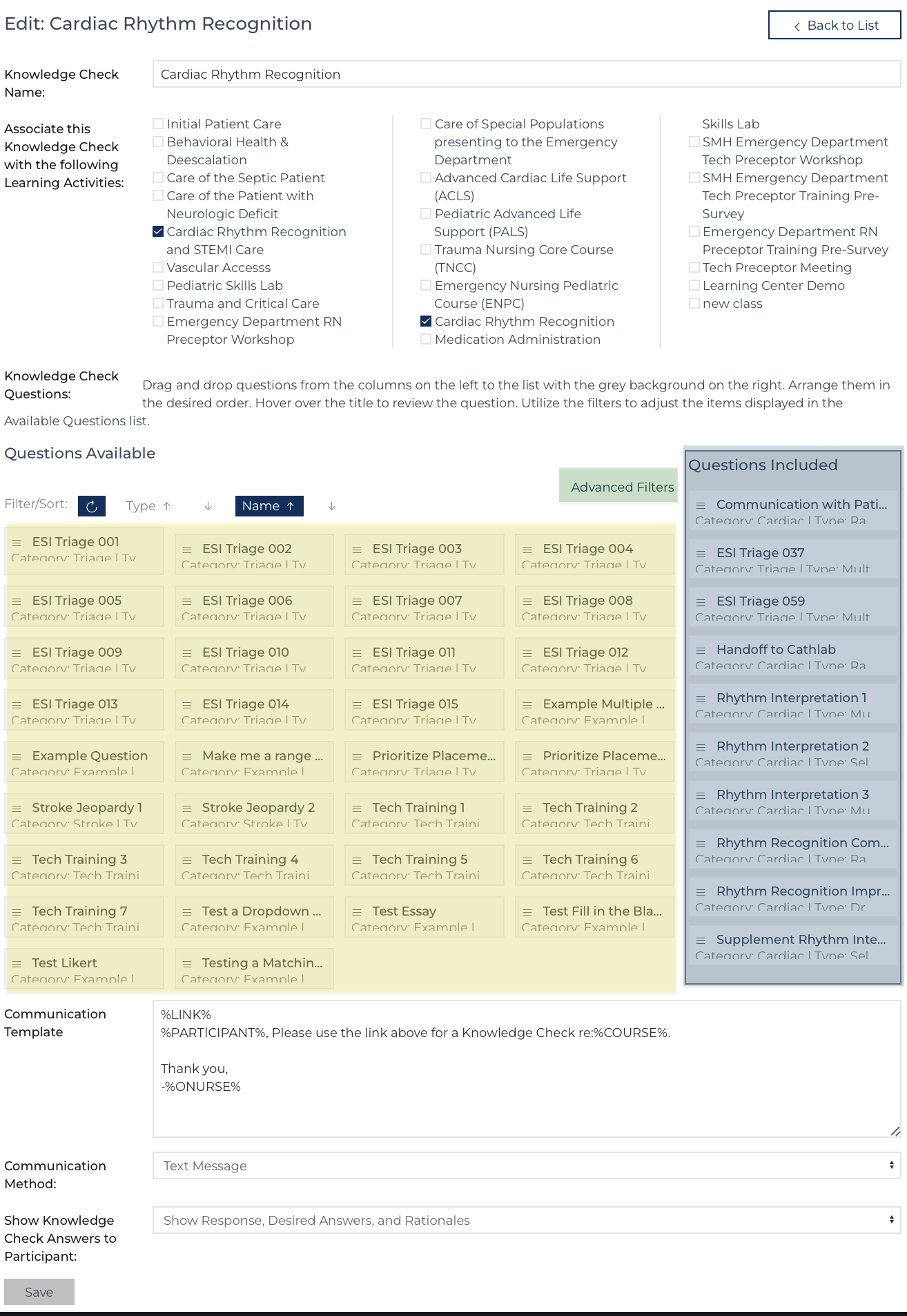
Adding or editing a Knowledge Check Template brings the user to the same screen. Prior to creating a template, it is best practice to have created all the questions.
- Name the Knowledge Check
- Select the Curriculum where it can be utilized
- Select the Questions, drag the question on the left (highlighted yellow) to the list on the right (highlighted blue).
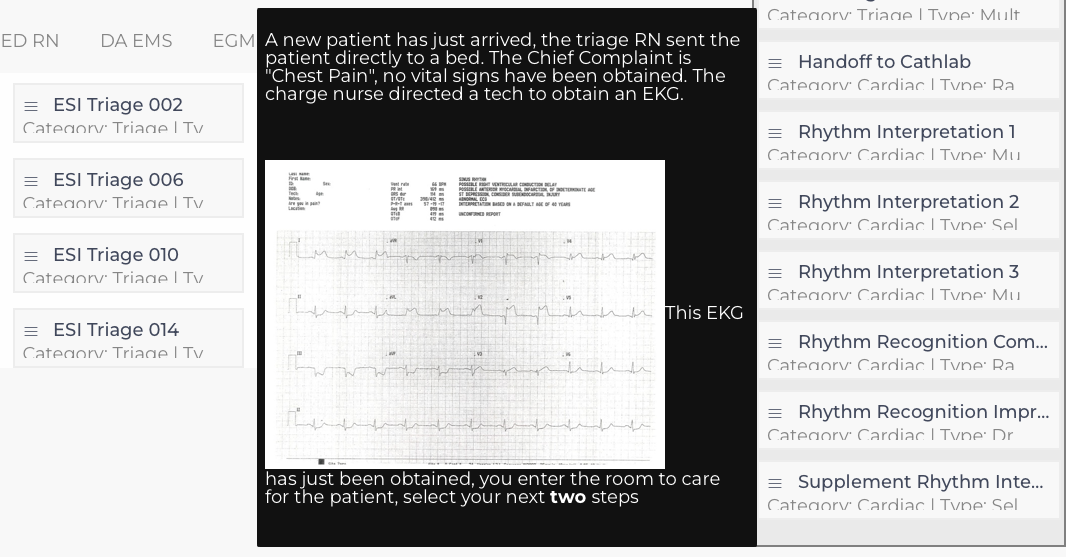
- Hover over the question to see additional details

- Drag and drop the questions to the order they should appear.
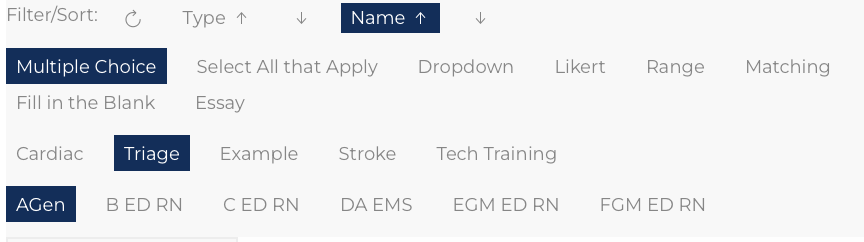
- Use the Advanced Filters (highlighted green) to focus the list of questions to the desired question type, category, or affiliate to answer

- Hover over the question to see additional details
- Adjust the Communication that will be used/how to send when the Assignment is created.
- Decide if the Knowledge Check Answers will be displayed or not.
- Click:
Once the template has been saved the user is re-directed to the Template View – a preview of what a participant will complete when the click the link included in the assignment.
Preview Knowledge Check
From the Template View, there are easy links to edit an individual question (highlighted yellow) or the template as a whole (highlighted blue). If changing a question that is used on multiple templates, the change will be reflected on each template where the Question appears.
Assign Knowledge Check
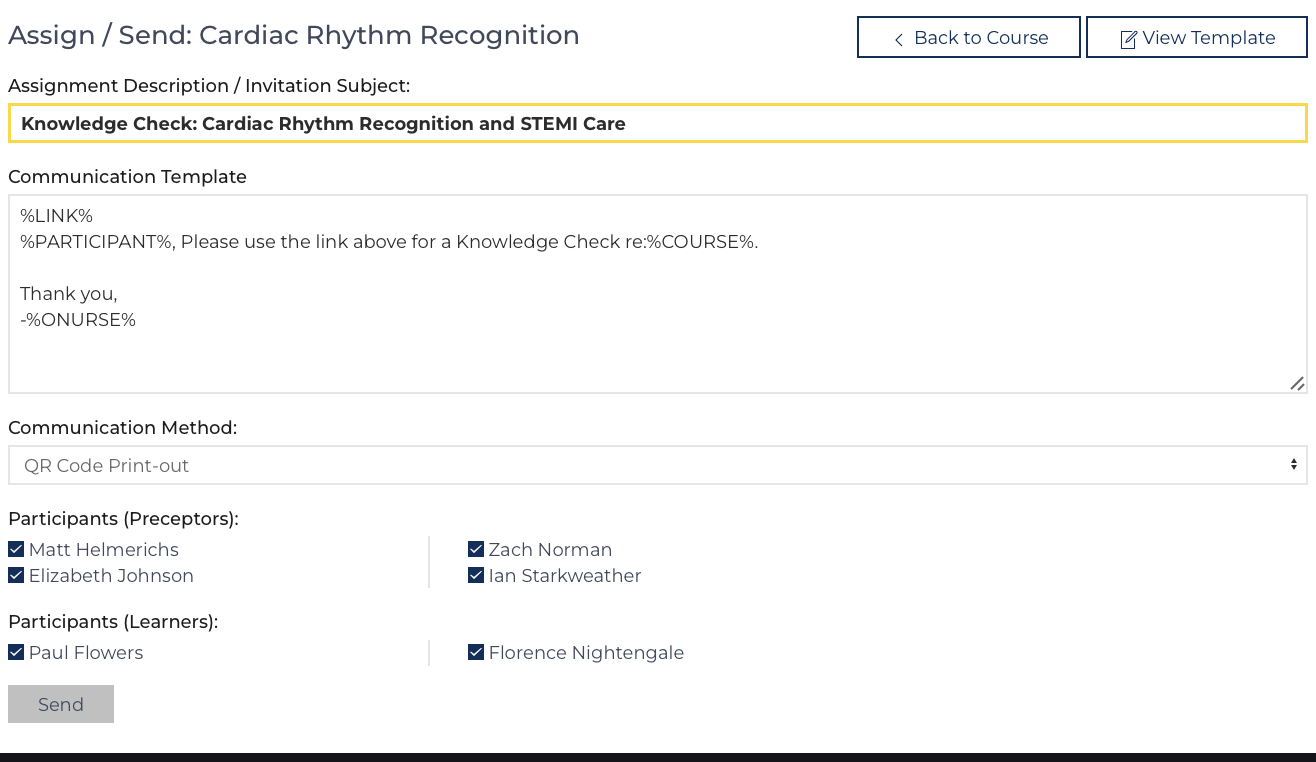
Assignments are created on the Course View Edit screen. To create an assignment, first questions must be created then assembled onto a template associated with the curriculum being presented.
Once those steps are completed, the Quick Link to appears on the individual instances of the course. The screen to the right will appear:
- Describe the Assignment
- Make any adjustments to the message in the Communication Template field.
If sending as a Text Message keep the message brief. Hover over the labels for guides on how to use each field. Text like %LINK% is replaced with the link in each individual message. - Decide how to send the message.
If an individual participant does not want to receive text messages and have their communication method set to E-mail, they will receive an e-mail instead.
An option to create QR codes is also available, creating the assignment records and QR codes with links to those assignments without sending any messages. - Choose who to assign the Knowledge Check (everyone is checked by default).
- Click , each message is sent individually. This script takes 3-4 seconds per message.
Edit Assignments, Re-open, Review Responses
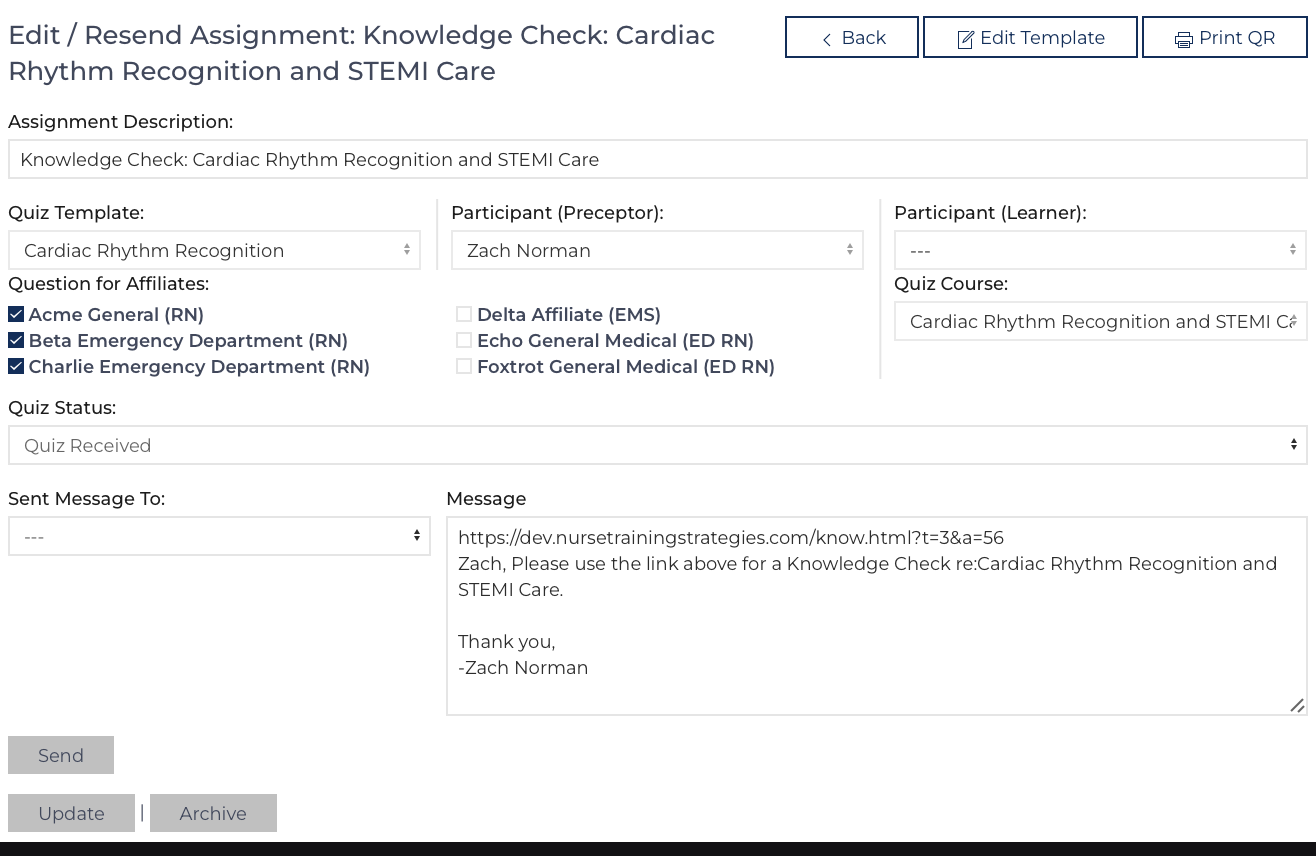
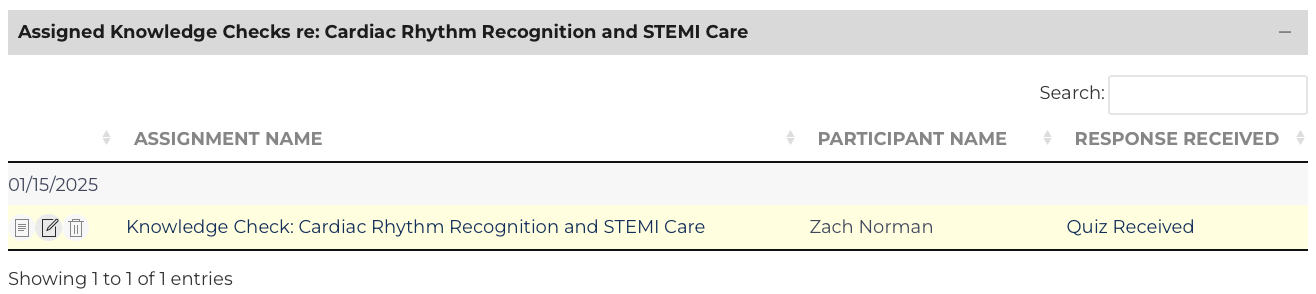
List Views exist on the Knowledge Check, Curriculum View, and Course Instance View pages for the assigned Knowledge Checks. The individual Learner or Preceptor page also contains links to assigned knowledge checks. Click to view the results or to edit the assignment.
The edit screen to the right allows the user to re-send the invitation or re-print the QR code.
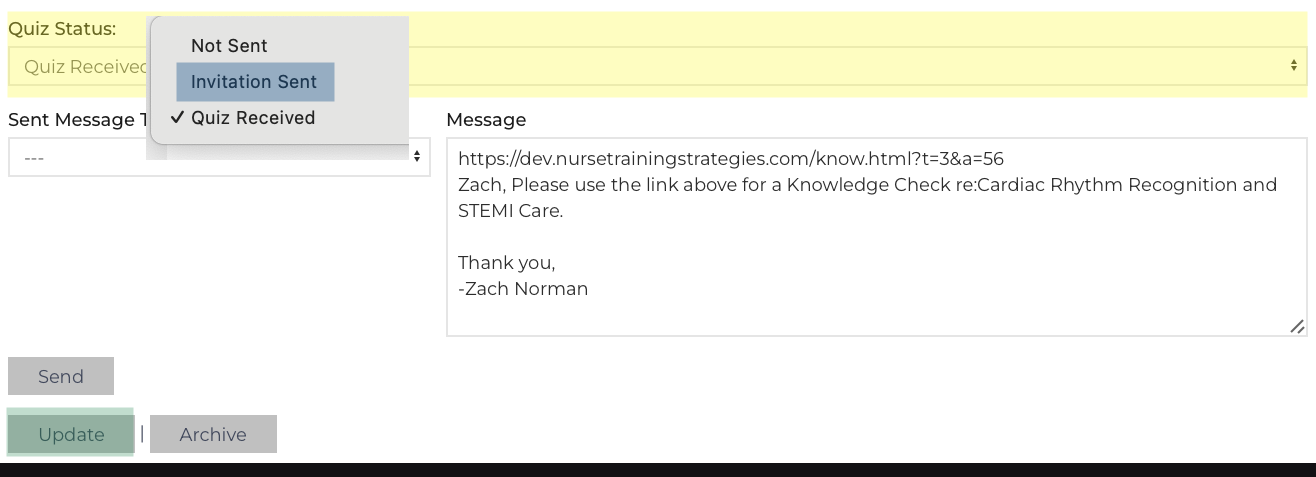
If a participant submits the quiz before they have finished answering questions, navigate to the edit screen by clicking on from a list view.
 Review Responses
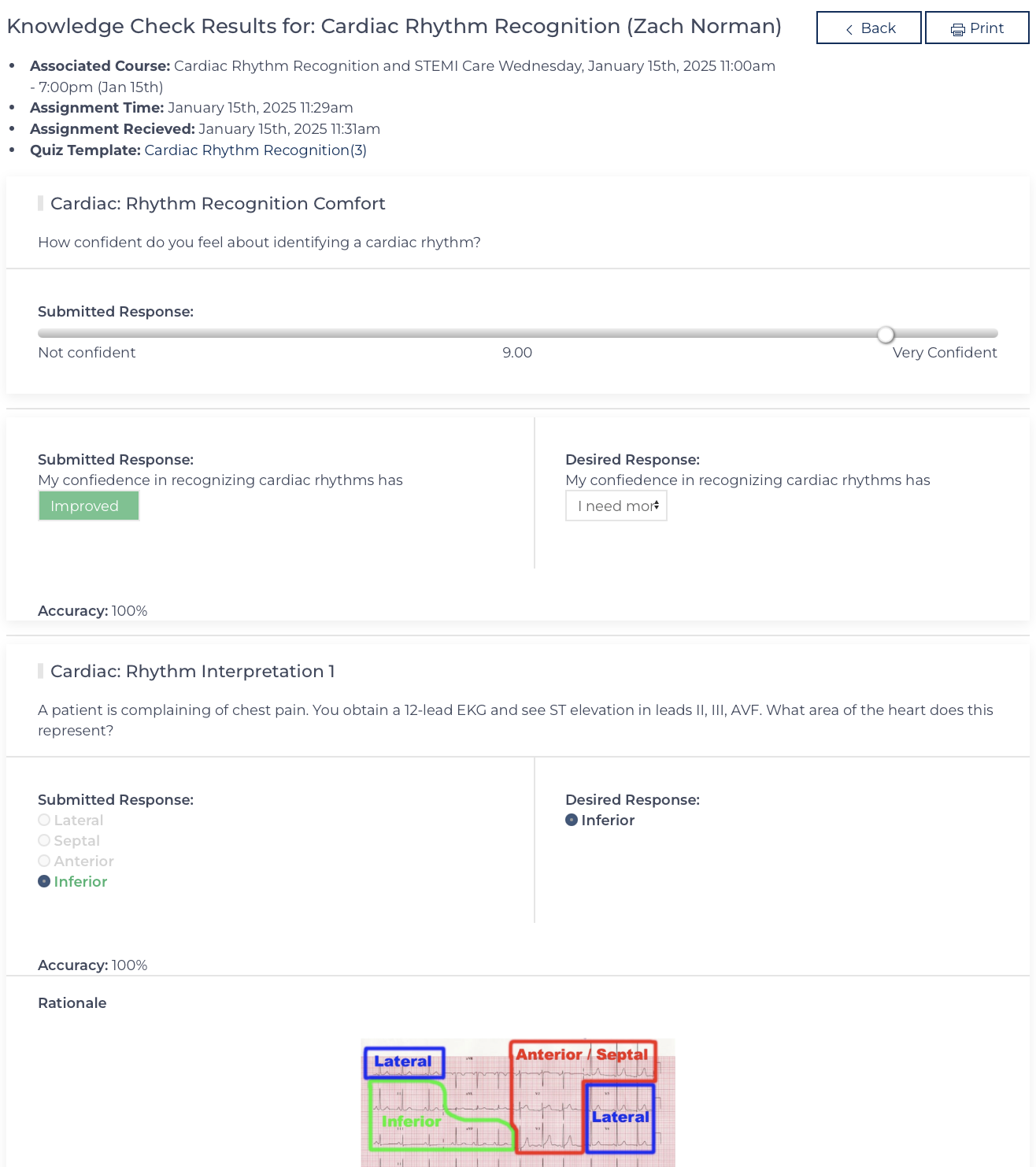
A user logged in can see the responses and accuracy of the responses. The participant can also see this screen if the template allows.