Reports
- URL: /reports.html
- Access: Orientation Nurse Users, Leadership Users
- Tags: Orientation Nurse Users, Leadership Users
The reporting capabilities cover a wide range of areas, providing the data-driven insights needed to make informed decisions and drive continuous improvement.
Colleague Achievement
A report that can be filtered and sorted in numerous ways, allowing organizations to determine who is prepared to practice in specific roles, who has received specific education, along with other metrics such as tenure.
Learner Action Plans
A group of list views showing Learner Action Plans and their various stages. Learner Action Plans document challenges and interventions to help the colleague get back on track.
Colleague Credentials
A table of all the accomplishments and achievements that have been documented on the Colleague Records that can be sorted and exported to or .
Colleague Notes
A table of all the Colleague Notes that this user profile can access that can be sorted and exported to or .
Orientation Documentation
A table of all the Assigned, Submitted, and Completed Orientation Documentation that can be sorted and exported to or .
Preceptor Plans
A drag-and-drop visual display of Learners on Orientation for a specific role and the preceptors who will lead their day-to-day orientation.
Review Dashboard
A tool you can filter, sort, and search to help educators and administrators understand their orientation program's performance and identify future opportunities.
Formal Evaluations
A searchable list view of Formal Evaluations
Benchmark
Evaluation results and the completed orientations that form the benchmark.
Schedules
A visual and searchable list view of upcoming learning events.
Transcripts
A searchable list view of Learner and Preceptor Transcripts as well as their completed competencies.
Curriculum
A set of three list views that can each be searched and sorted, showing Course instances, completed Clinical Development Grids, and Knowledge Check assignments.
Weekly Report
Links to the comprehensive reports that are sent on a designated day each week (Monday-Thursday) to subscribed users regarding upcoming learning, new data that has been collected, and highlights from the previous week.
Export
Five different export options exist to tabulate data from various tables to facilitate further analysis and research, empowering users to delve deeper into the metrics that matter most.
Additional Content
Benchmark Report
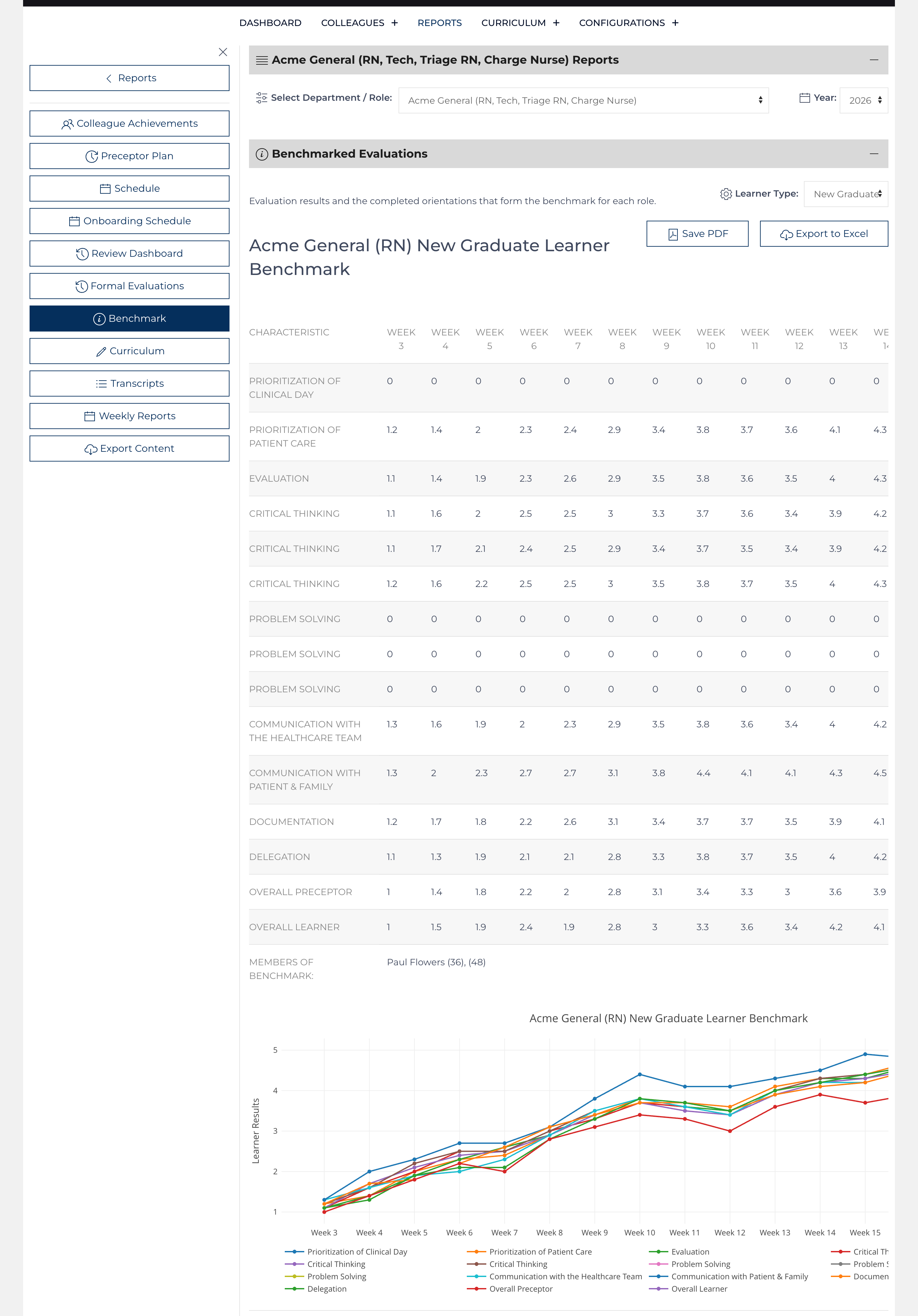
There is a table and a graph in this report for each role, showing the benchmarked score for the Learner Evaluation and the Preceptor Evaluation. Utilize the filter
Learner Type: New GraduateExperienced RNExperienced ED RNShearwater RNNew Graduate ...
Colleague Achievements
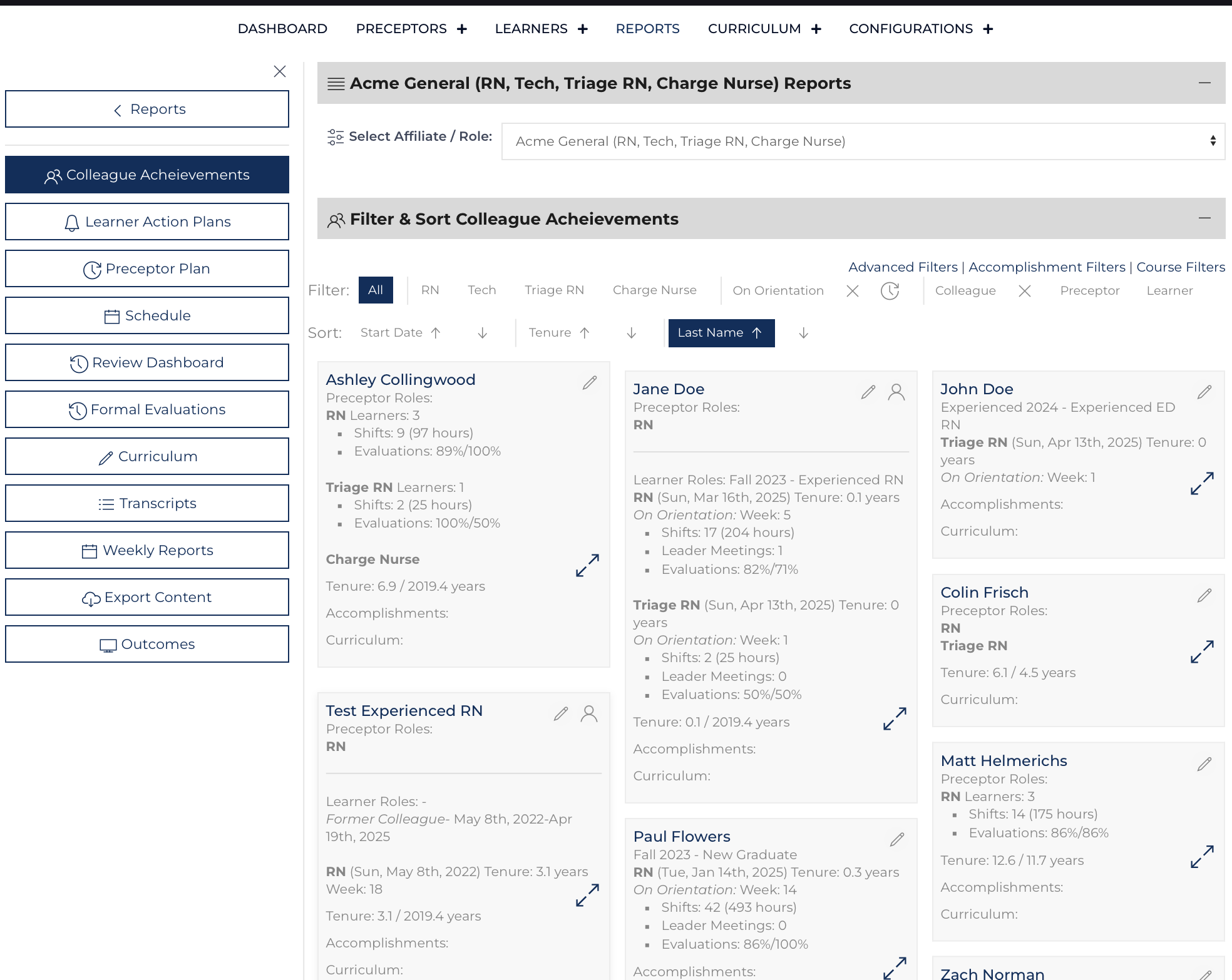
A report that can be filtered and sorted in numerous ways allows organizations to determine who is prepared to practice in specific roles, who has received specific education, and other metrics such as tenure....
Colleague Credentials
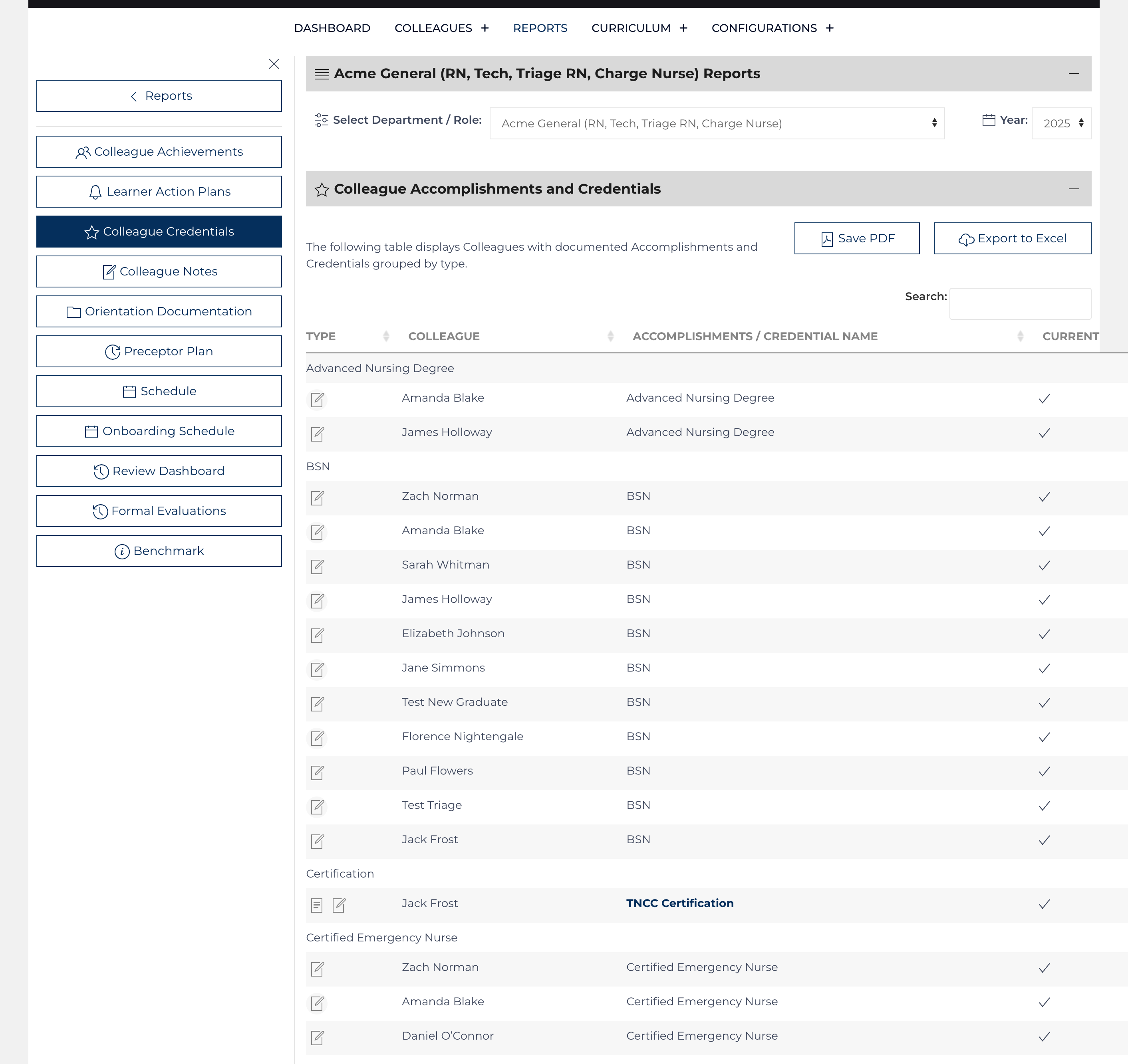
The table displays Colleague Credentials and Achievements, grouped by each. This list can be re-sorted and searched. If the credential has an uploaded image/document showing the membership or certification, the document can be accessed by the user. T...
Colleague Notes
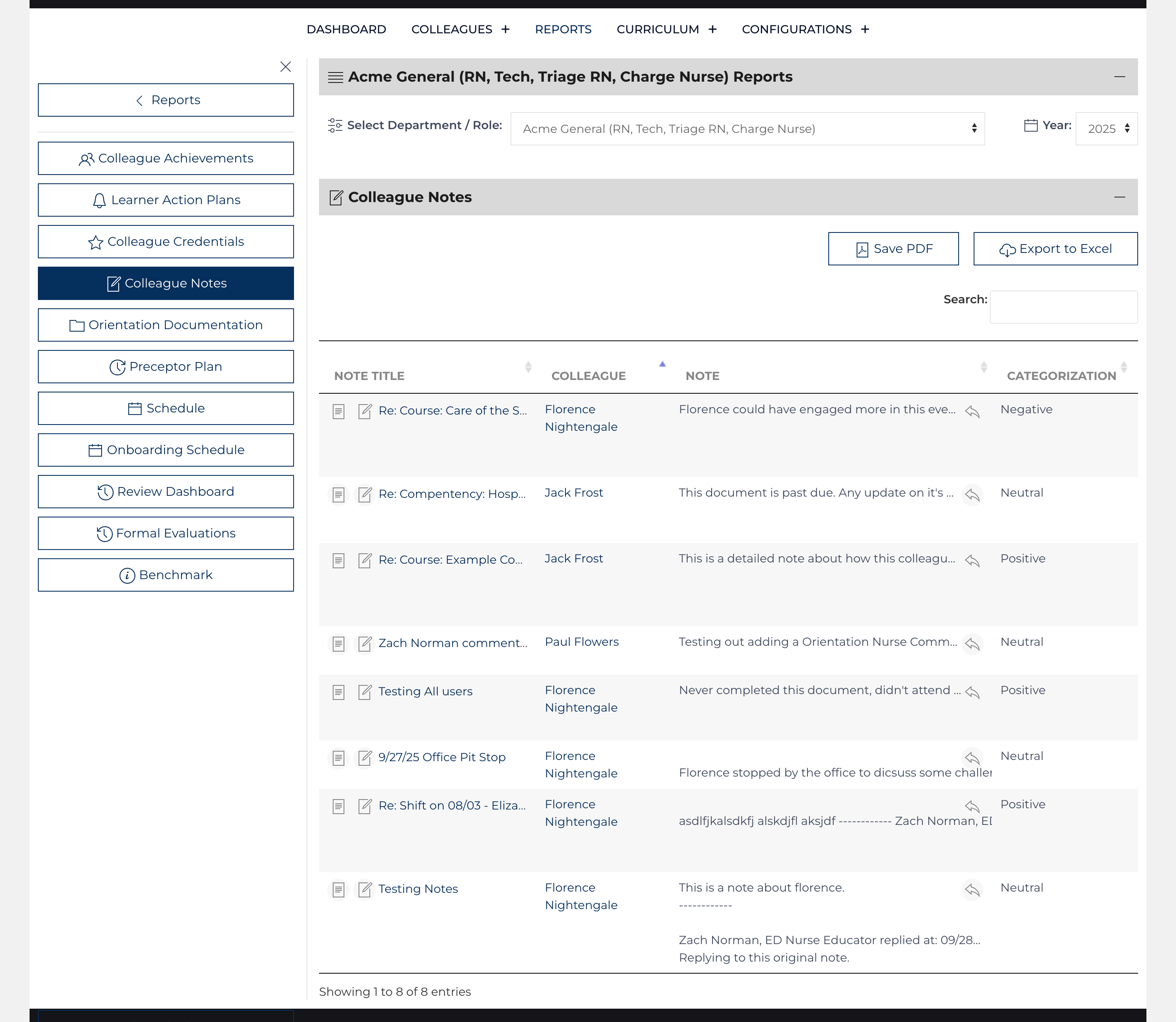
The table displays Colleague Notes, grouped by colleague. This list can be re-sorted and searched. The user can only view the Colleague Notes that are published to their profile. Filters include year, and there are buttons to reply to each note;...
Competency / Orientation Documentation
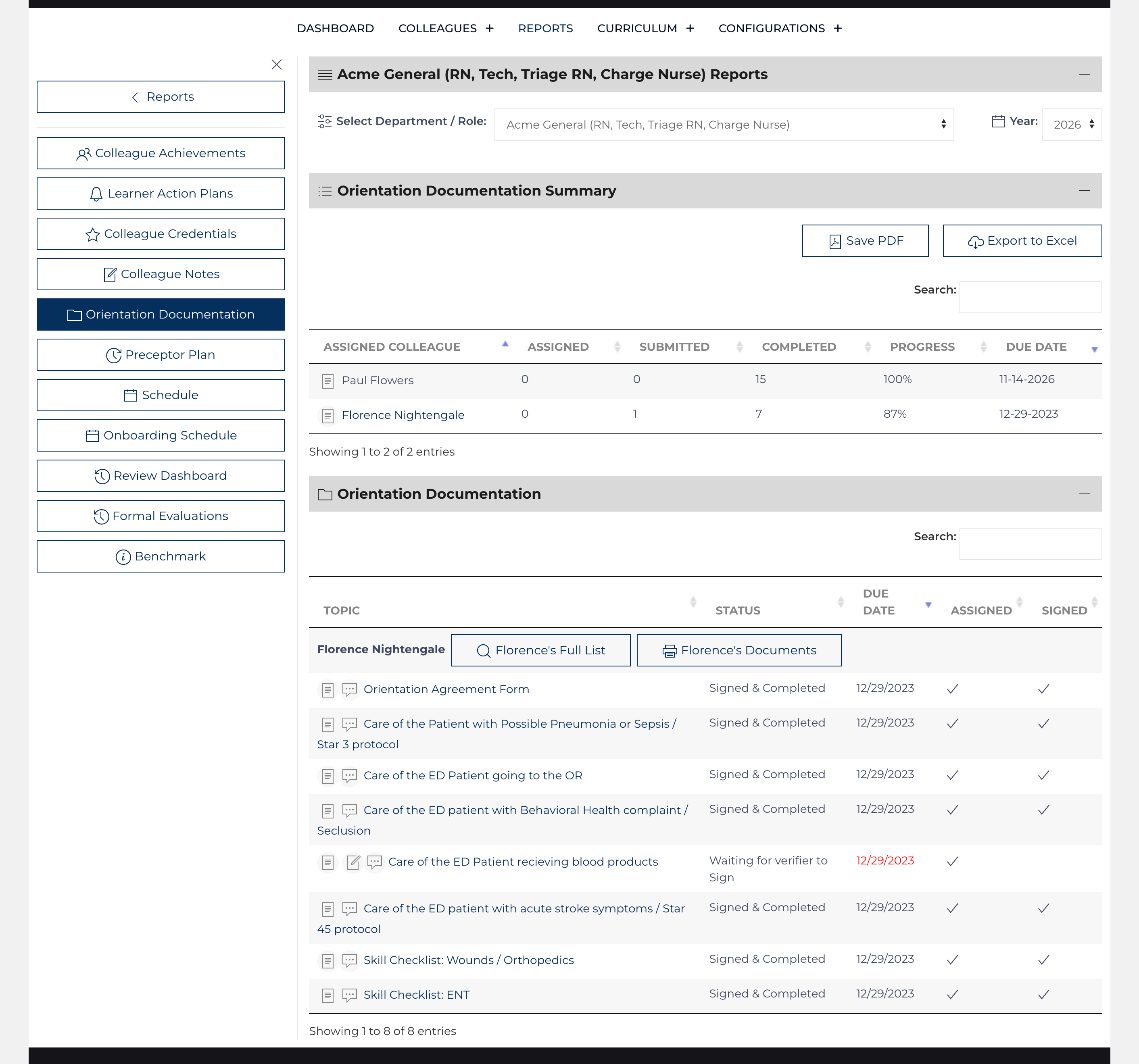
There are two tables in this report. The first is a summary of the orientation documentation that has been assigned during the filtered year. This table is grouped by colleague and shows assignments as assigned, started, or completed.
The second tab...
Curriculum Reports

A set of three list views that can each be searched and sorted showing Course instances, completed Clinical Development Grids, and Knoweldge Check assignments. The Course instance listing is the only comprehensive listing of all the courses in the gi...
Export Content
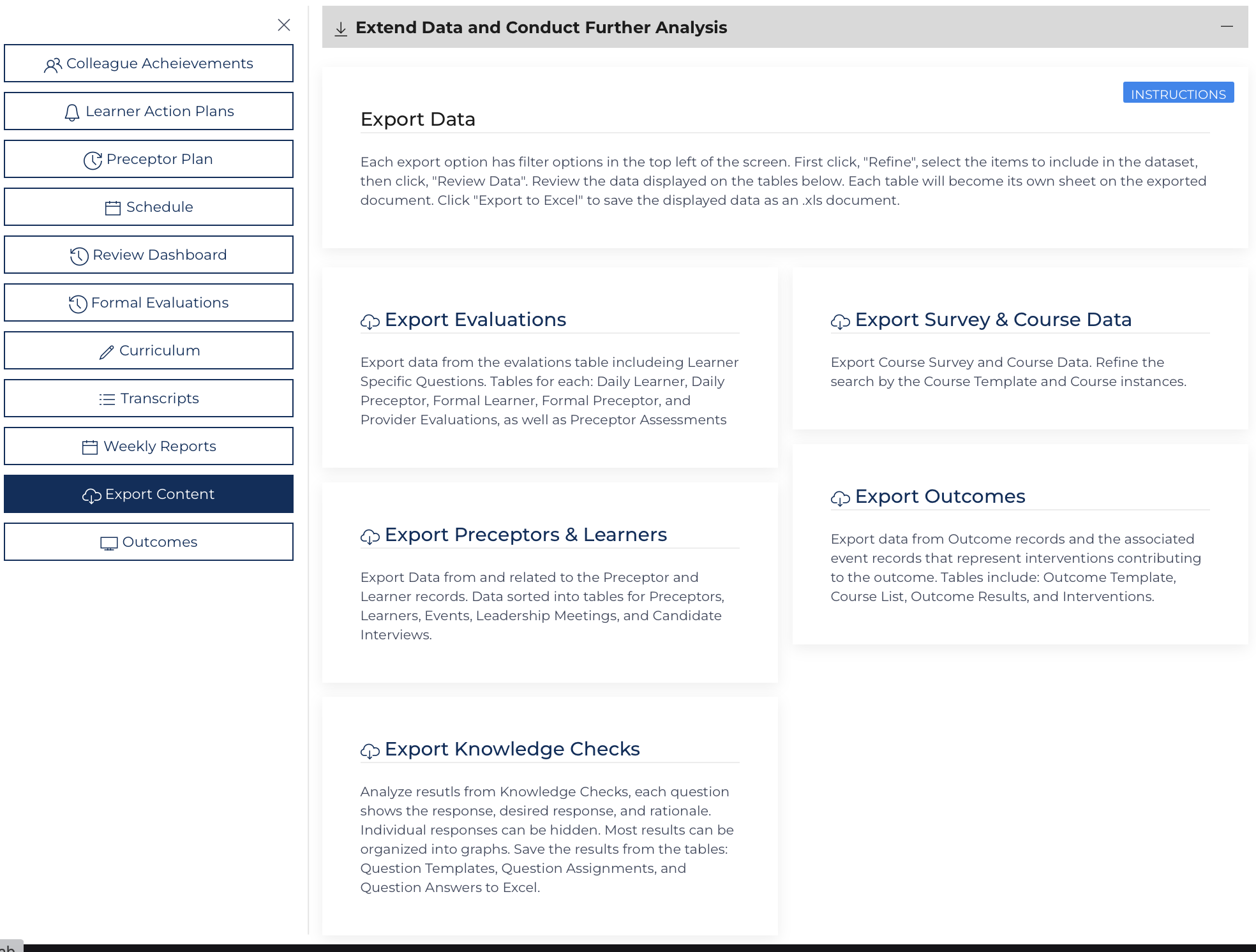
Each export option has filter options in the top left of the screen.
First click: Refine, select the items to include in the dataset,
Next click: Review Data. Review the data displayed on the tables below. Each table will become its o...
Export Knowledge Checks
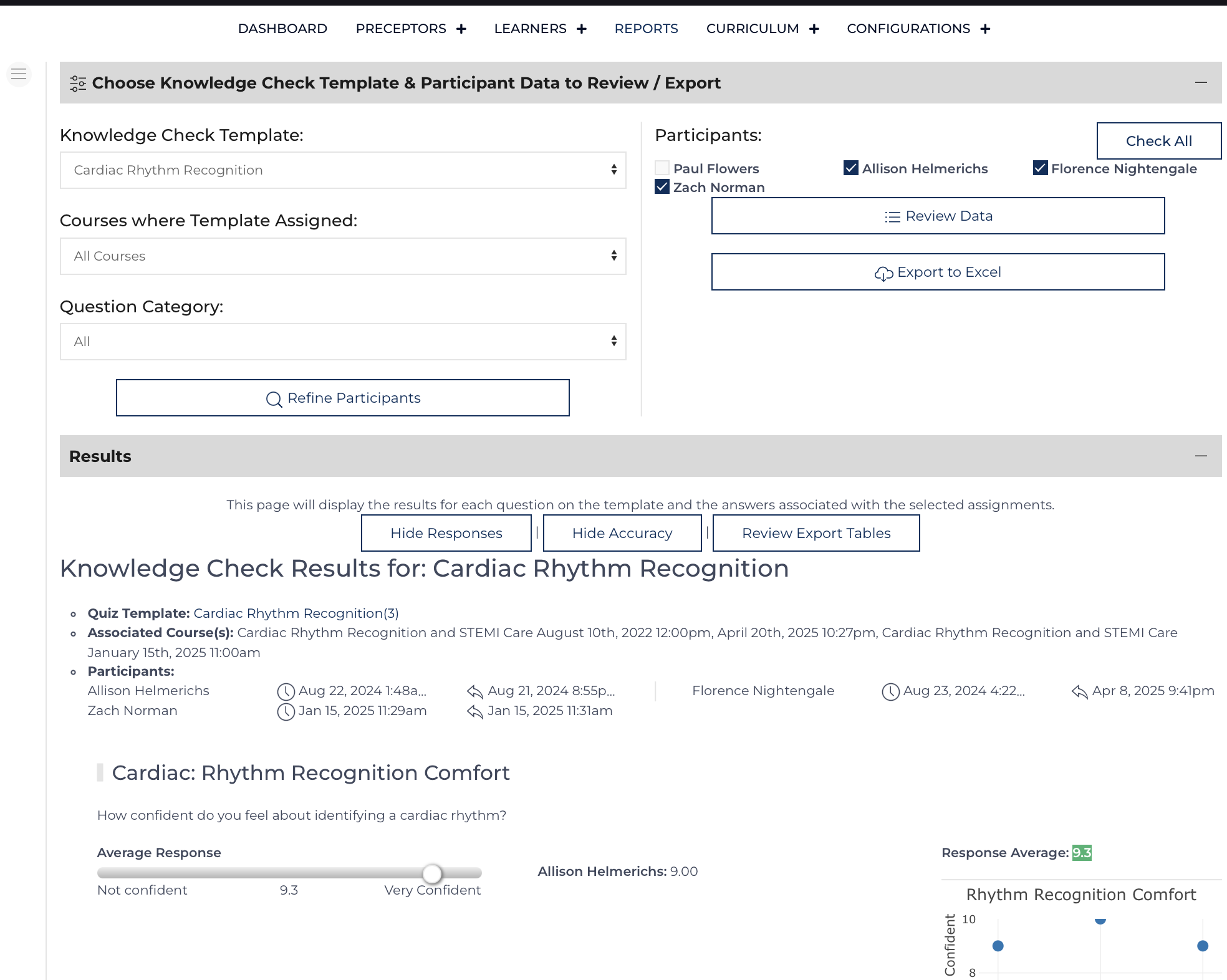
Like the other export pages, the Export Knowledge Checks has filter options at the top of the screen. It also includes an additional section that allows users to analyze the responses.
First click: Refine Participants, select the items to in...
Learner Action Plans

The table displays Learner Action Plans grouped by category and displays contributing factors, this is an at-a-glance view of where Learners have had or are experiencing challenges. This list can be re-sorted and searched. Clicking on the name or one...
Preceptor Plan
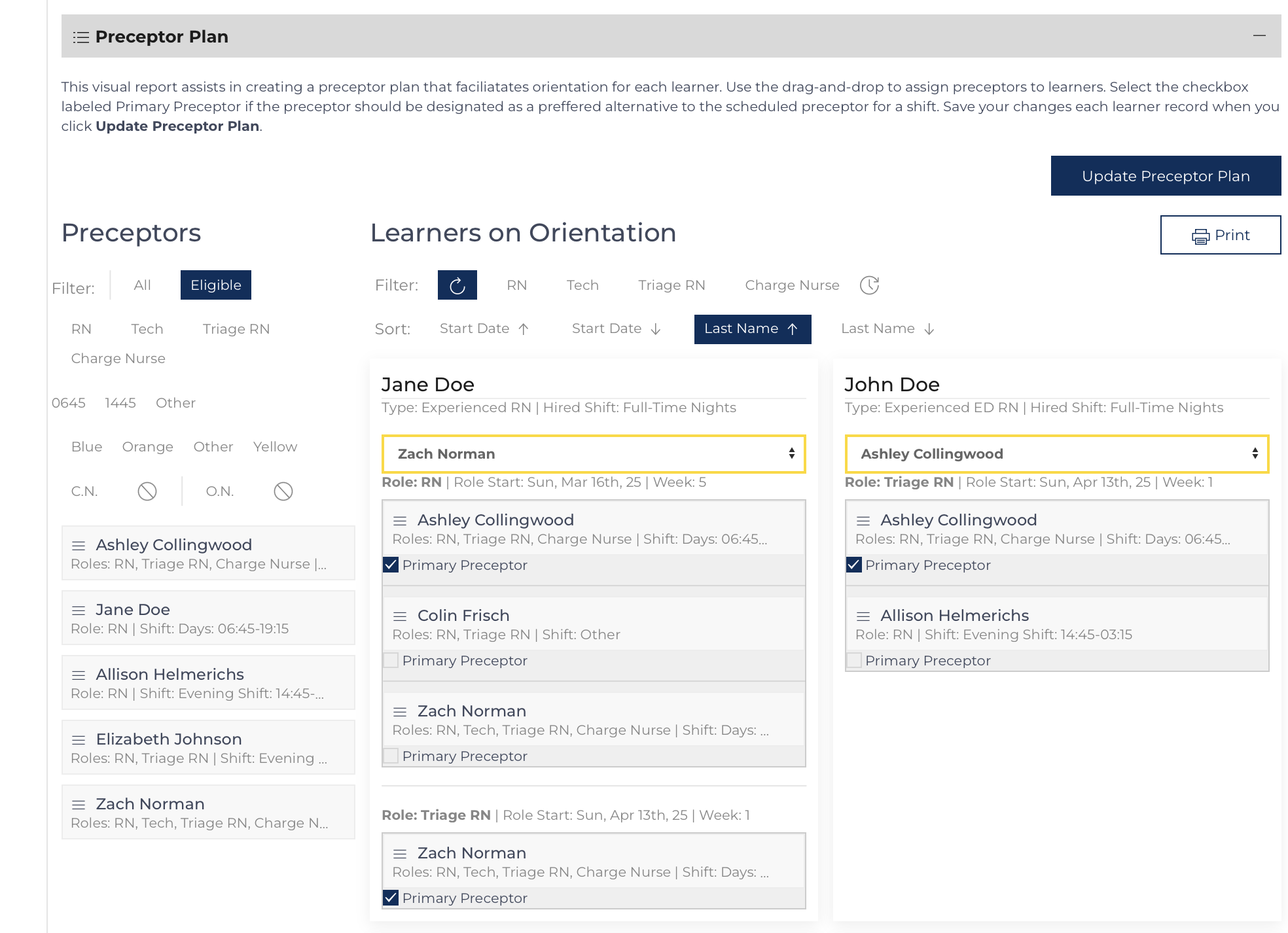
This visual report assists in creating a preceptor plan that faciliatates orientation for each learner. Use the drag-and-drop to assign preceptors to learners. Select the checkbox labeled Primary Preceptor if the preceptor should be designated as a p...
Review Dashboard
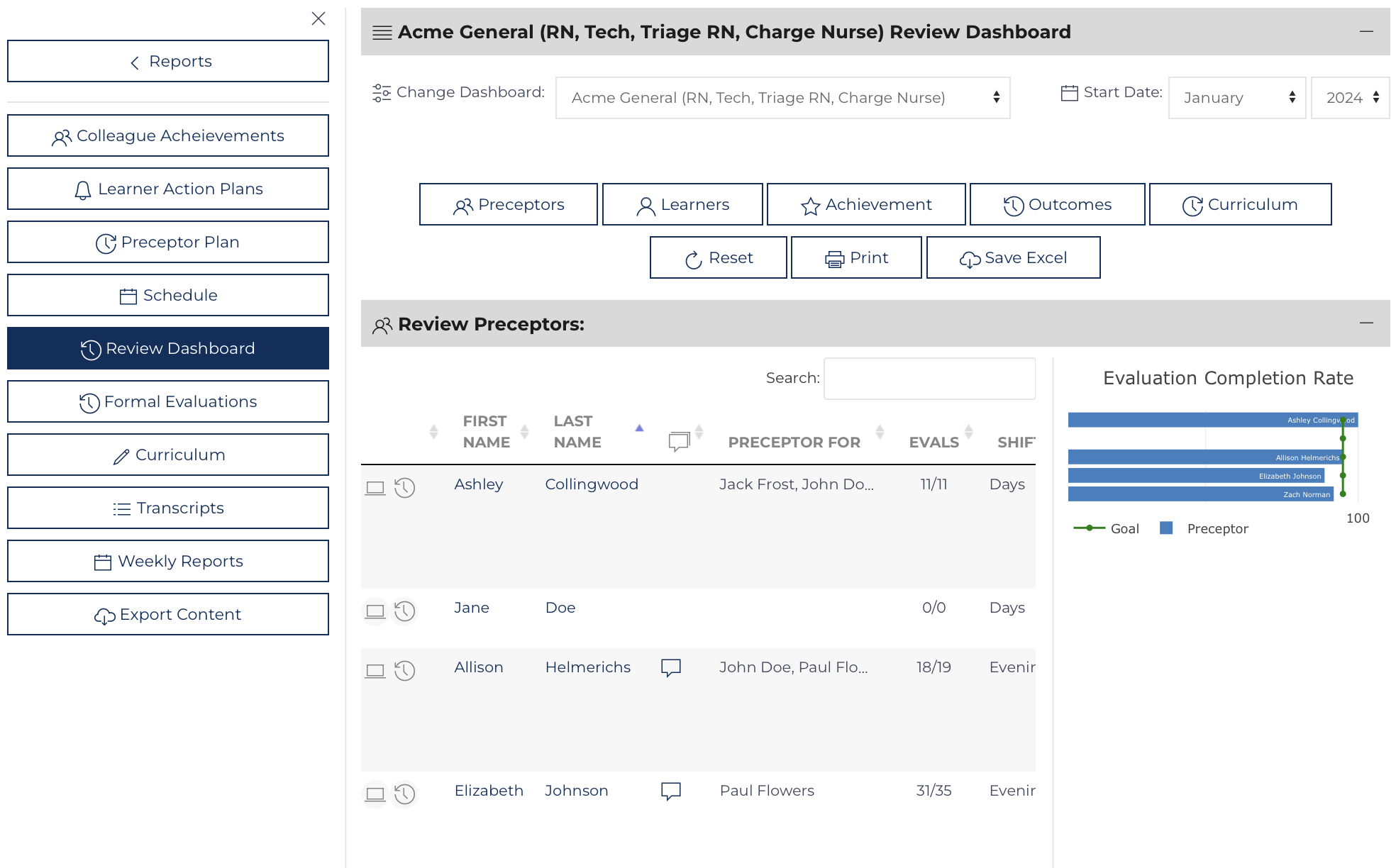
A tool that can be filtered, sorted, and serached to help educators and administrators understand the performance of their orientation program and identify future opportunities.
The Review Dashboard can only pull data from one Affiliate (filter high...
Schedule Report
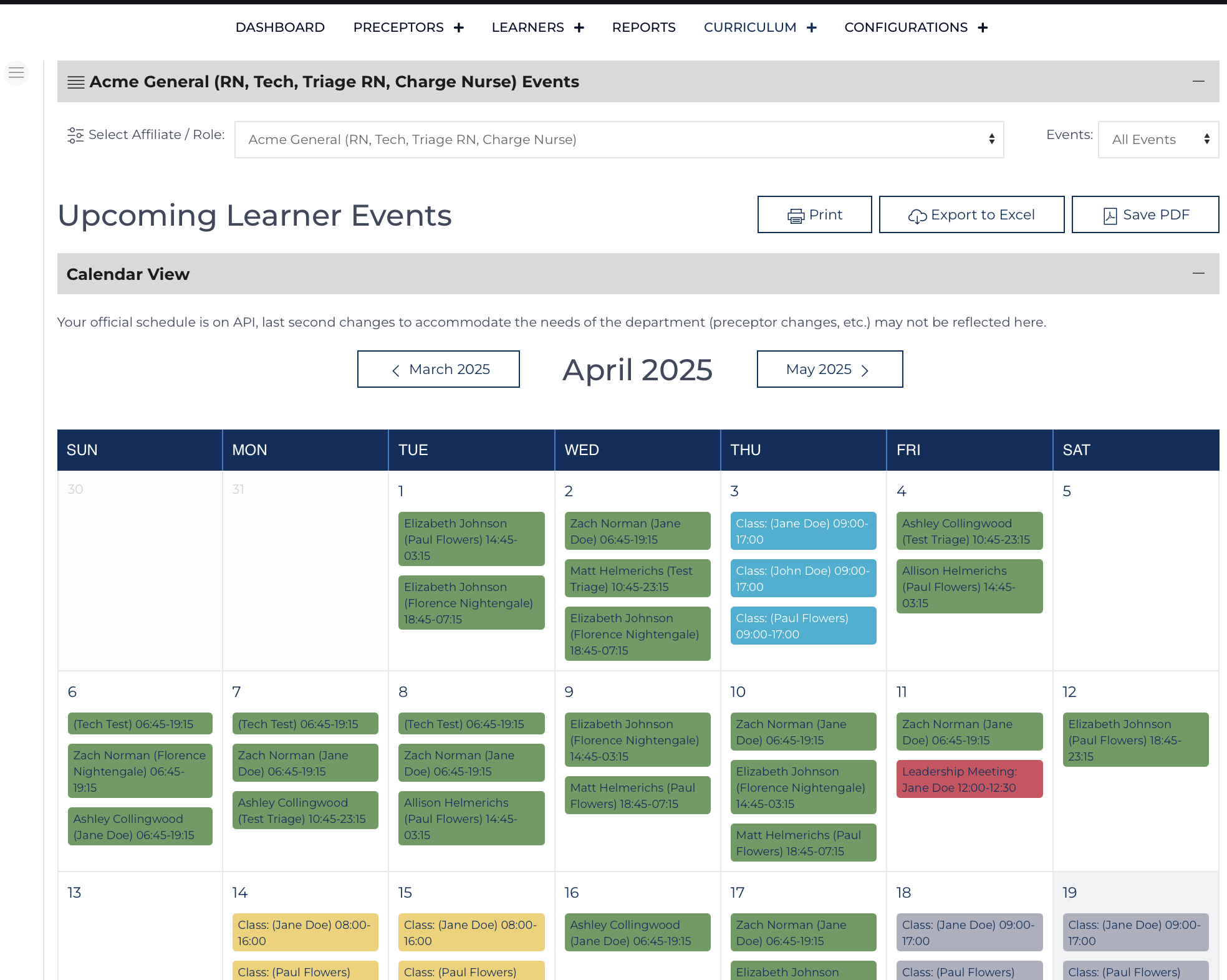
This page is a tool for Leadership and Orientation Nurses. It can display data on a calendar view or on a list that is grouped by date. It allows users to easily review and make changes:
The dropdowns highlighted yellow filter the events that ...
More Articles …
Page 1 of 2