Learners
- URL: /colleagues.html#learners
- Access: Orientation Nurse Users, Leadership Users
- Tags: Orientation Nurse Users
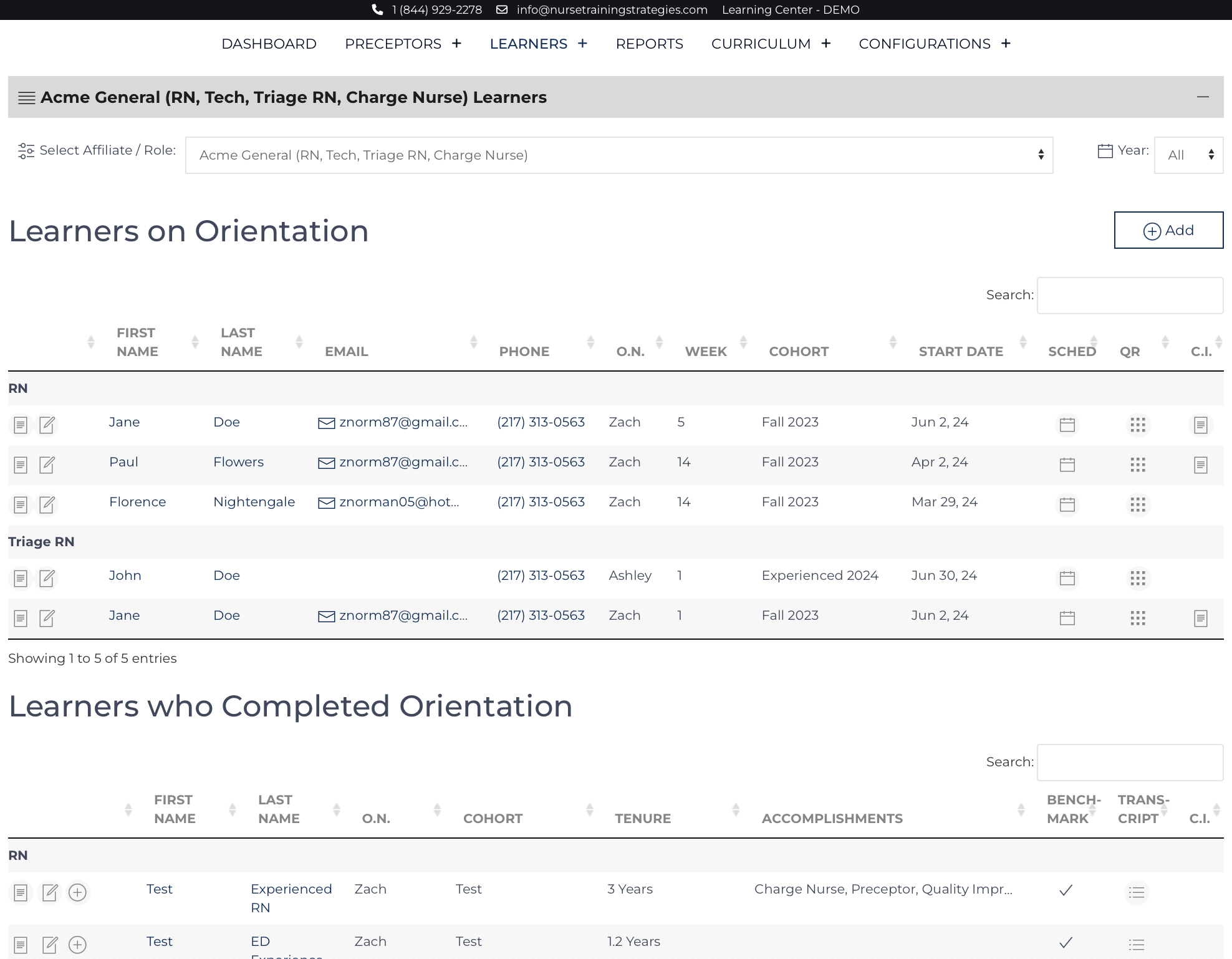
These list views are located on the Colleagues screen, are accessible by the Quick Links on the left, and are searchable and sortable. By default, it is organized by start dates: the newest learners will be on top. Learners whose orientation is complete are displayed on a list view below. The list views are separated into Learners who are orienting for a role[1] and those who have completed orienting for a role.
Refreshing the screen will reset any sorting or searches back to the normal full list of learners. On small screens such as cell phones, some columns will be hidden to minimize scrolling.
- Access the individual Learner’s record by clicking their name or
![view icon]() .
. - Edit the individual record by clicking
![edit icon]() .
. - The block icon on the right brings up a new window with that Learner’s QR codes for the public pages associated with that Learner. QR codes are only generated for Learners currently on orientation.
 .
. .
.Footnotes
Additional Content
Action Plan
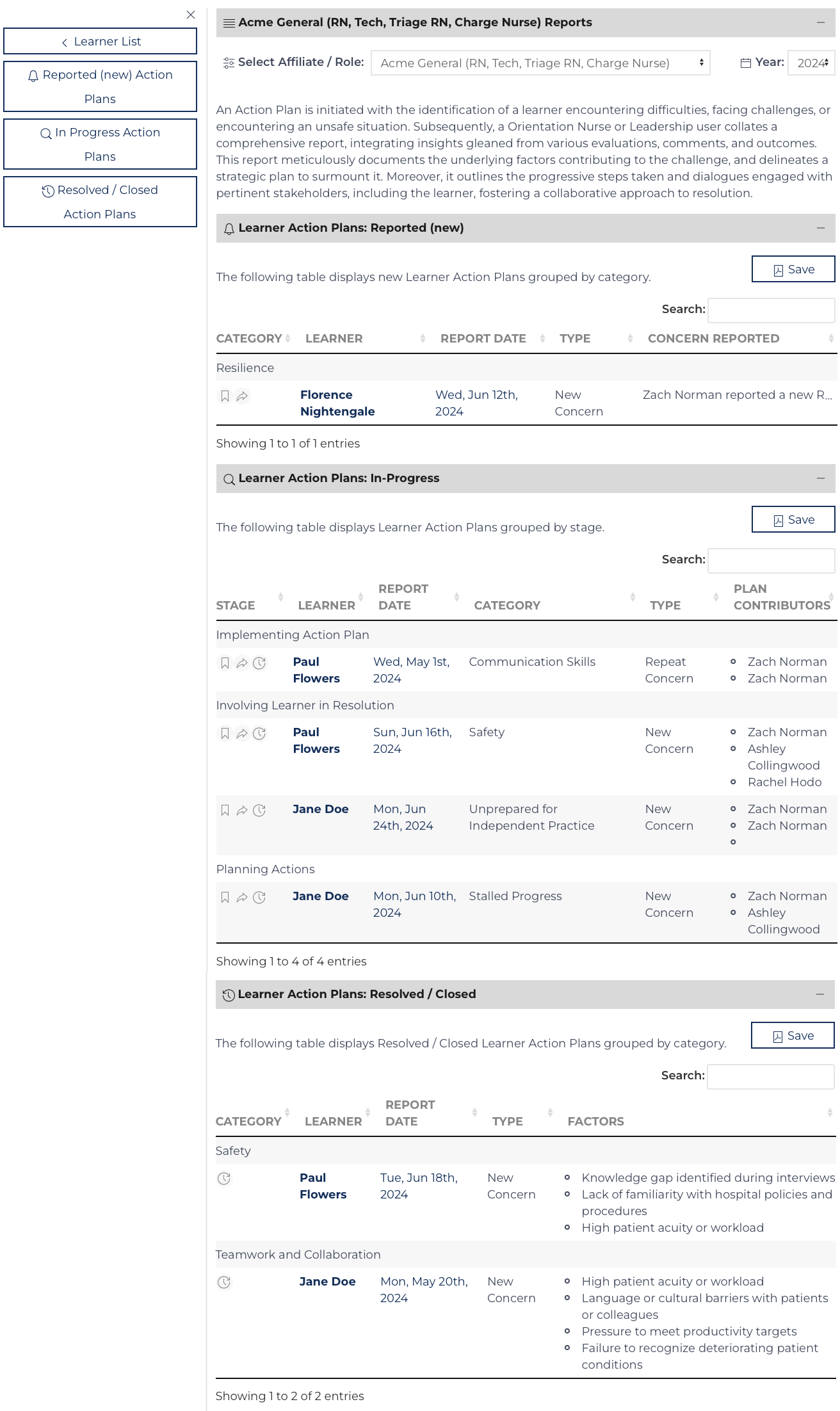
The Learner Action Plan is designed to be a tool to take in concern regarding a learner's progress towards autonomous practice from various sources and formulate a plan to get their orientation back on track. While the origin of the concern may also ...
Add Schedule Shifts
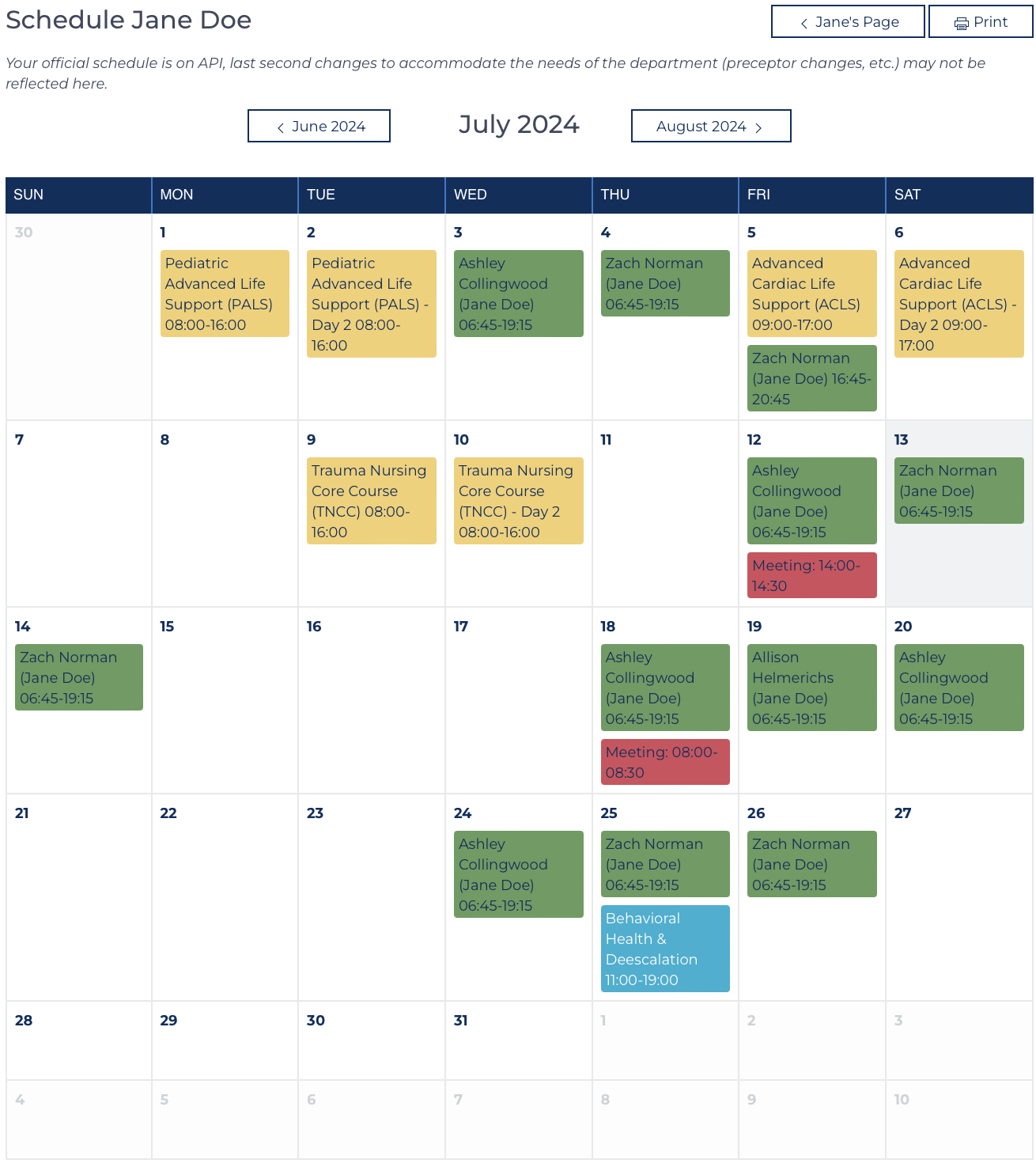
An Orientation Nurse or Leadership User can add shifts.
Log into your account.
Navigate to the Learner's page
Click Add Shifts to access a screen that allows the user to add new event records.[1]
The screen includes a calendar of future even...
Candidate Interview
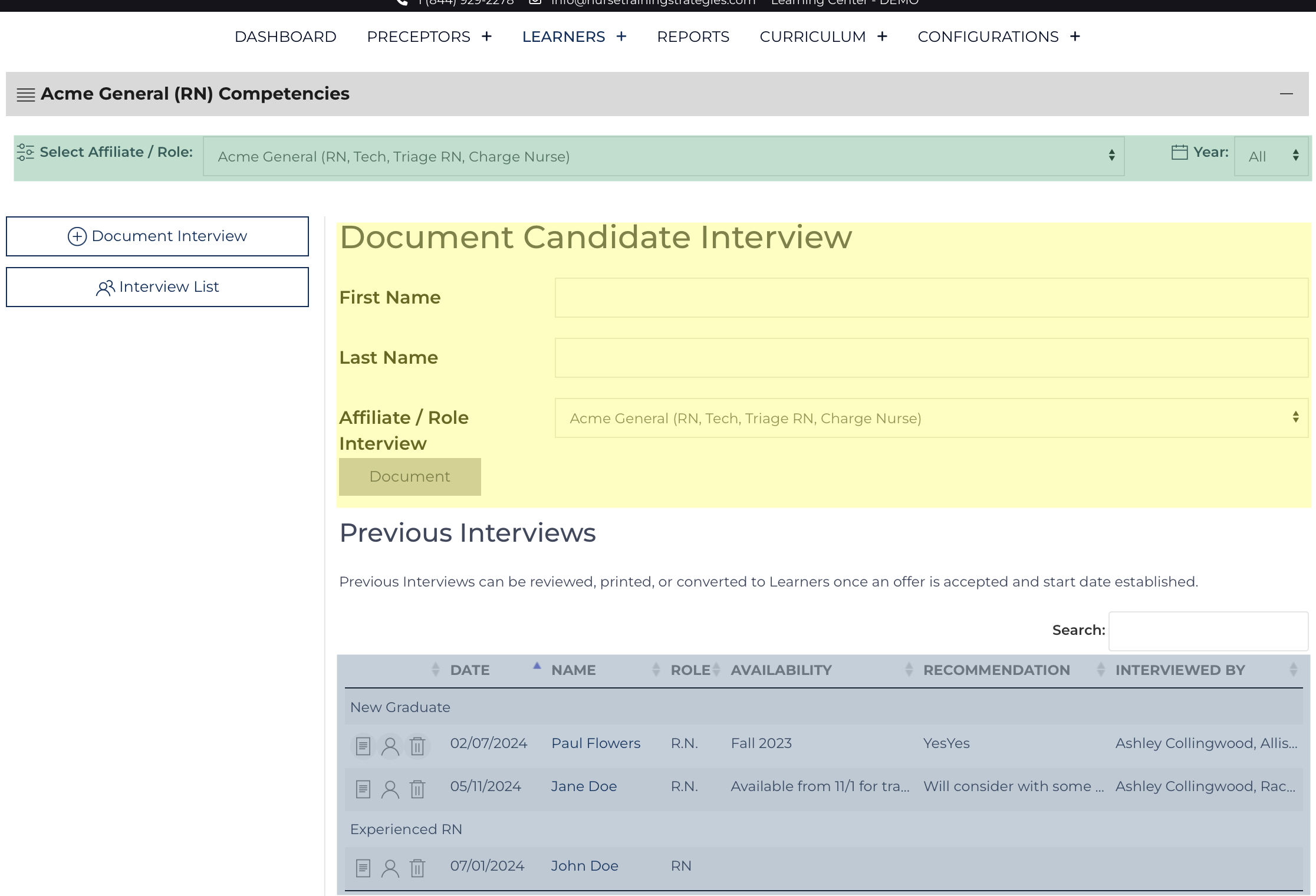
The purpose of conducting and documenting a Peer Interview and/or Shadow Experience is to document the learning needs of a new colleague. This information enables the educator to make better decisions in aligning preceptor assignments or initial goal...
Leader Review
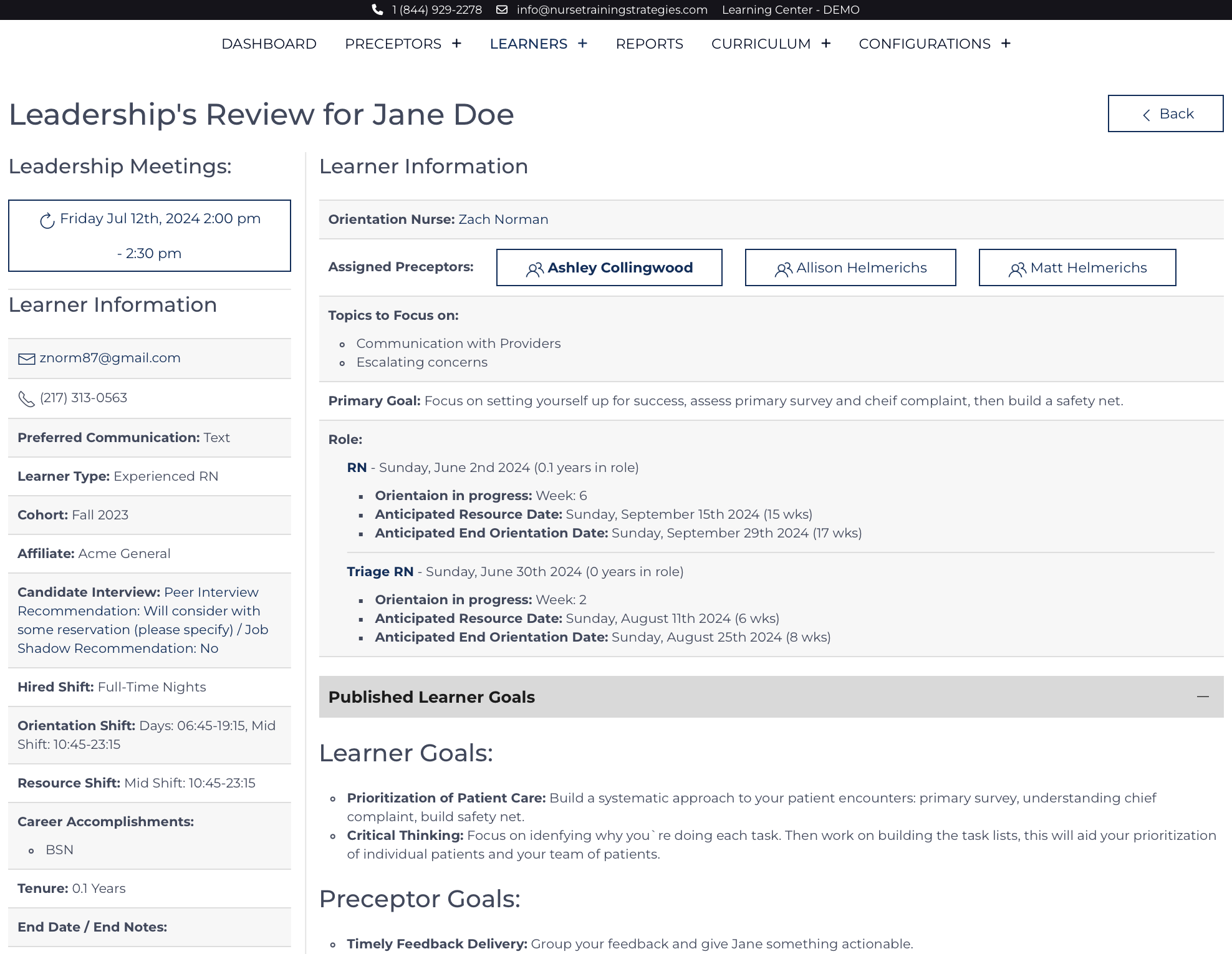
Both Orientation Nurses and Leadership have access to this page, the display is organized to enable Leaders to understand progress and the current goals for the Learner.
The page is organized to display constant data points on the left that are used...
Leader Update
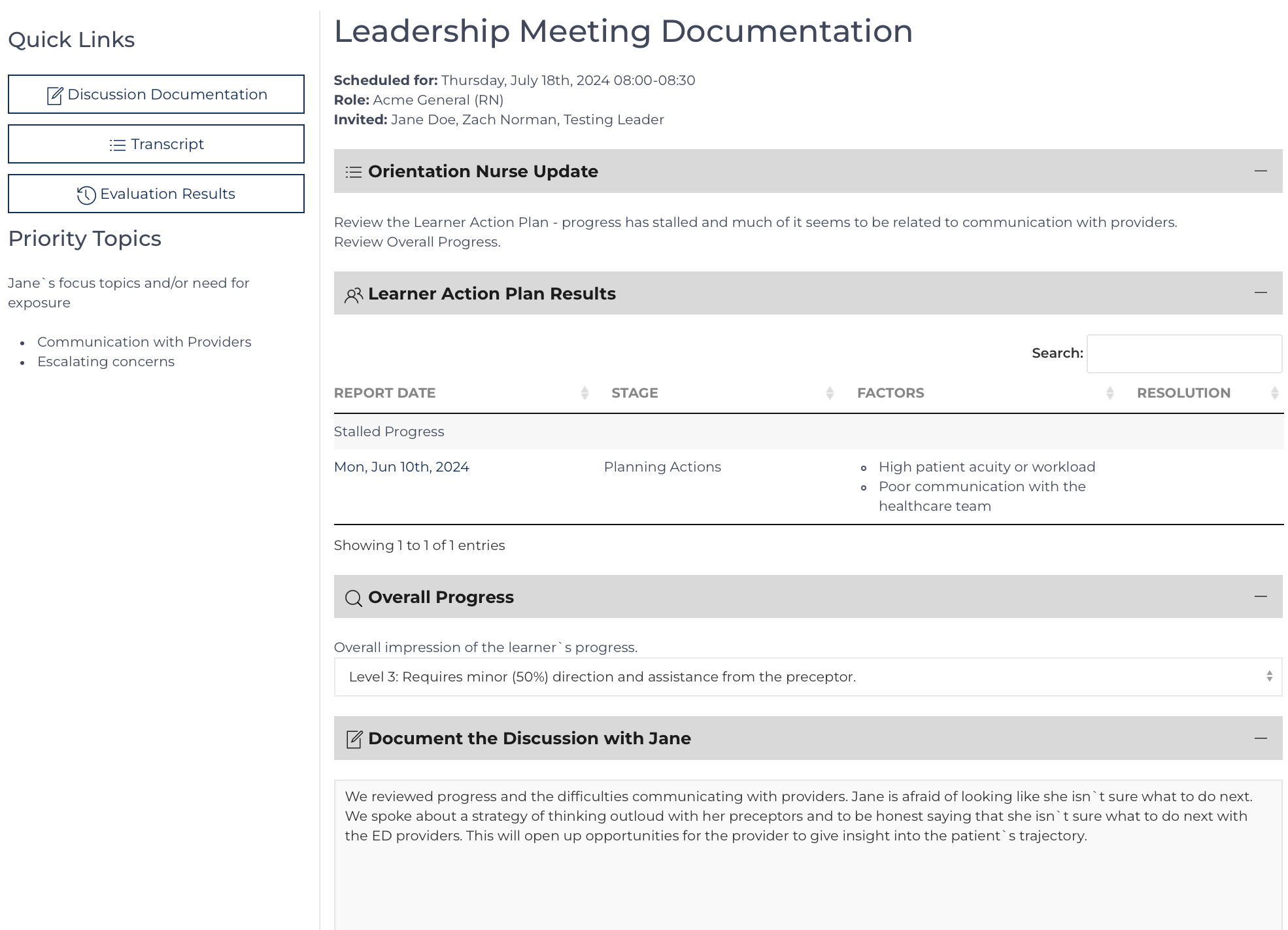
The Leader Update is designed to help the Learner and Leader be connected and up to date on the Learner's progress towards being an autonomous practitioner in the role they are orienting. The page has several views that move through a process:
Sch...
Learner Public
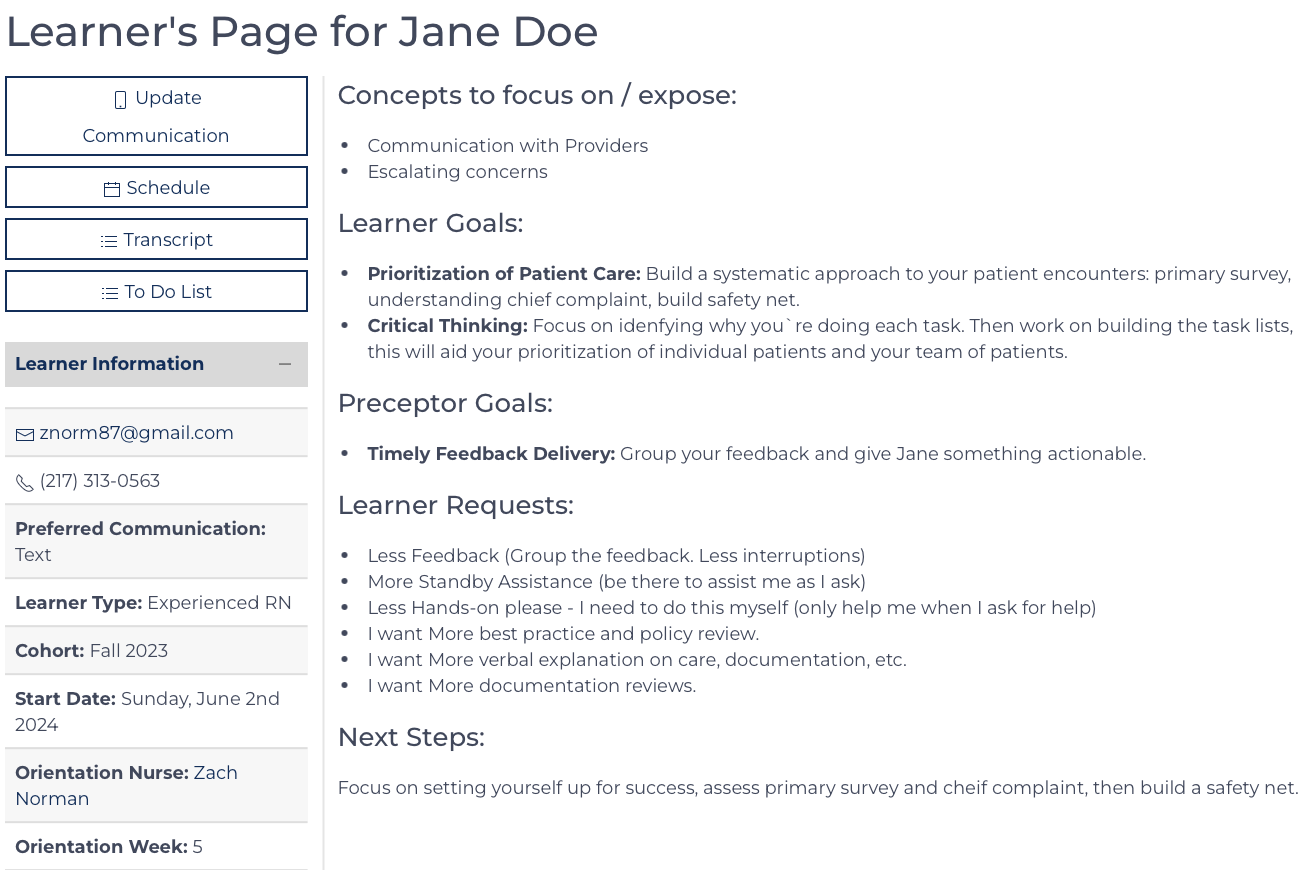
There is a QR code/link for a learner to directly access this page from their Welcome Message, however typical access after submitting a daily evaluation.
Purpose: Keep the learner informed of current goals, objectives, and progress. Progress i...
Learner View
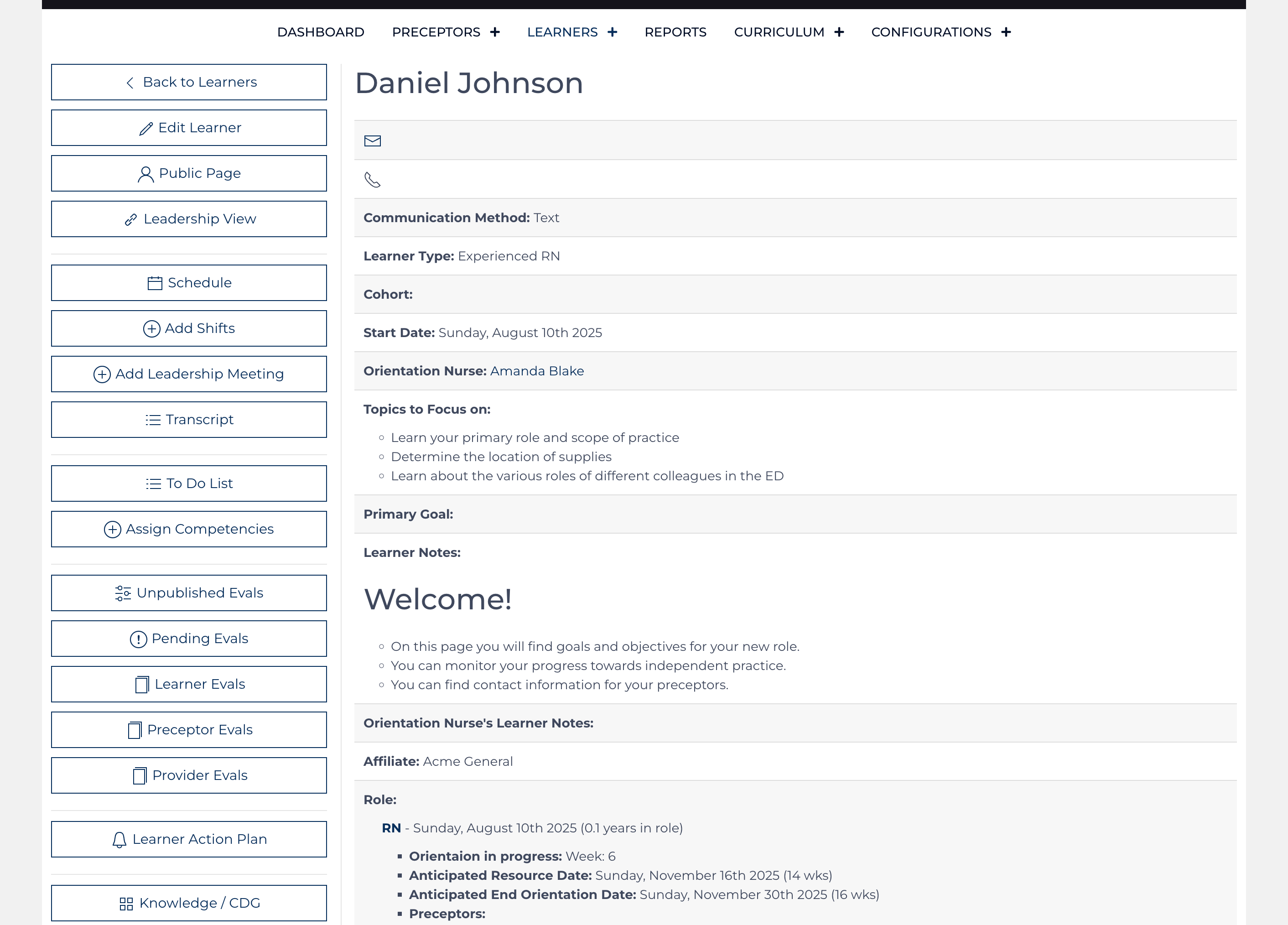
The Learner record is the hub where all other data points are linked. Once a Learner record is created, roles can be assigned for orientation, the Learner record must be maintained with up-to-date information. Each data point can be used to analyze t...
Onboarding Checklist
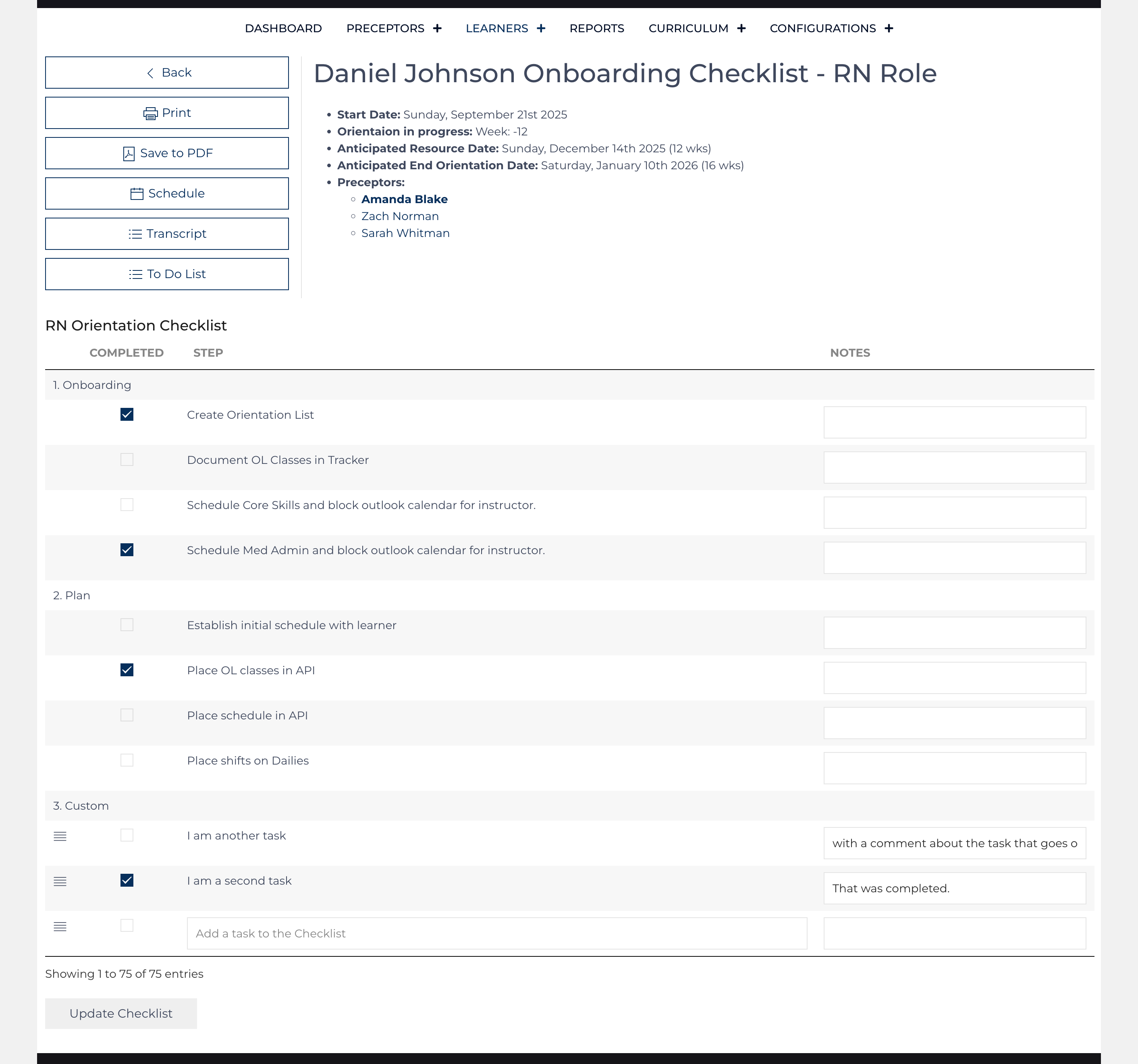
The onboarding checklist is initially based on the template checklist defined by each role. Up to 75 tasks can be placed on the list. The list can be updated by multiple users; each item tracks the user who updated it and when.
An additional l...
Schedule Modification
Change is inevitable, and making adjustments to the schedule is simple.
Event Type
Floor Shifts (events colored green on the calendars) and Unavailability (events colored black on the calendars) are standalone events and can be updated individual...
Subcategories
Evaluations Article Count: 10
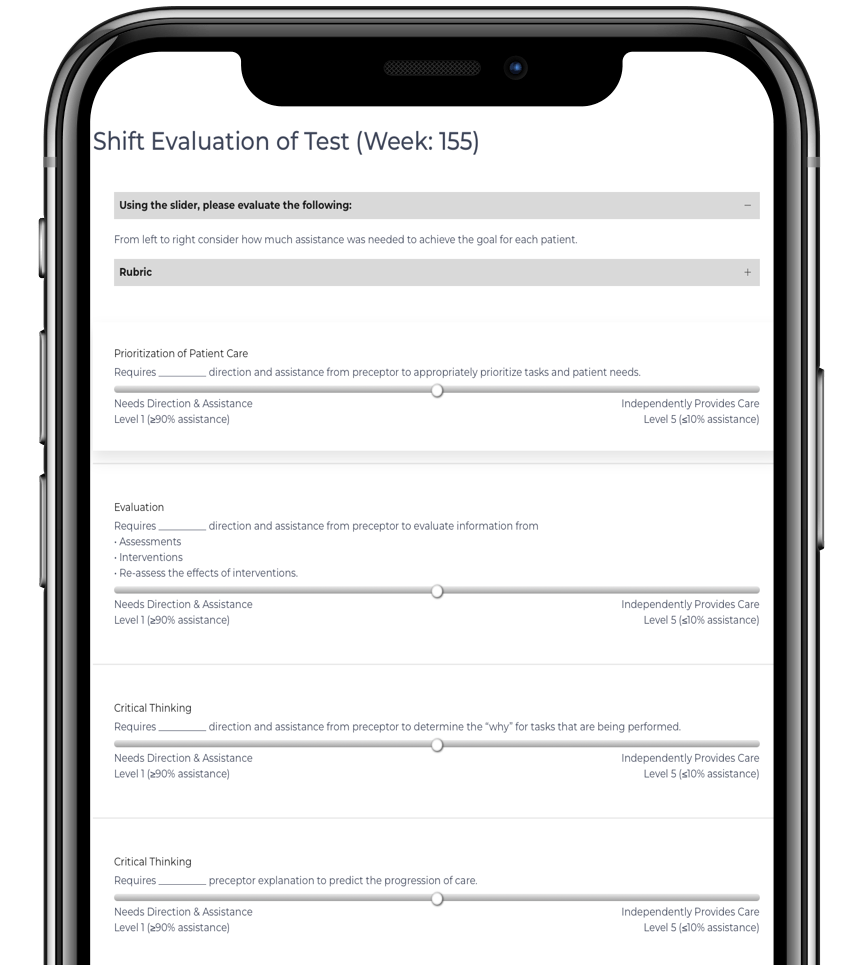
Gaining feedback via Daily Evaluations is a core feature of the Learning Center.
- Daily Evaluations are collected by sending Learners and Preceptors automated reminders to complete the evaluation 1 hour before the end of their scheduled shift.
- Provider Evaluations can be collected via QR Code by invitation.
- Regular review of these evaluations via the Report Card feature, discussion of progress and goals with the Formal Evaluation, and Updating stakeholders using the Learner Update feature.
- Results from Evaluations can be incorporated into various reports and features such as the Learner Action Plan and Leader Update.
- Evaluations are nested records under the associated Learner and linked to Event records.