The Site View manages not only the functions of its namesake but also facilitates the communication that users are subscribed to receive. Three types of users have access to the private data maintained by the Learning Center.
- Orientation Nurse (educators who can access data shift over shift)
- Leadership Users (managers/directors who can access summarized data).
- ON Leader users have a hybrid view: allowing access as an Orientation Nurse user, but also complete leader functions for Colleague Notes and competency documents.
There is a lite version for Leadership users that focuses only on operational data and hides away any performance reports.
The User record controls what information is displayed or included in messages. Users who have been granted privileges to create/edit users can manage subscriptions, reset passwords, or add access to the Learning Center for others. They also have access to see how data has been created, changed, and by whom.
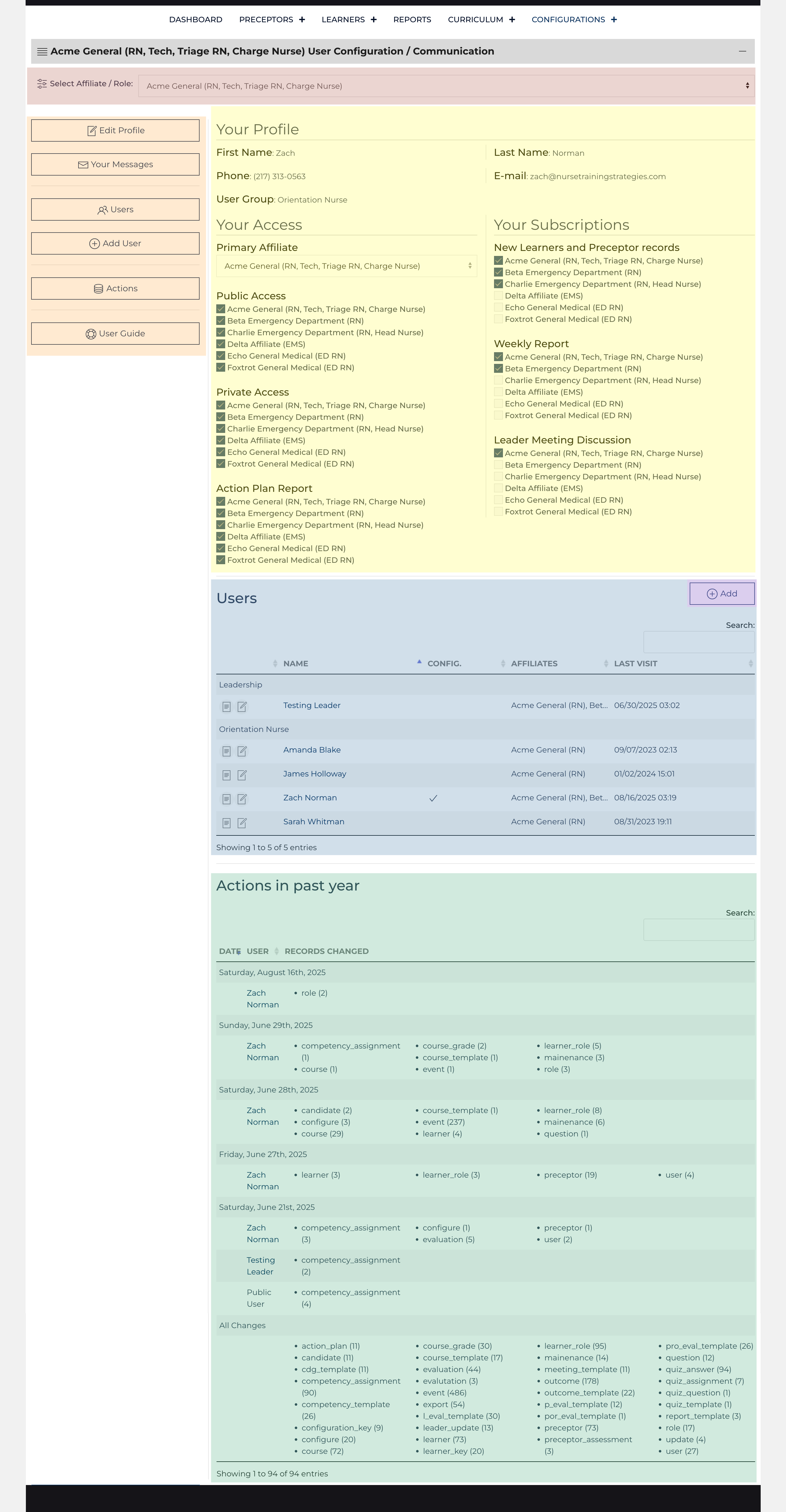
The main display shows every user a view-only version of their profile (highlighted in yellow); users with permission can see a list of other users (highlighted in blue) and a list of new or edited data (highlighted in green). Like other list views, there is an Affiliate filter highlighted in red at the top of the page and Quick Links highlighted in orange. If the user has permission, there is a link to Add a User highlighted in purple[1].