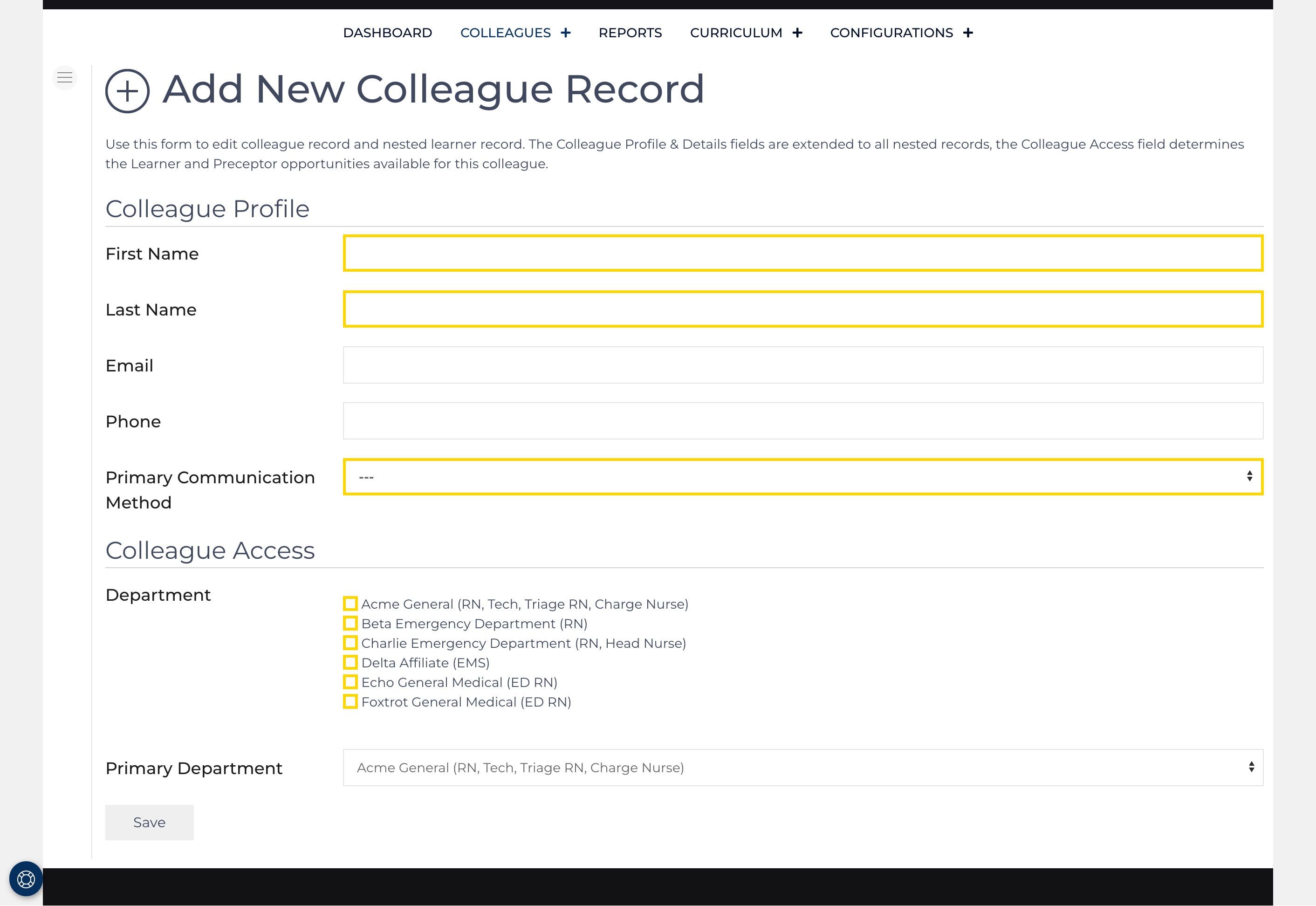
Access this screen by clicking on the main Colleague screen from the Current Colleagues list view. Or select Add Colleague from the dropdown.
Use the Add Colleague form to create a new record. On the second step you can nested records. Required fields are highlighted in yellow including name fields, selecting at least one of the available affiliates.
Any field can be updated at any point, once roles are created, they will always exist, a role can be marked inactive if the colleague no longer practices in the role. For example a colleague in nursing school orients as a tech, works several years as a tech, then graduates and orients as a new graduate RN. The tech role would be inactivated at the time the RN role is added.
Step 2
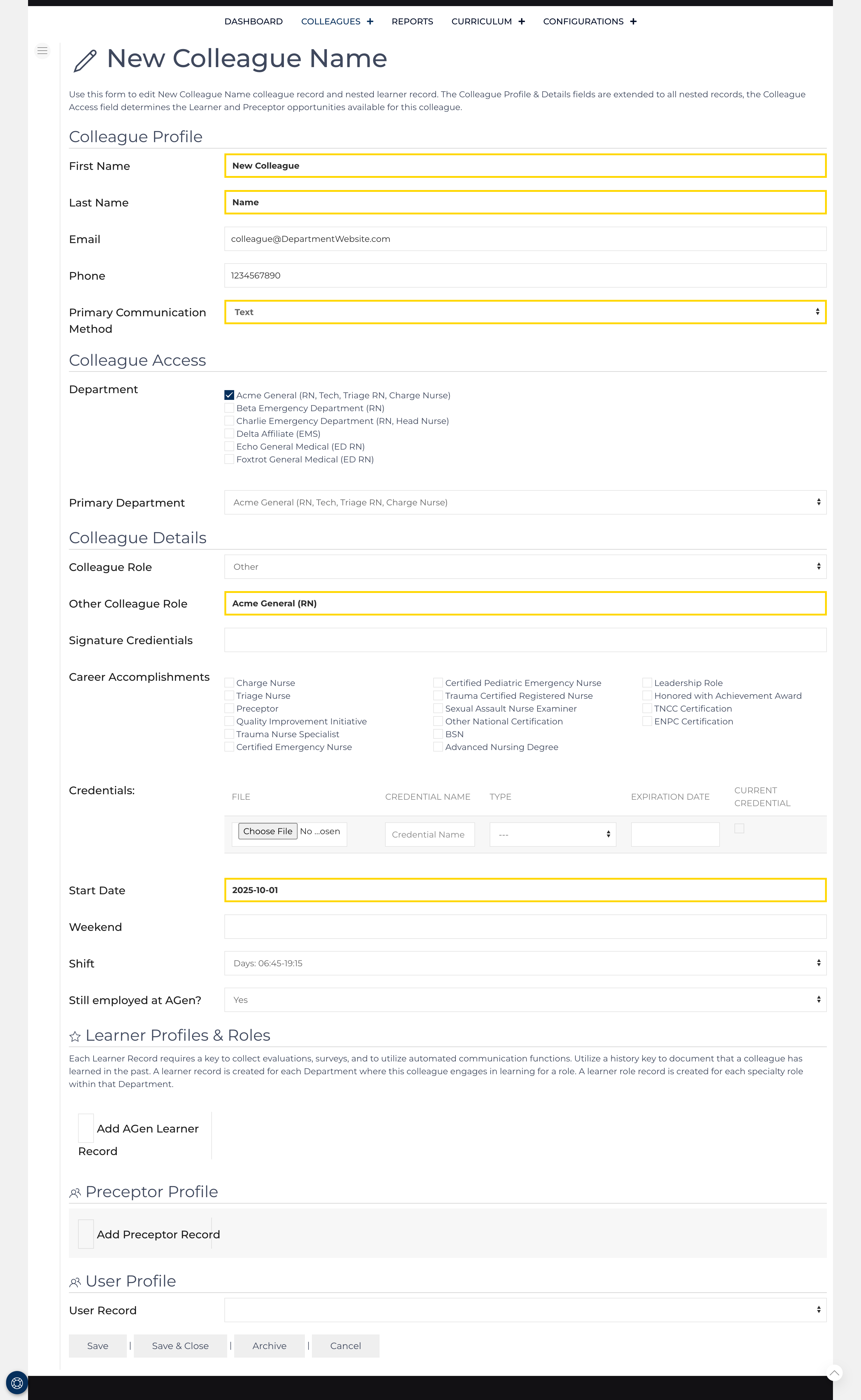
Fields outlined in yellow are required.
Colleague Profile, Access, and Detail fields are applied to any Learner, Preceptor, or User profile that is associated with this colleague record.
By default, today's date is used for the Start Date. This should be the first date the colleague worked within the organization. Each Learner Role record and the Preceptor record include start and end dates indicating when the colleague began each role.
Learner and Learner Role Records
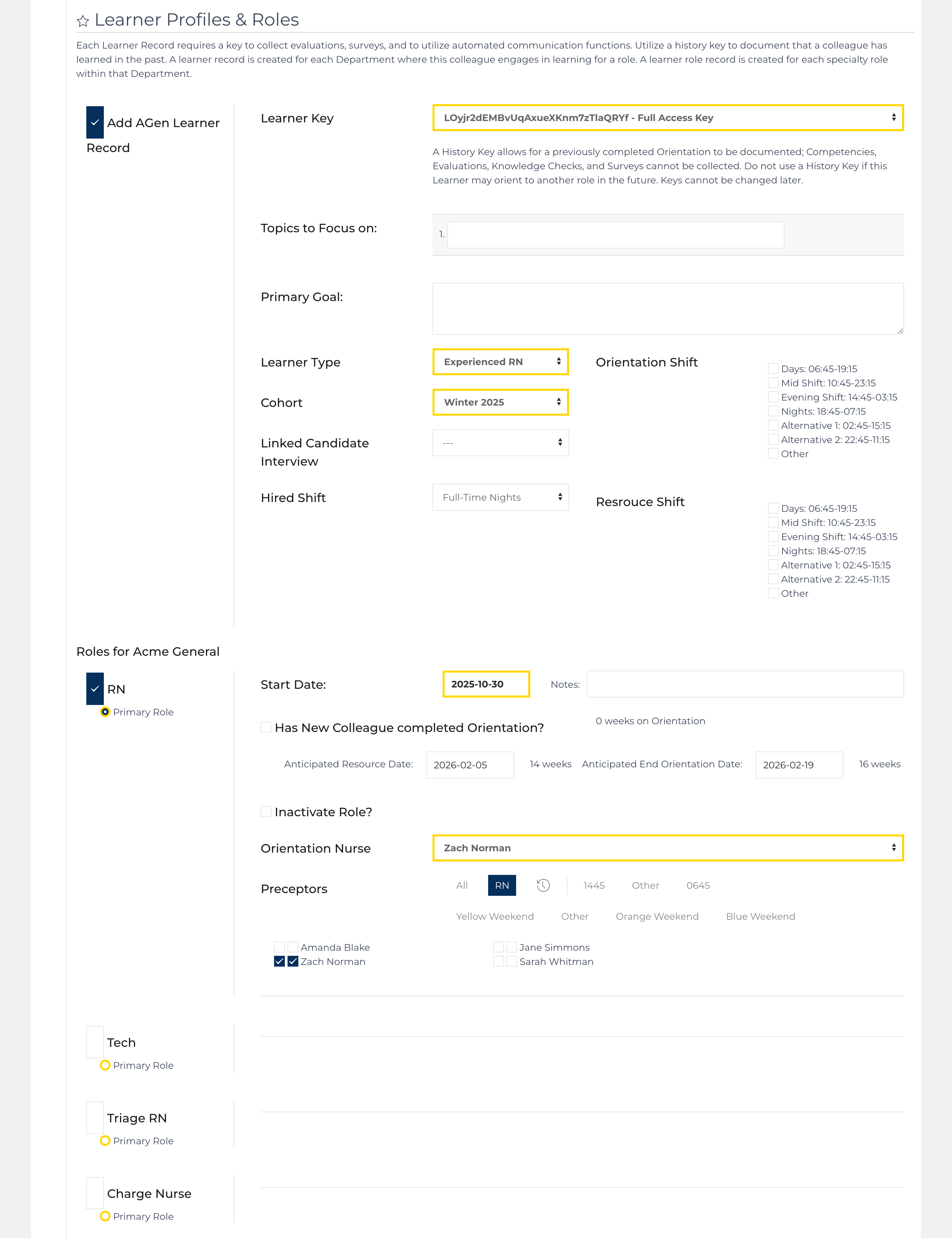
Clicking the check box next to Add AGen Learner Record expands fields that are unique to that Learner Record. In this case, AGen is the department where the colleague will be oriented to a role(s). Once the Colleague record is saved, the Learner record is created, and values from the Colleague record are carried over to the Learner record. Eliminating the need to duplicate any data entry.
Required fields:
- Learner Key
- Cohort
- Learner Type
- Select at least 1 role.
Each nested role will require the following data points:
- Start Date for role / anticipated end orientation dates.
- Orientation Nurse
- At least 1 primary preceptor
Preceptor Record
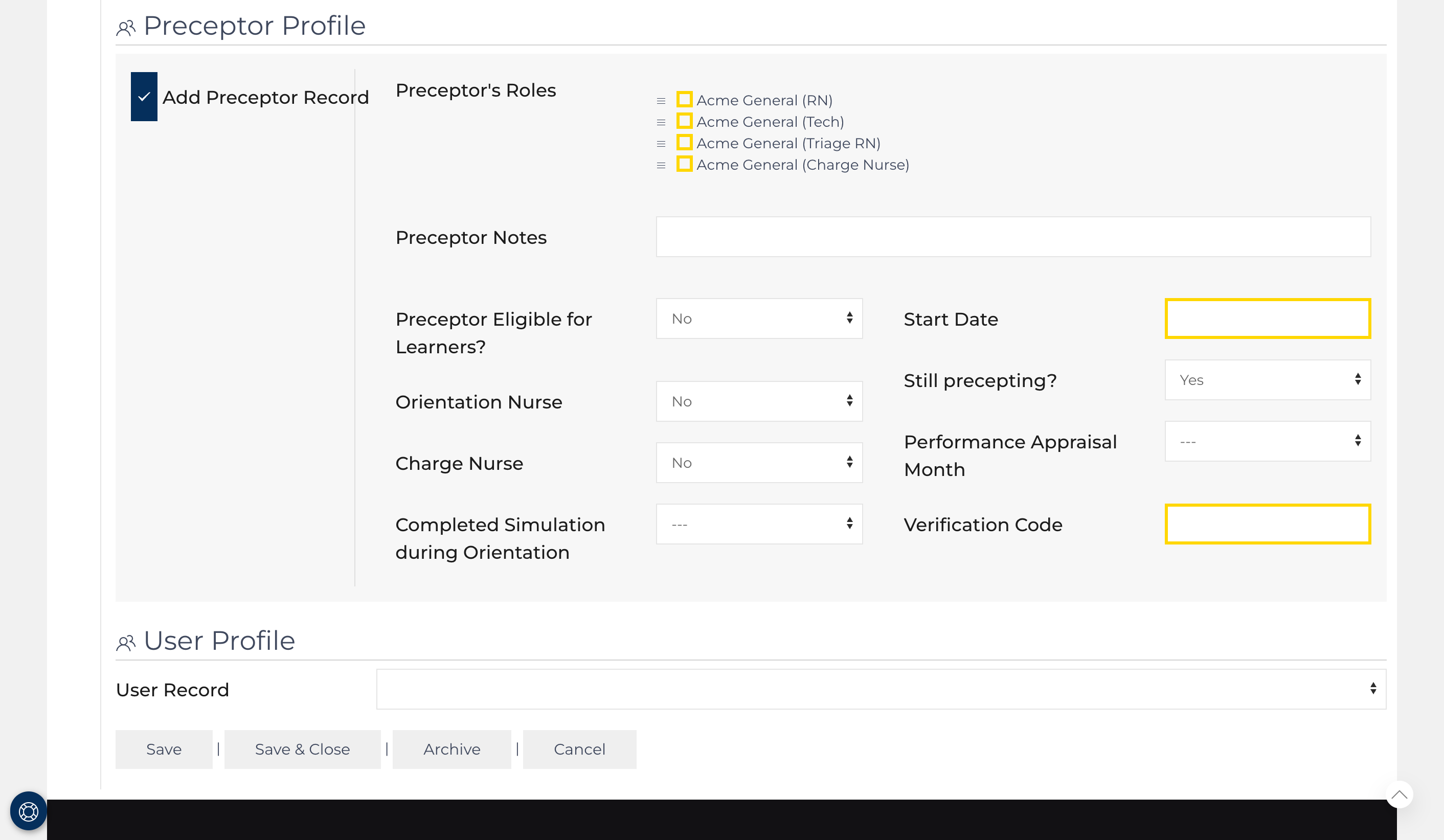
Add a Preceptor record for the Colleague to document the impact of the instruction they provide to learners.
Required fields:
- Select at least 1 role that the colleague can be designated to provide instruction. Drag and drop the roles in the order, placing the primary role that the preceptor would teach first on the list.
- Document the date the colleague began practicing as a preceptor.
- A verification code is used to validate competency documents. (confirms the preceptor's identity).
User Record

A user record can only be connected with one colleague record.