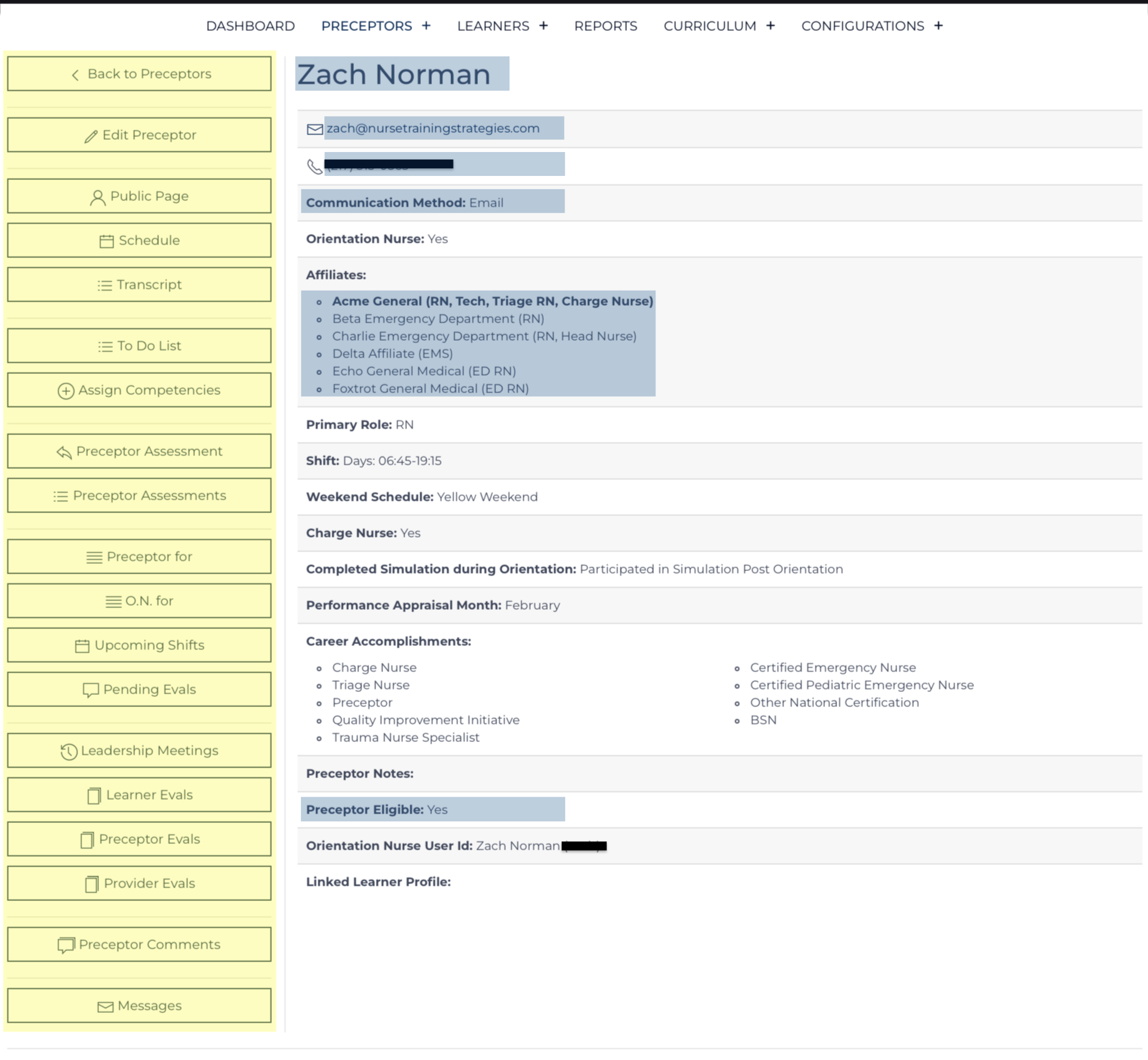
The Preceptor record is the hub where all other data points are linked. Once a Preceptor record is created, the Preceptor can be assigned to work with Learners. The Preceptor record must be maintained with up-to-date information. Each data point can be used to analyze the success/impact of orientation efforts statistically.
- The Quick Links are highlighted yellow.
- Required data points are highlighted in blue.
Several additional List Views display data that is connected or nested under this Learner’s Record:
- Preceptor for / Orientation Nurse for
- Upcoming Shifts and Communication
- Pending Evaluations and Communication
- Learner Evaluations (Daily & Formal) – individual results, completed by this preceptor the most recent of which are displayed first.
- Preceptor Evaluations (Daily & Formal) – individual results, completed regarding this preceptor the most recent of which are displayed first.
- Preceptor Comments - results of these learning activities.
The Preceptor View screen contains links to each record that is related to this preceptor. Any user with privileges for this Affiliate/Role can review and edit the data on this screen or related record.
Creating a new Preceptor record is done on the Preceptor Add view. Updating the details contained on this screen is done on the Preceptor Edit view. This view can be accessed by Orientation Nurse Users and Leadership Users if granted the privilege in the Configuration Record.
Preceptor Quick Links
When in View mode these links appear on the left side of the page or at the top of the page on a mobile device. They are used to navigate around the page or to another associated page view.
| Link back to the complete Preceptors Listing | |
| Edit the information on this record and nested Preceptor Comment records | |
| Open a new tab of the Public Preceptor Page - review the information and data visible publically to the Preceptor/anyone with this link. | |
Open new tab of the Preceptor's Schedule. |
|
| Open a new tab of the Transcript | |
| Open a new tab of the To-Do List | |
| Open a new tab of Competencies (&status=assignment_list), select items to assign, choose a due date, and communicate the need to complete the items. | |
| Create a new Preceptor Assessment recapping the contribution this Preceptor has made in the past 6 months. | |
| Scroll to a list of previously completed Preceptor Assessments. | |
| Scroll to a table of learners this preceptor has been designated to. | |
| Scroll to a table of learners this preceptor has been designated as an Orientation Nurse. | |
| Scroll to a list of upcoming shifts this preceptor has with various learners with an option to send a message informing them of what to expect. | |
| Scroll down to a list of pending evaluations this preceptor needs to submit. | |
| Scroll down to a list of Learner Evaluations (submitted by preceptors) | |
| Scroll down to a list of Preceptor Evaluations (submitted by the learner) | |
| Scroll down to a list of Provider Evaluations (submitted by provider) | |
| Scroll to a list of Preceptor Comments highlighted from various Evaluation records. | |
| Open a new window with a listing of all messages sent to this Preceptor's phone number and e-mail address |
Preceptor for / O.N. for Lists
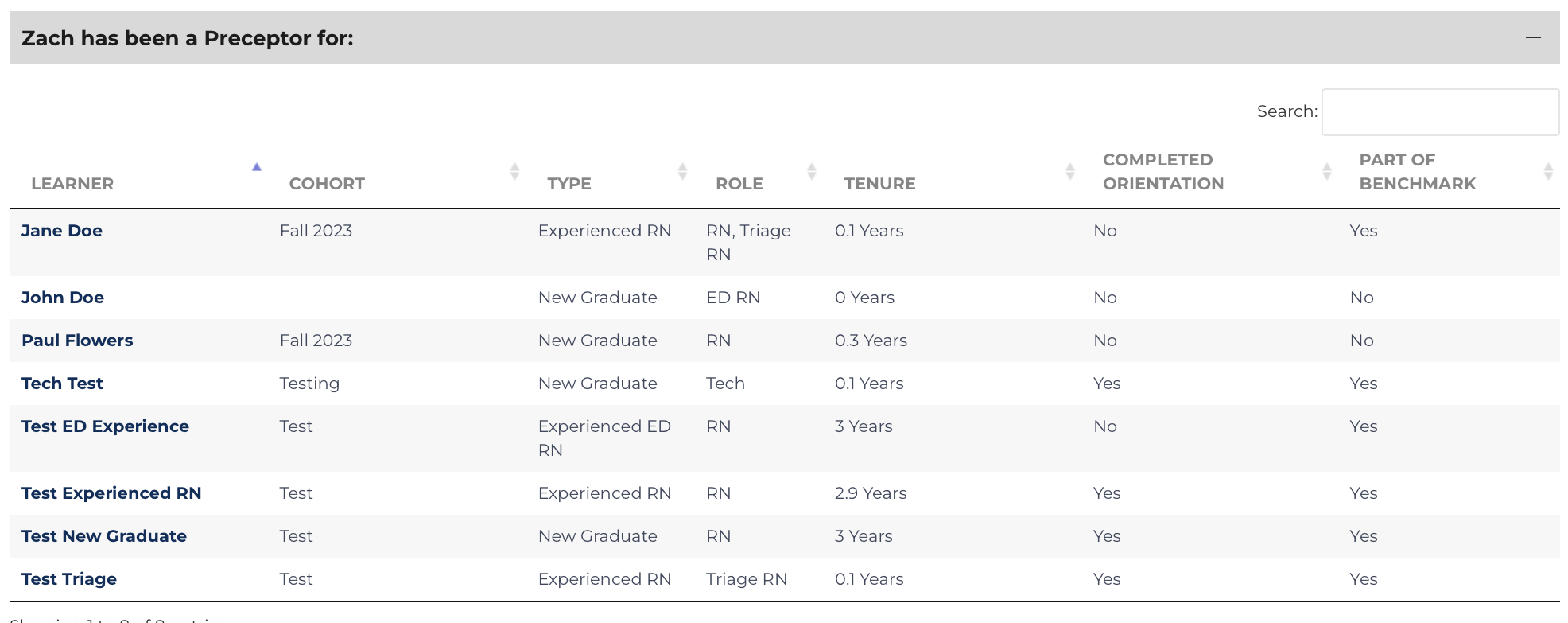
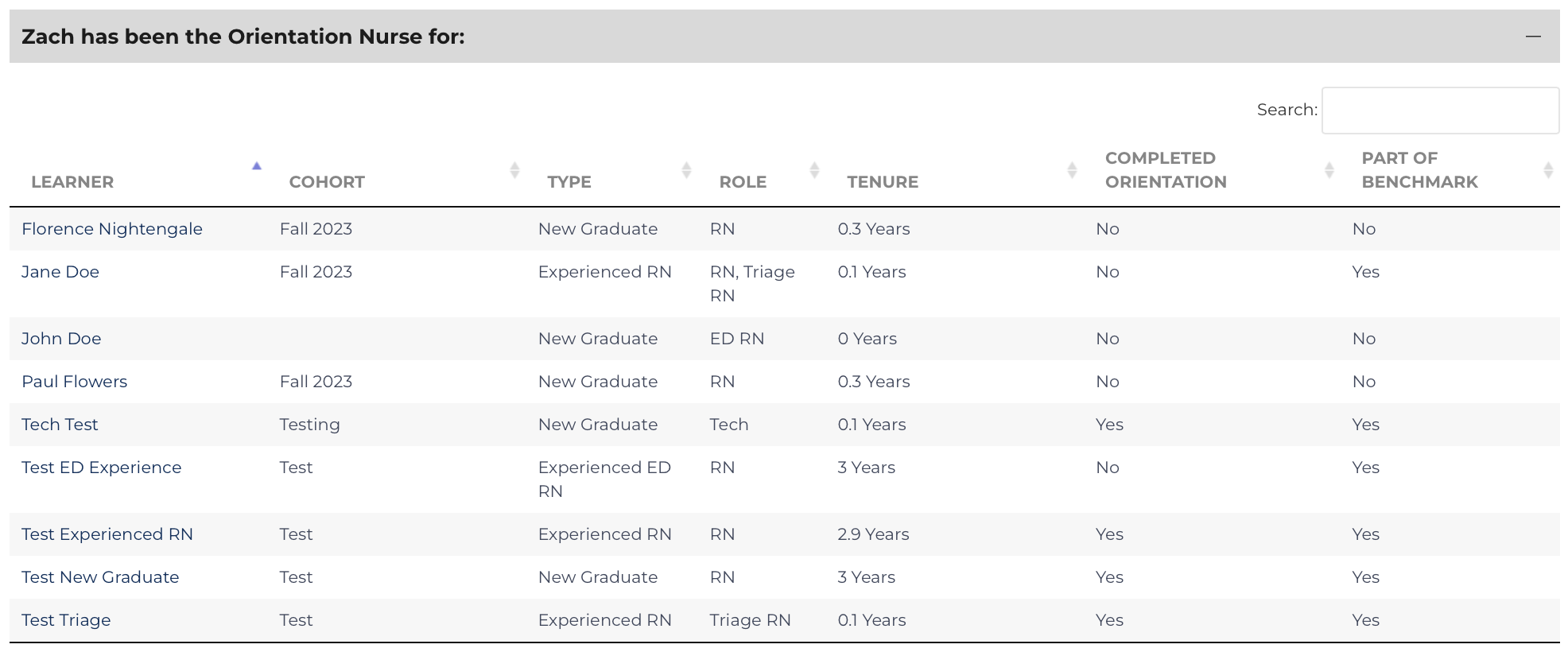
To designate that this preceptor worked with a specific learner, edit the Learner’s record. The image, below, shows two columns of check-boxes: the boxes highlighted yellow indicate a Preceptor who has or can work with this learner, and the boxes highlighted blue are the current Primary Preceptors[1].

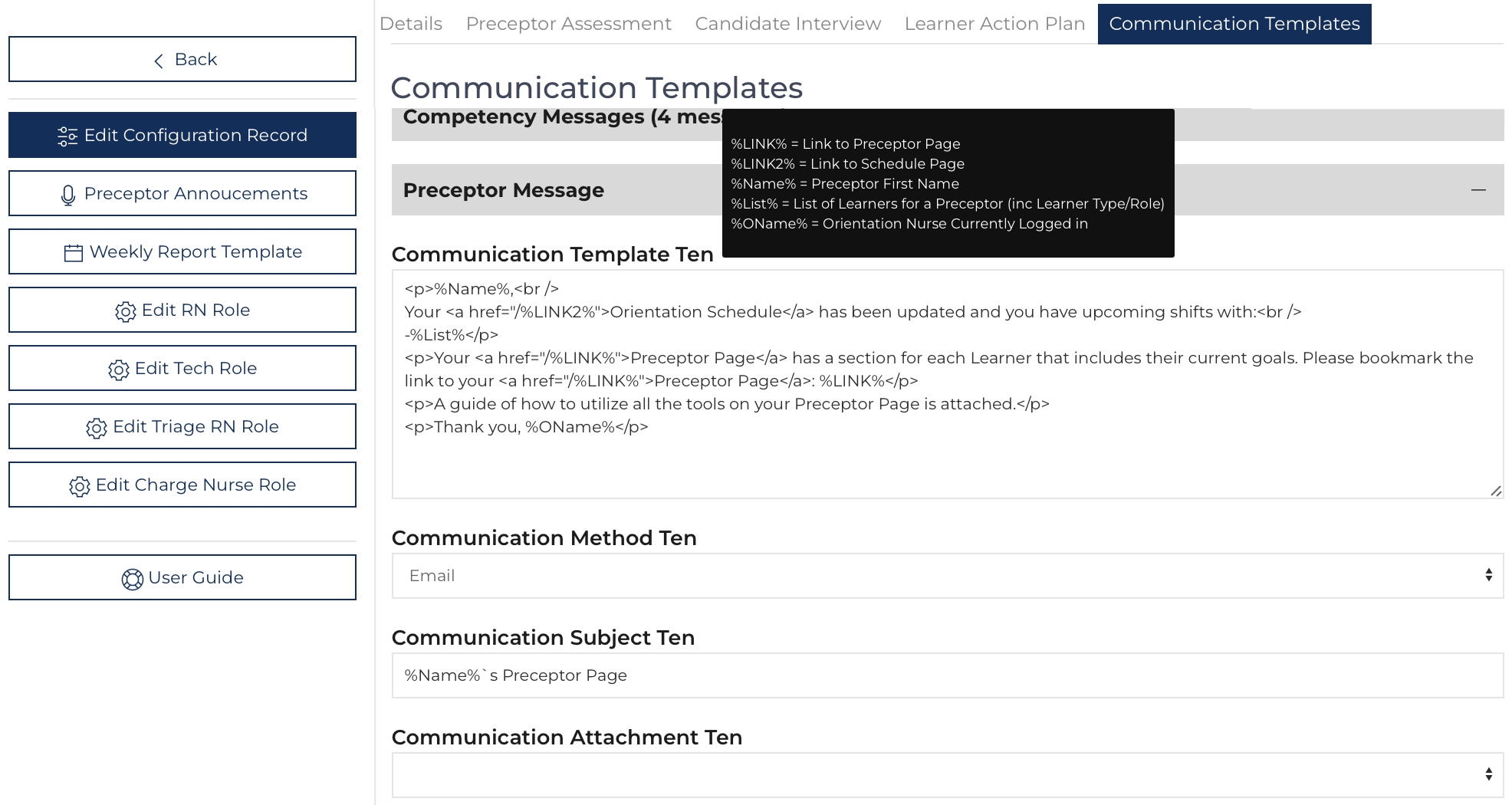
Upcoming Shifts – List
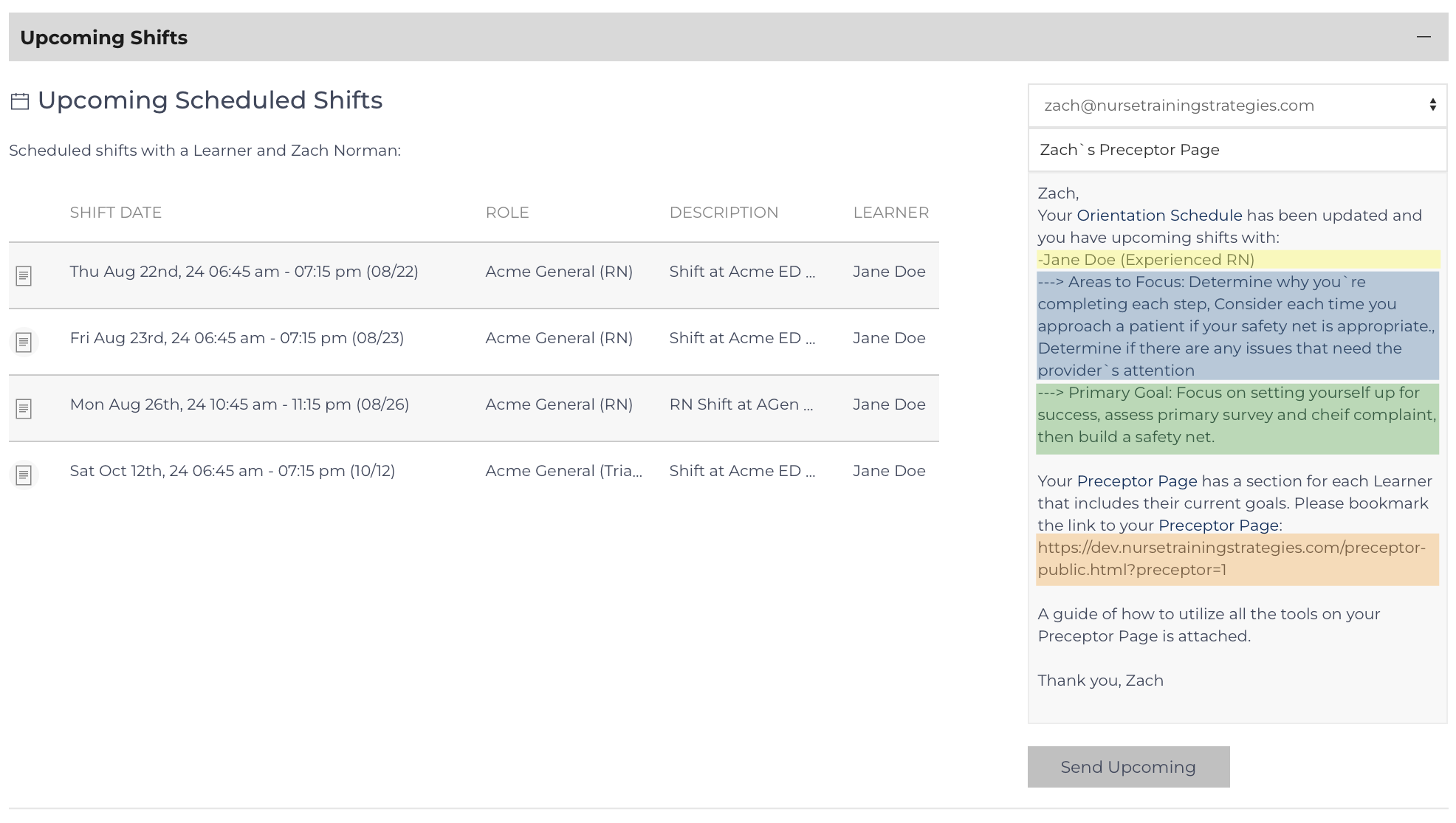
The List View for Upcoming Shifts highlights upcoming Shift events that have designated this Preceptor. The right-hand third of this section includes a communication tool to send a message to the preceptor including a link to their Public Preceptor Page. By default, the message draws attention to the learning needs of the Learners the Preceptor will work with in the future.
If the preceptor has multiple learners they will work with, each will be listed as:
- Learner (highlighted in yellow)
- Focus Topics (highlighted in blue)
- Next Step / major goal (highlighted in green)
Pending Evaluations – List
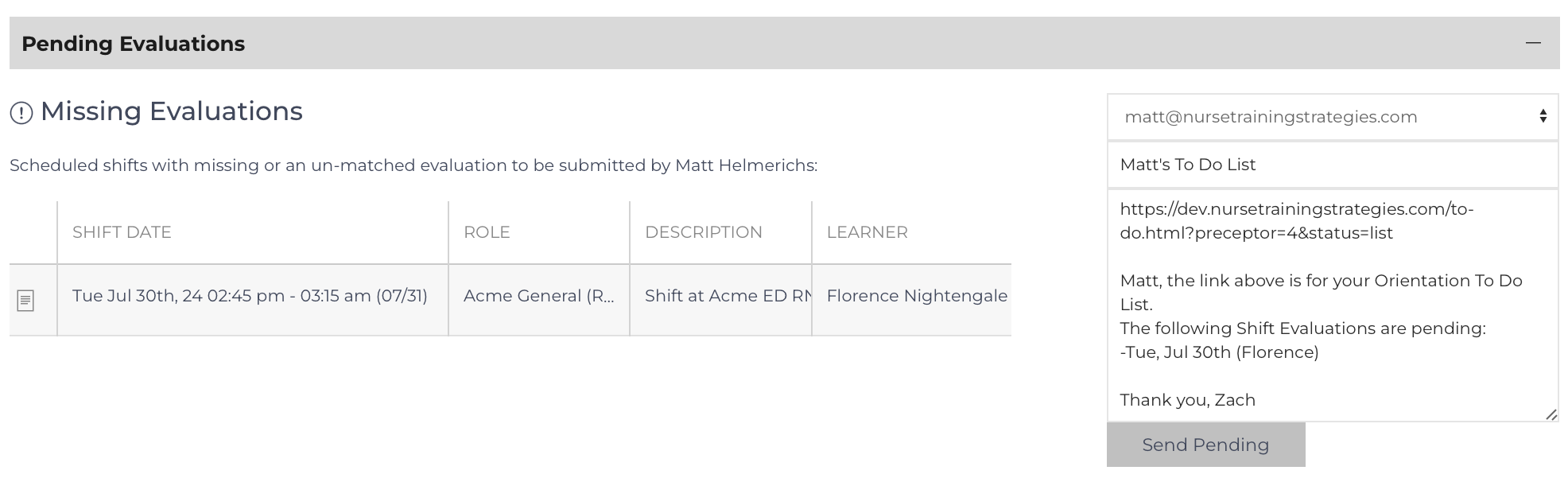
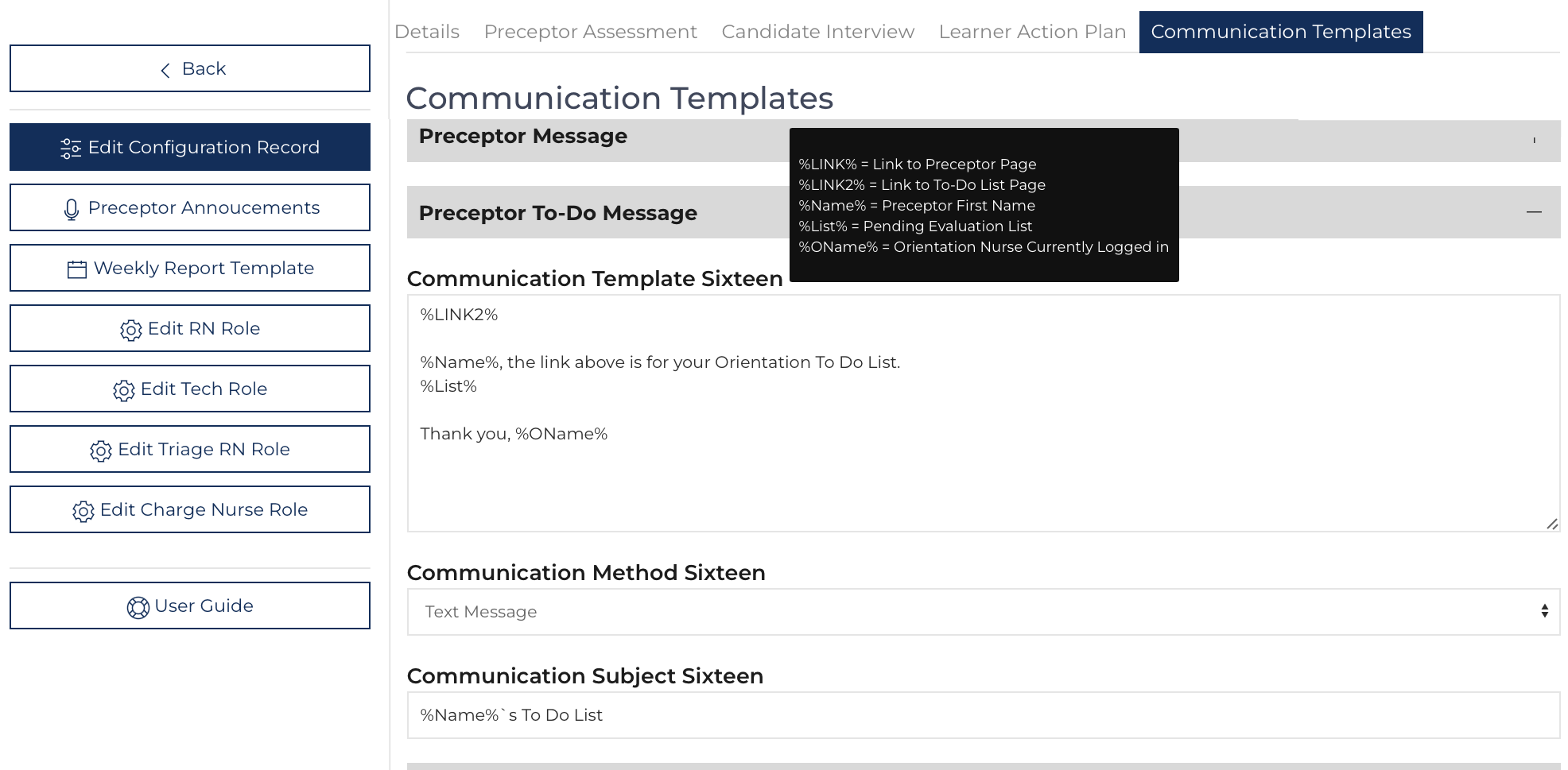
The List View for Pending Evaluations specifies which shifts have a missing daily evaluation. The right-hand third of this section includes a communication tool to send a message to the preceptor including a link to their To-Do List. By default, the message draws attention to missing evaluations but if there are no missing evaluations it draws attention to current goals/objectives for learners[2]. The message can be edited before it is sent.
Preceptor Assessment

Any preceptor with a completed Preceptor Assessment will have this list appear on their Preceptor View. There are links to review and edit the document. The completed document is also linked to their transcript.
Leadership Meeting – List
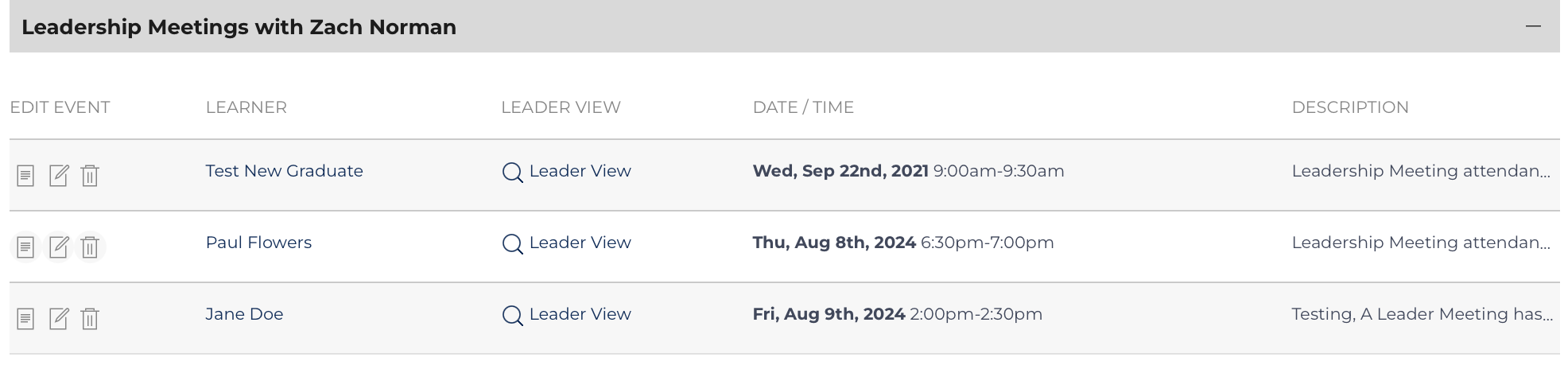
Any preceptor with scheduled leader meetings will have a listing of the meeting appear on the Preceptor View. There are links to review what leaders can see and to edit the event. The listing will appear until the event is completed by finishing the form.
Learner Evaluations – List
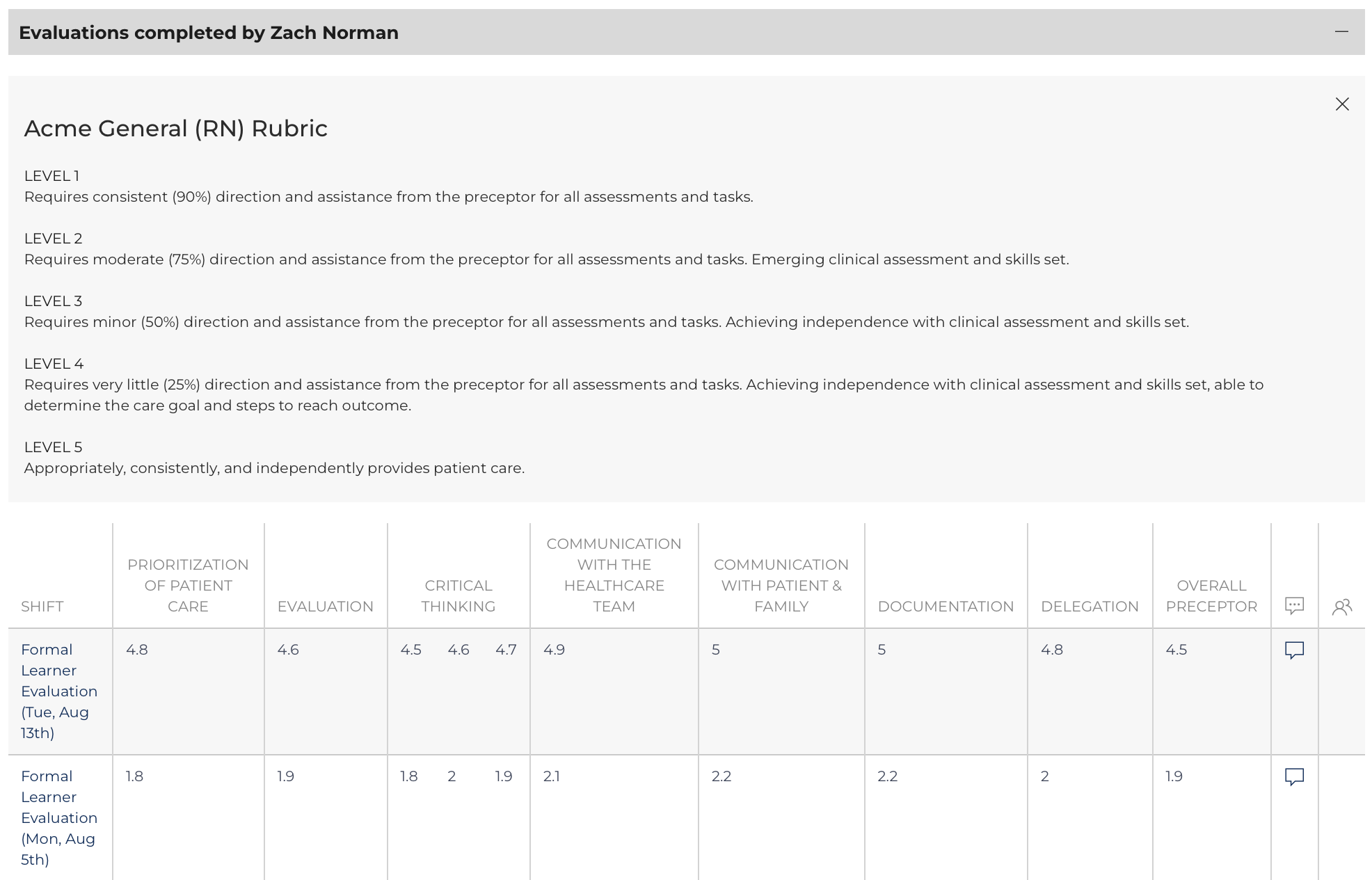
Every Learner Evaluation (Daily Learner and Formal Learner) completed by this preceptor appears on this list. There are lists for each Affiliate and Role where the Preceptor has completed a Learner Evaluation.
Click the date to review the individual result on the Evaluation View/Edit page. Individual results can be exported to PDF or printed on that page view.
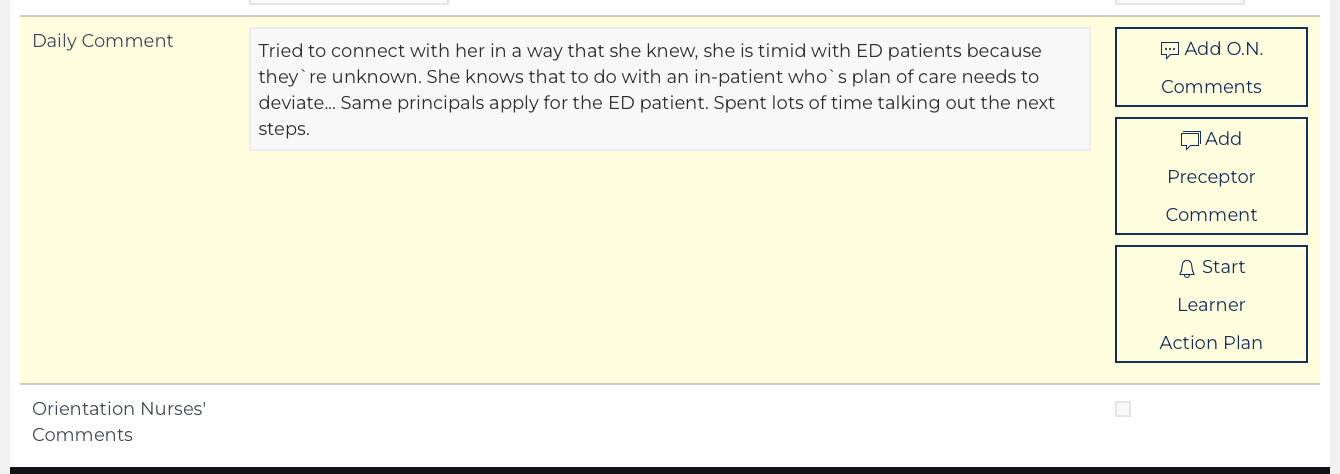
Two comment columns appear on the far right of the Learner, Preceptor, and Provider List Views. Hover over to see the comment made by the person who submitted the evaluation or an Orientation Nurse Comment on the evaluation. Click on the Comment icon to be taken to the Comment section on the Evaluation View Edit page.
Preceptor Evaluation – List
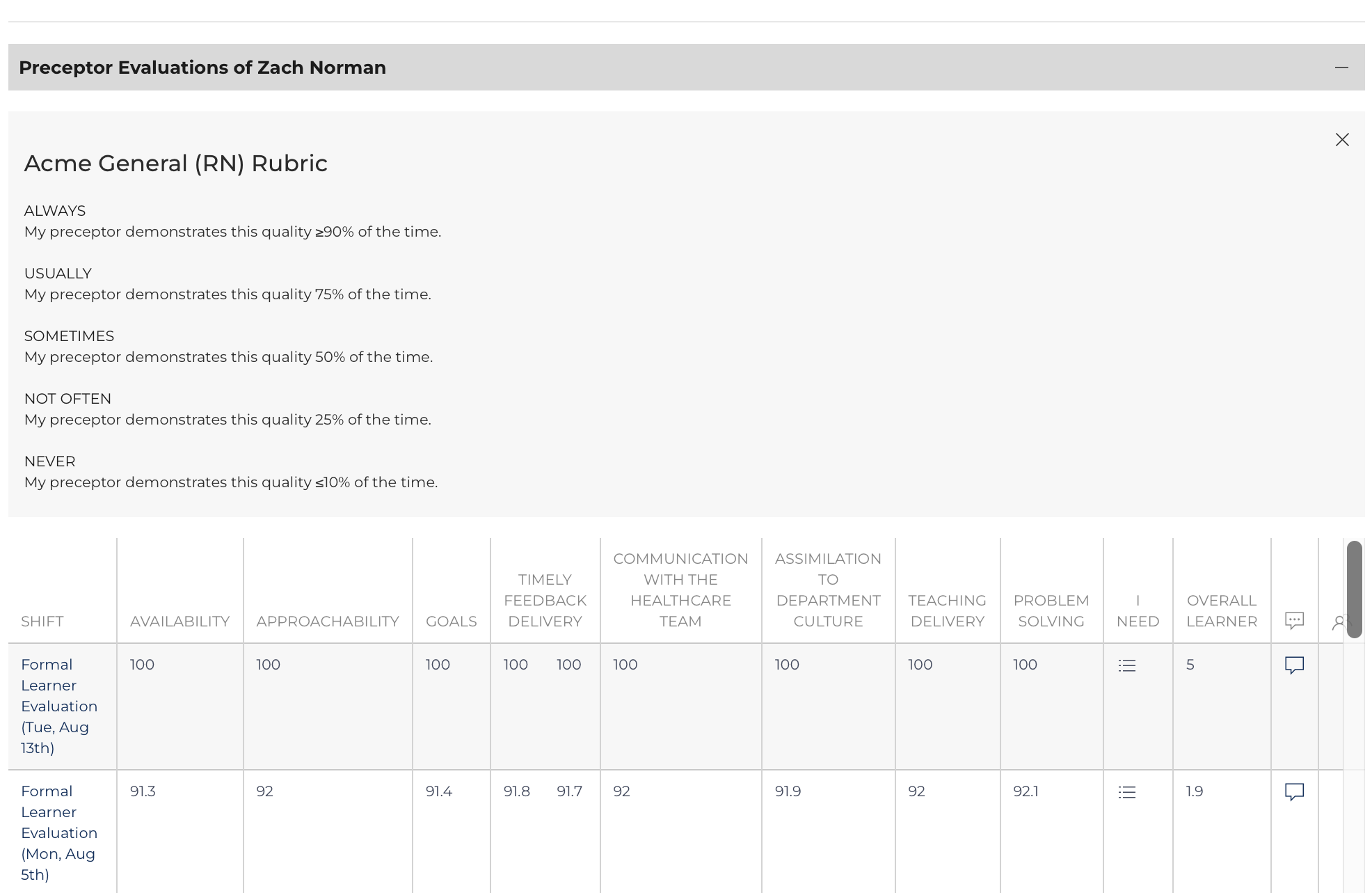
Every Preceptor Evaluation (Daily Preceptor and Formal Preceptor) completed regarding this Preceptor appears on this list. Click the date on the left to review the individual result on the Evaluation View Edit page. Individual results can be exported to PDF or printed on that page view.
The Preceptor Evaluation List also includes two comment columns and when reviewing individual results there are three buttons as outlined above that allow for Orientation Nurse Comment and Learner Action Plans to be initiated.
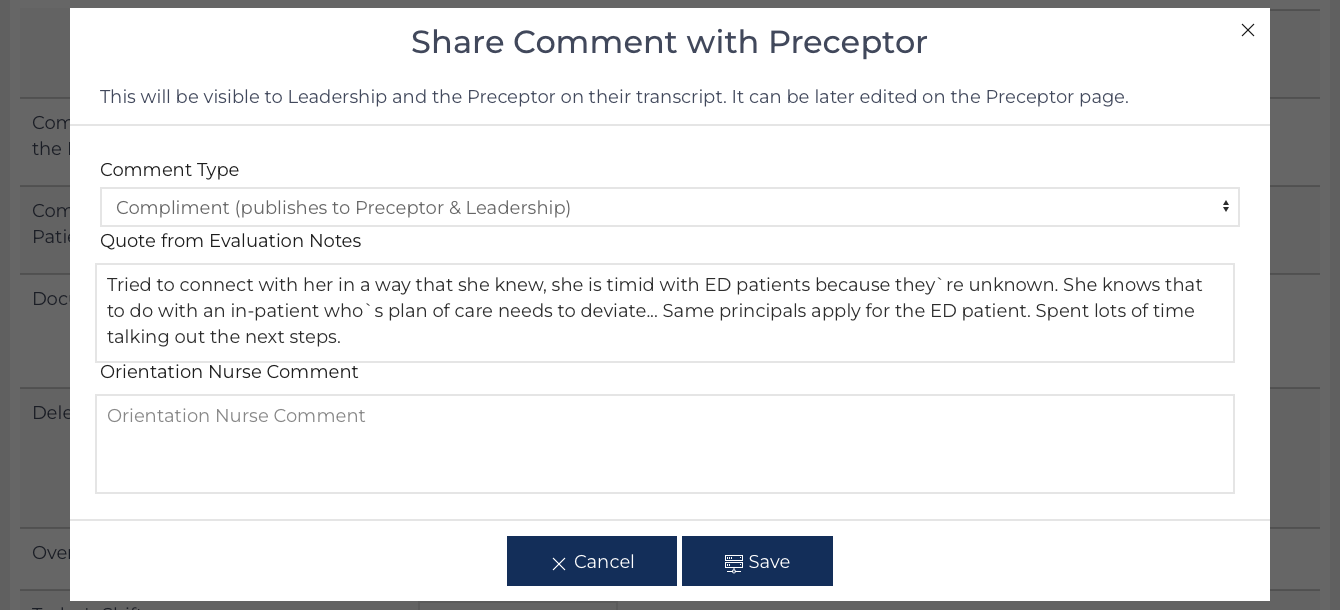
Preceptor Comments are published weekly in the weekly update to Orientation Nurse and Leadership Users who are subscribed. They posted the Preceptor Trasncript so long as they are designated as positive or neutral.
Provider Evaluations – List
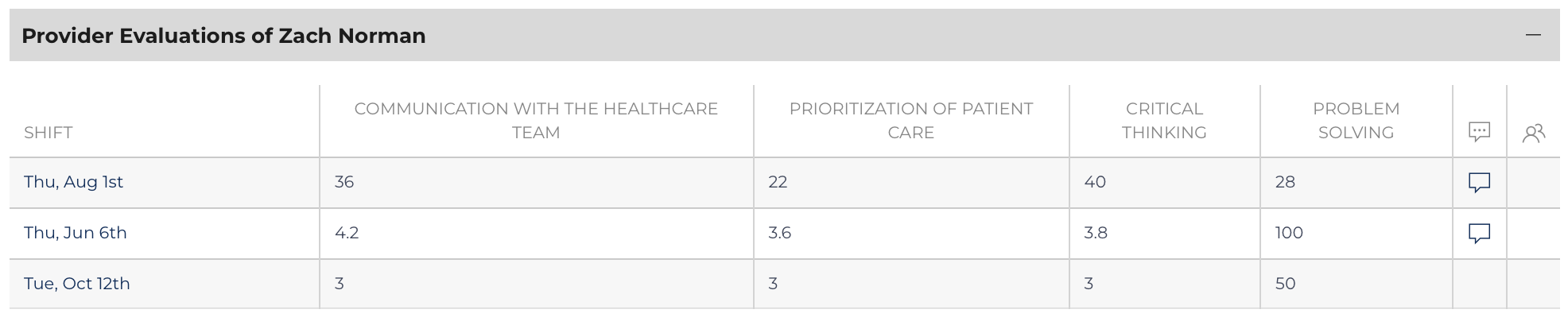
Provider Evaluations appear on this list. Provider Evaluations are intended to be completed based on the invitation of the Orientation Nurse. These results are never published to the Learner or Preceptor but are used as information. Click the date on the left to review the individual result on the Evaluation View Edit page. Edit the result to include the provider’s name at the beginning of the comments.
Preceptor Comments
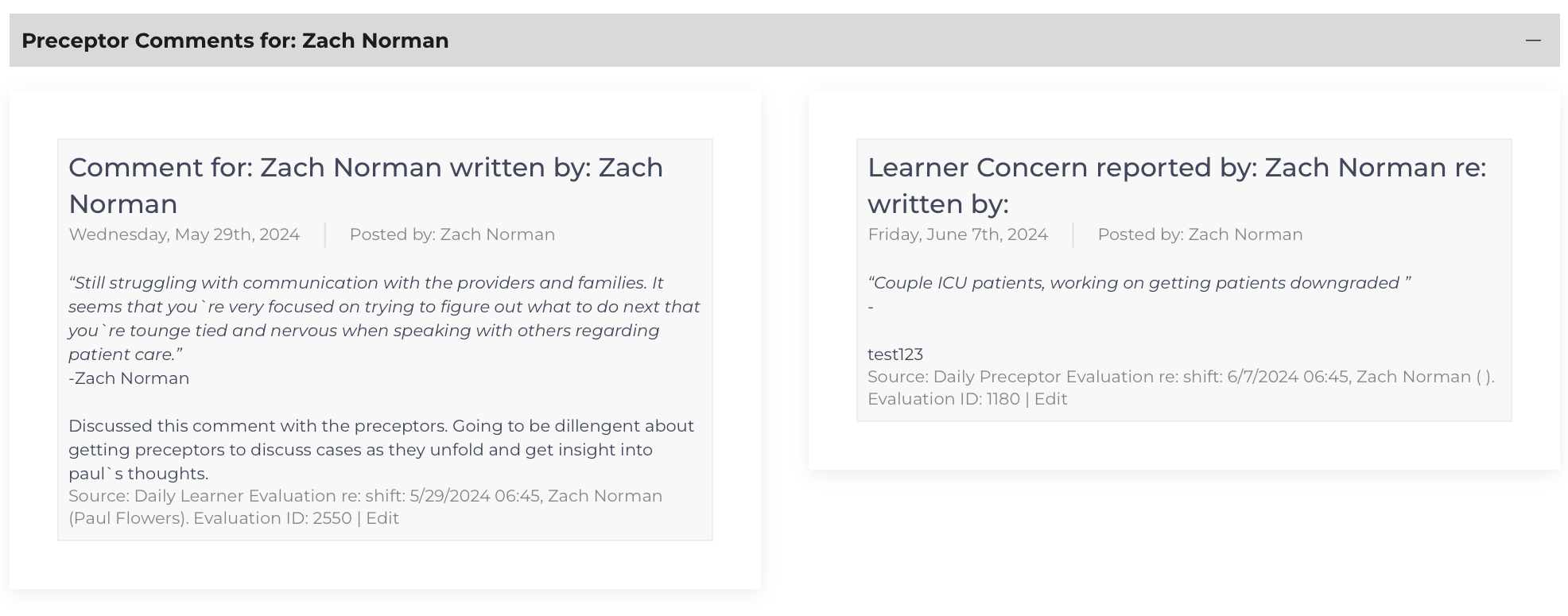
The final component displays comments on daily evaluations that have been flagged positive, neutral, negative, or a learner concern by an Orientation Nurse. This function is designed to provide positive reinforcement of desired behaviors among preceptors. And to allow Leadership Users to be aware of the contribution that Preceptors are making to the success of the Learners.
Negative comments are published to Orientation Nurses and Leadership and can be utilized to document challenges that would shift the Preceptor from being eligible to ineligible for future precepting shifts.