Preceptors
- URL: /preceptors.html
- Access: Orientation Nurse User, Leadership Users
- Tags: Orientation Nurse Users, Leadership Users
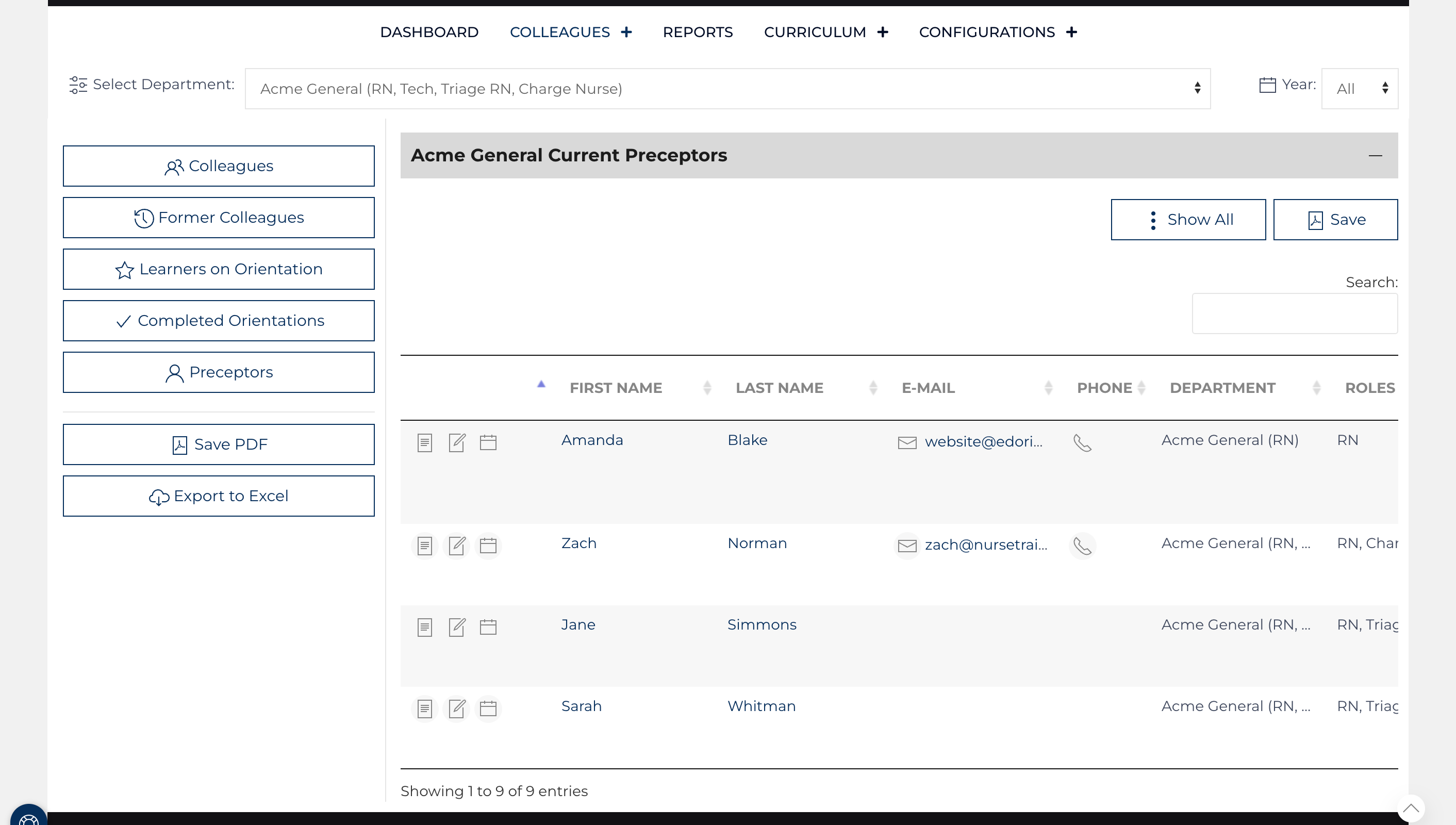
The Preceptor List can be sorted by any column heading; by default, it is organized by last name. It is divided between Preceptors who are currently eligible to teach learners and those who are former preceptors. It can also be searched by any value and sorted.
Preceptors may be a part of multiple affiliates and do not need to have roles assigned, unlike learner records. The dropdown at the top of the screen labeled "Select Affiliate/Role" allows the user to toggle the list to display Preceptors who are a part of another Affiliate.
Refreshing the screen will reset any sorting or searches back to the normal full list of preceptors. On small screens such as cell phones, some columns will be hidden to minimize scrolling.
- Clicking the Preceptor’s name or
![view icon]() will bring you to view additional details on the Preceptor's record.
will bring you to view additional details on the Preceptor's record. - Clicking the mail Icon will open an email message to that preceptor.
- Clicking
![edit icon]() will allow you to modify the Preceptor's record and nested Preceptor Comment records.
will allow you to modify the Preceptor's record and nested Preceptor Comment records.
 will bring you to view additional details on the Preceptor's record.
  will allow you to modify the Preceptor's record and nested Preceptor Comment records.
Additional Content
Preceptor Assessment
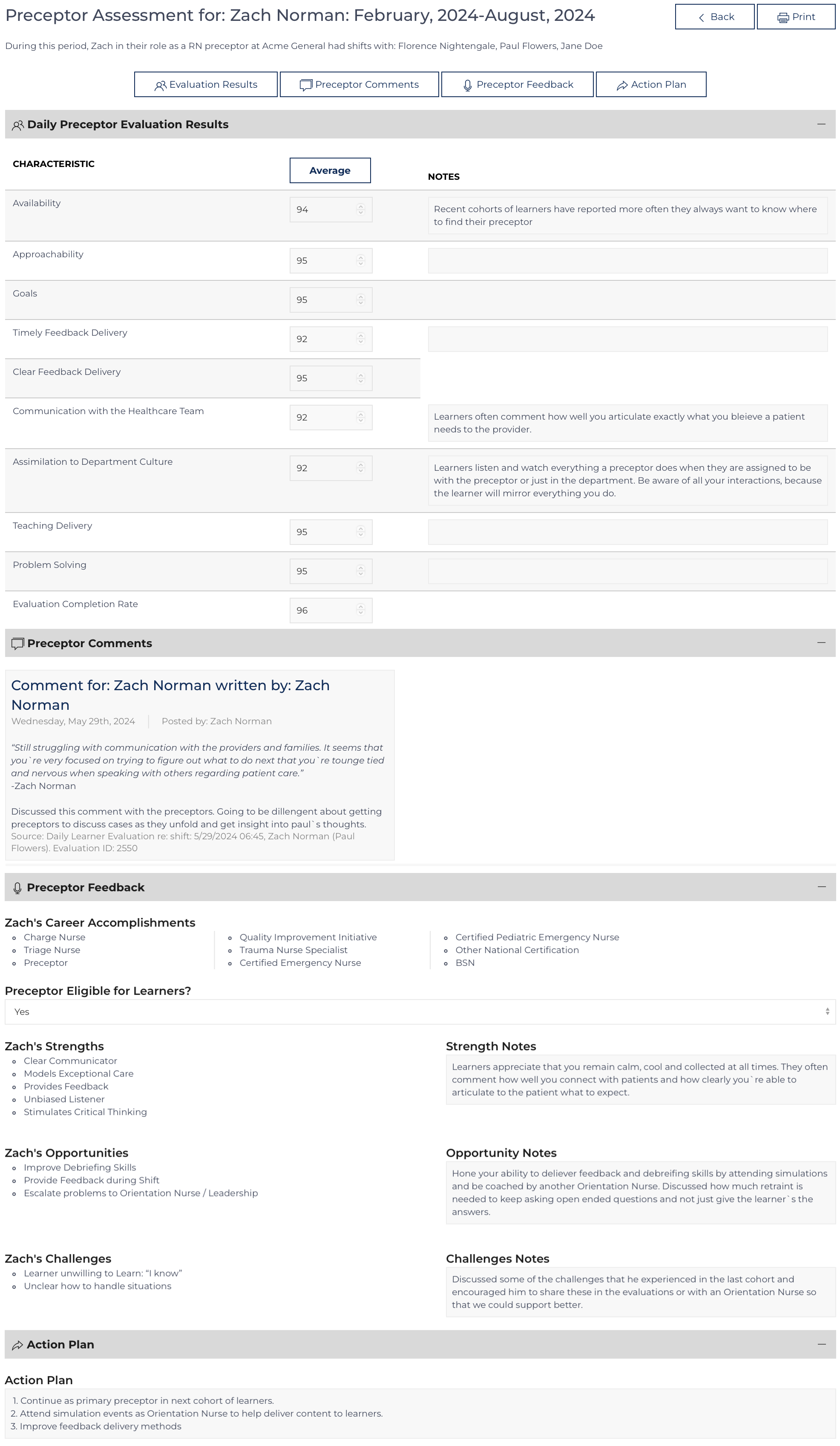
The Preceptor Assessment is similar to a Formal Evaluation, it is a comprehensive review of a Preceptor’s practice. Unlike a Formal Preceptor Evaluation which reviews how all the members of a Learner’s team of preceptors are interacting with that...
Preceptor Public
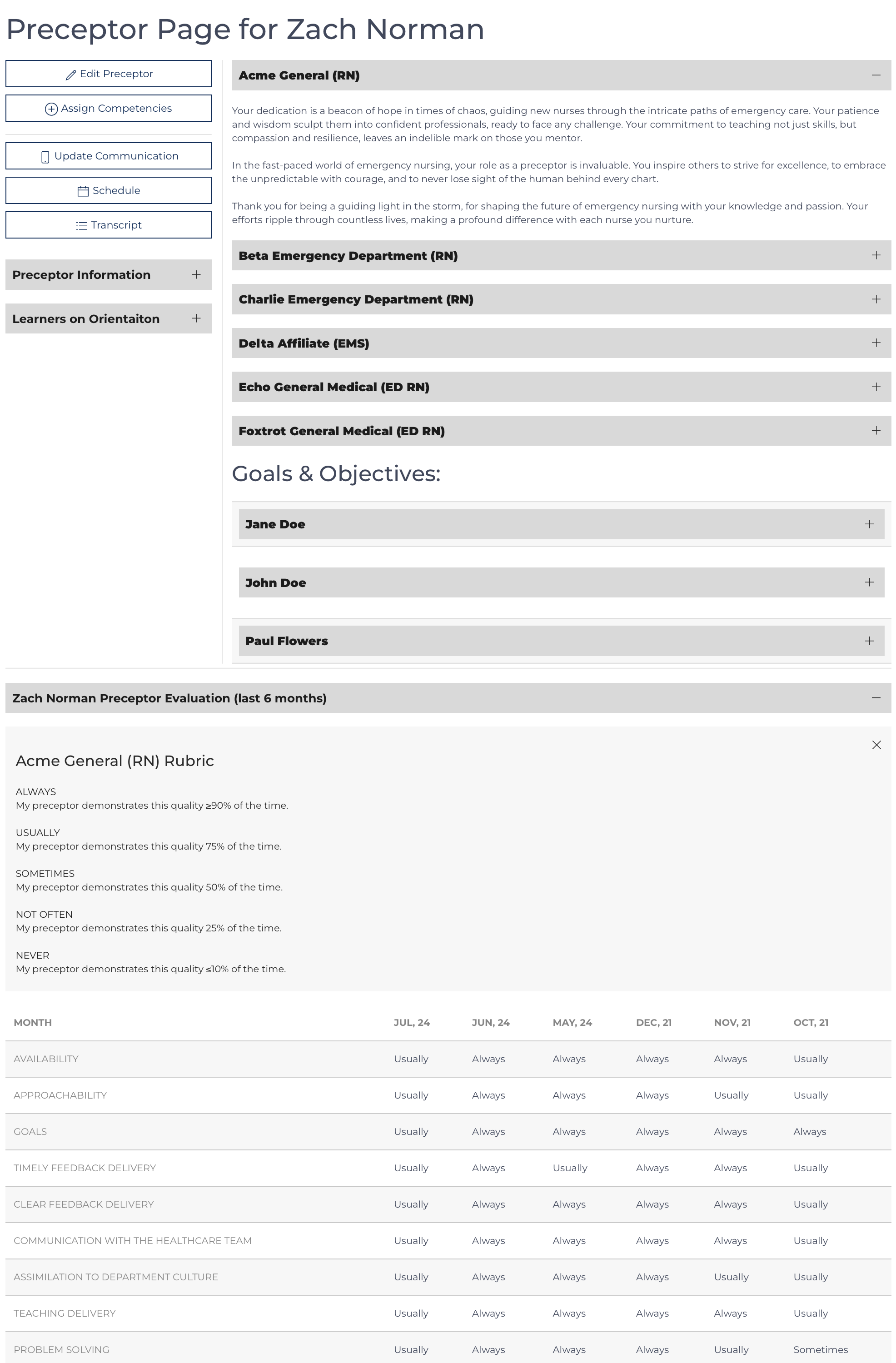
This page is typically accessed after the preceptor submits a daily evaluation. There are several messages such as the Preceptor Message that include links to this document.
Purpose: The page is intended to keep the Preceptor up to date with th...
Preceptor View
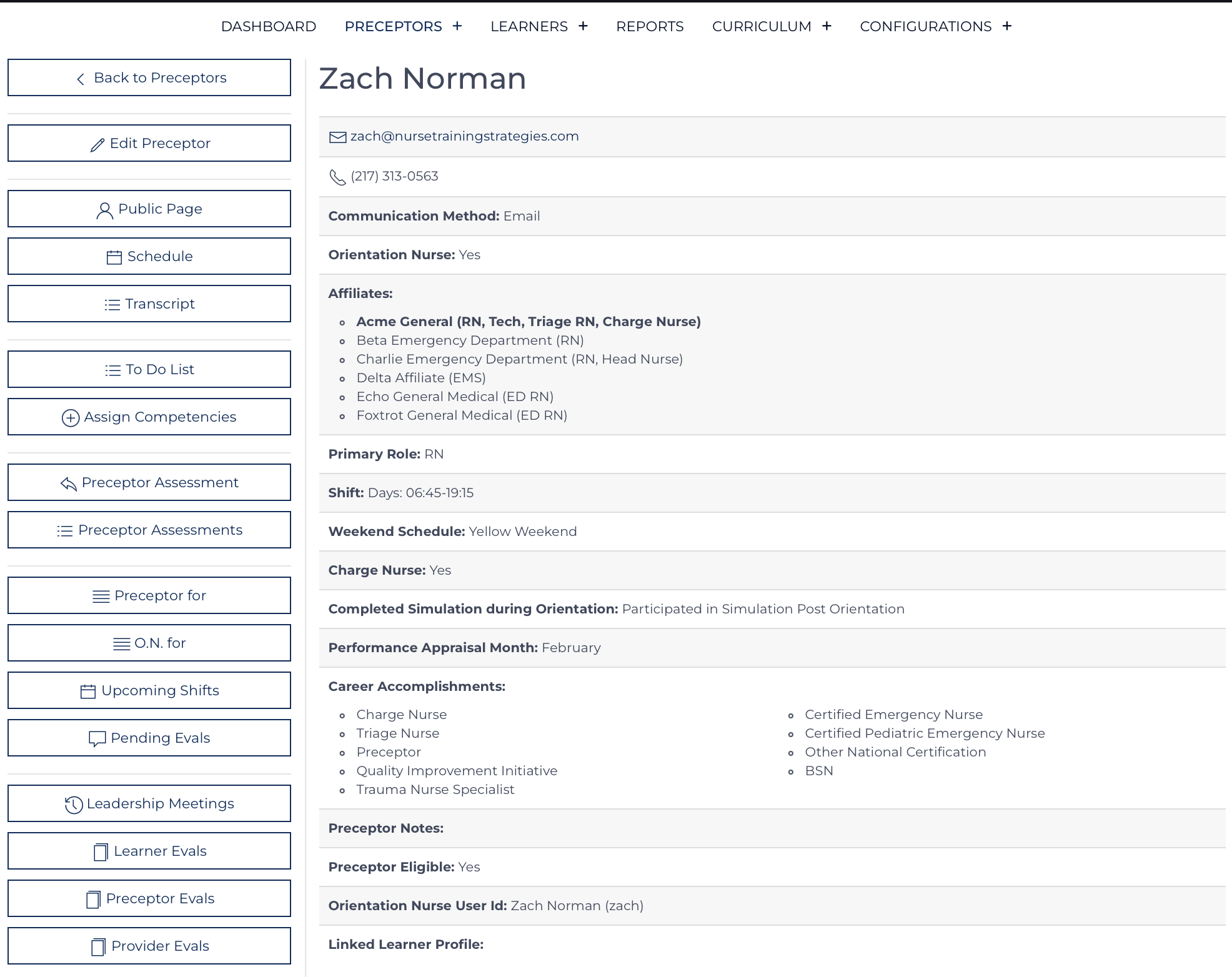
The Preceptor record is the hub where all other data points are linked. Once a Preceptor record is created, the Preceptor can be assigned to work with Learners. The Preceptor record must be maintained with up-to-date information. Each data point can ...
Review Preceptor Assessment
Access the Preceptor Assessment from the Preceptor's Transcript Quick Links. The button appears with the dates covered in the Preceptor Assessment.
Preceptor AssessmentFebruary, 2024-August, 2024
The Preceptor Assessment is similar to a Formal Eva...
Verify Competency Documents
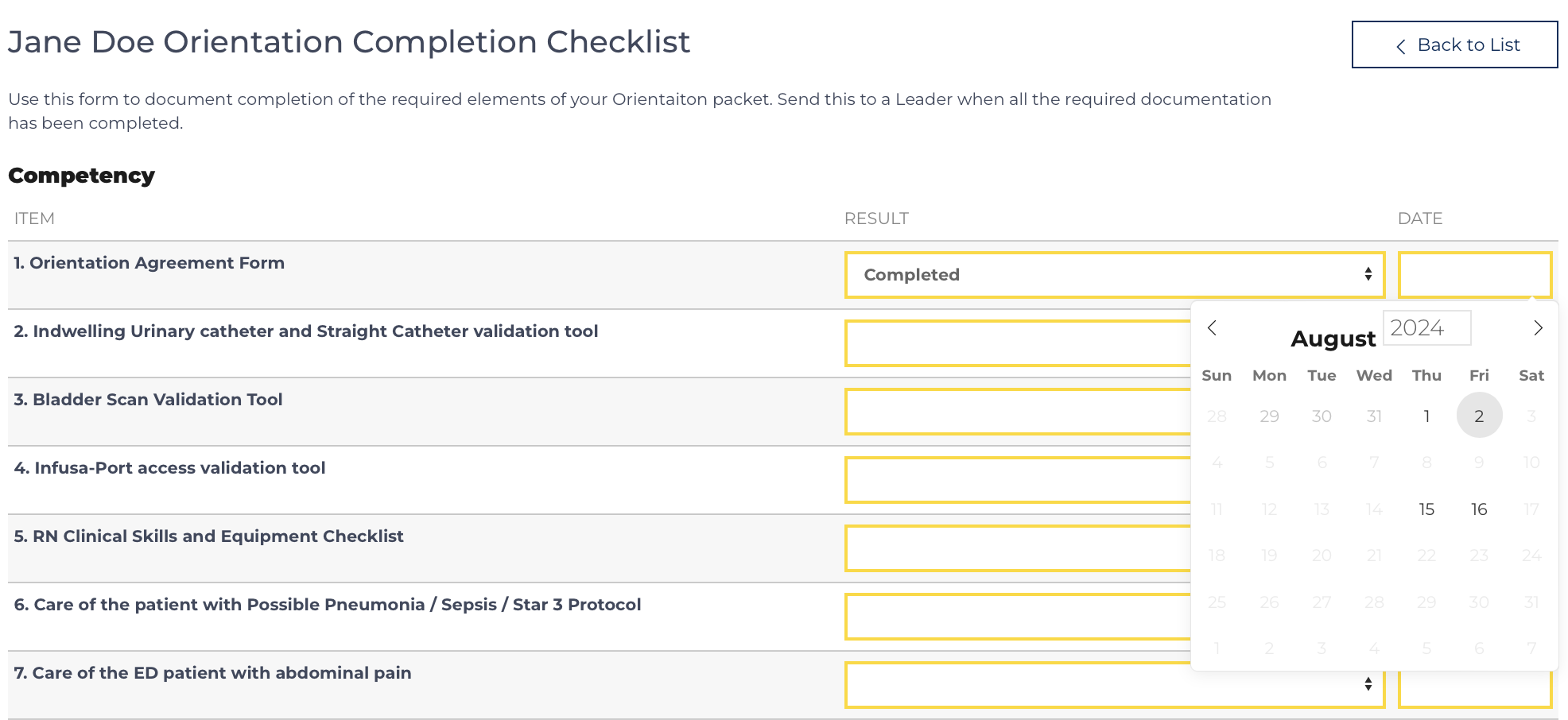
Part of your role as a preceptor is to document the learning that has occurred. The Learner on orientation is responsible for determining which of their preceptors can sign off on each document. The Preceptor is responsible for completing the documen...