Colleagues
- URL: /colleagues.html
- Access: Orientation Nurse Users; Leadership Users
- Tags: Orientation Nurse Users, Leadership Users
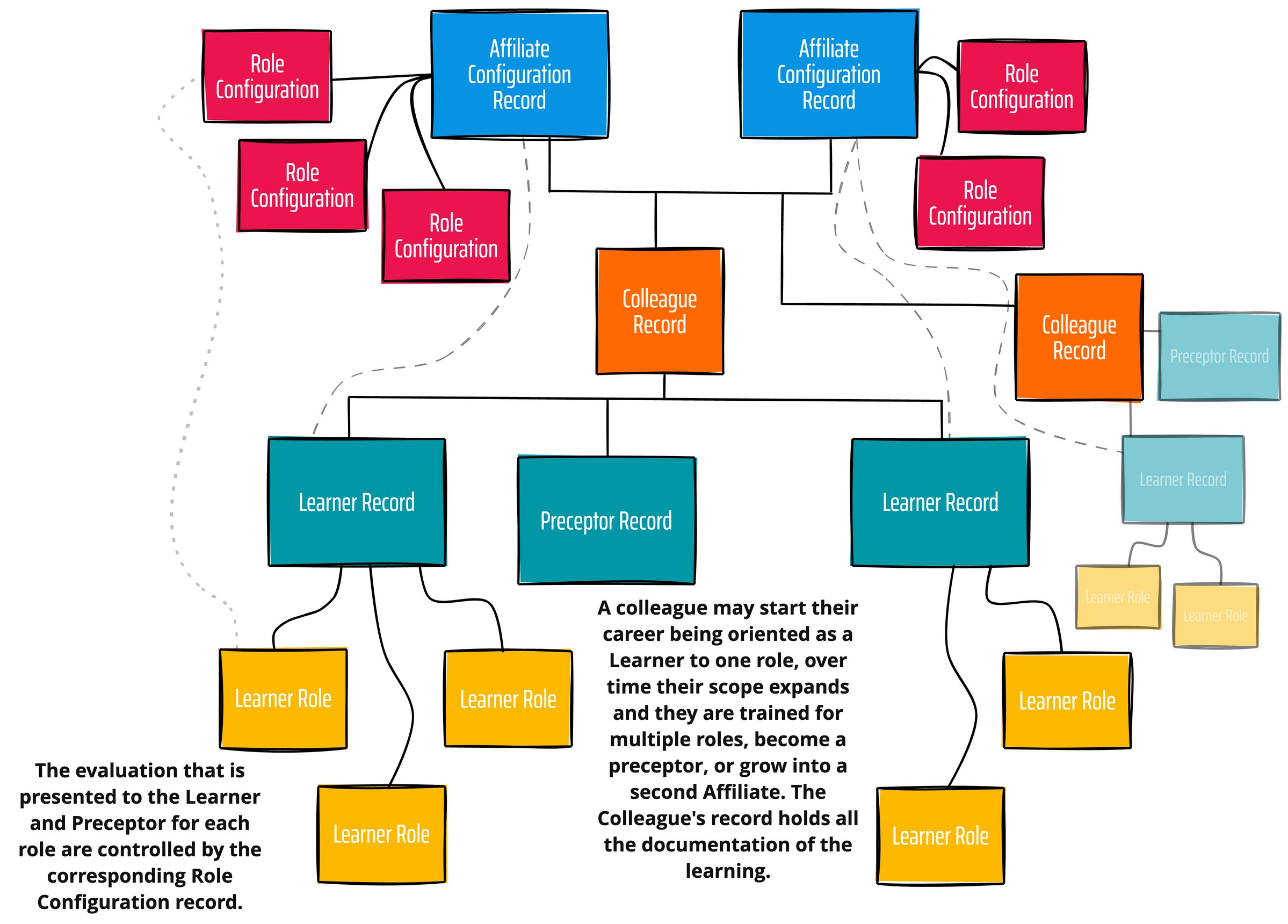
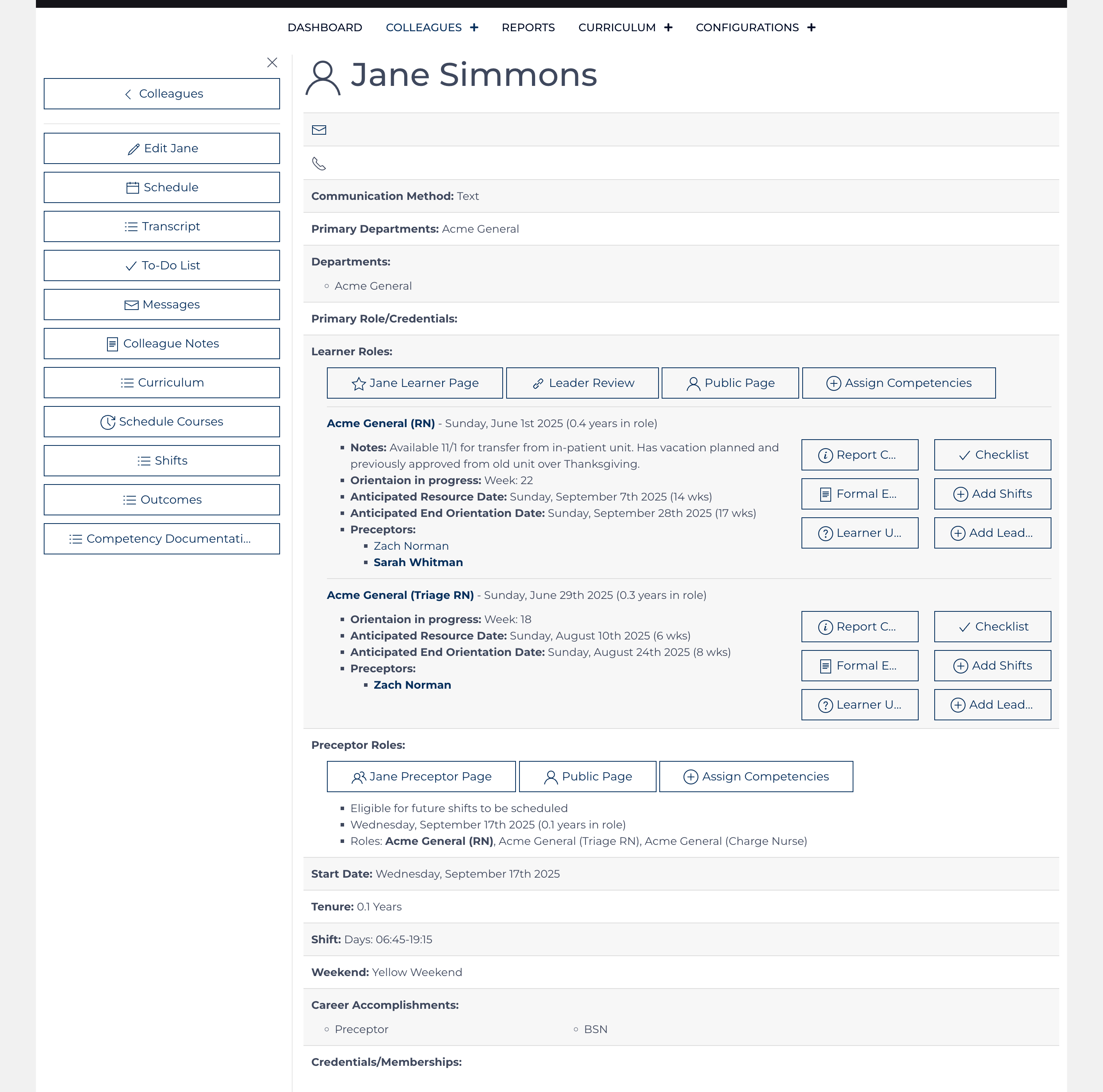
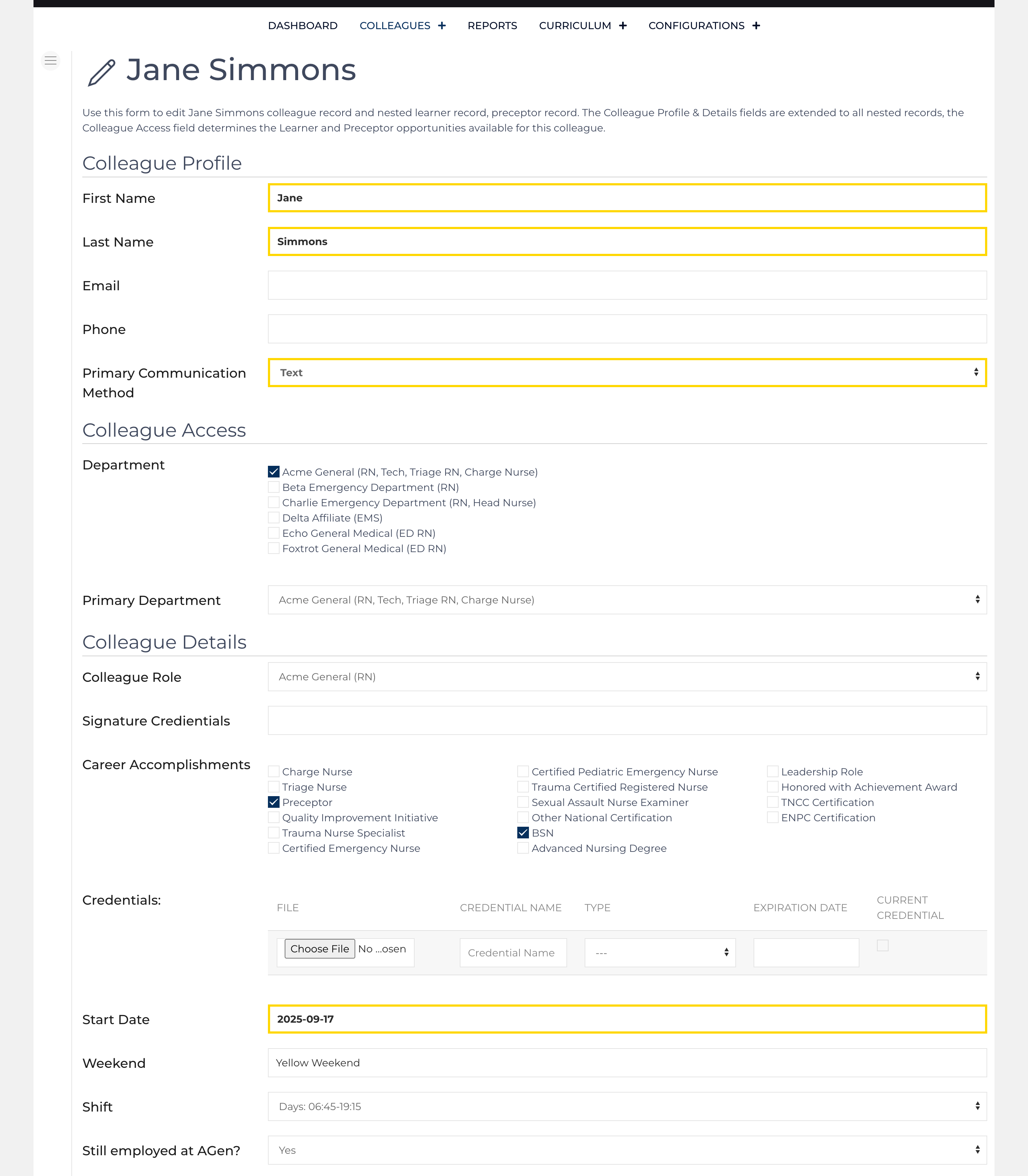
Version 1.11.0 introduced the colleague record to simplify the data entry and maintenance across multiple tables. Still, learning is documented under a Learner record and is organized into multiple roles[1]. A colleague can have multiple learner records nested as their career grows. A preceptor record can also be created/maintained, documenting all the contributions a preceptor makes over time. All records that are nested under the colleague record are created and maintained from the Colleague Add / Edit screens.
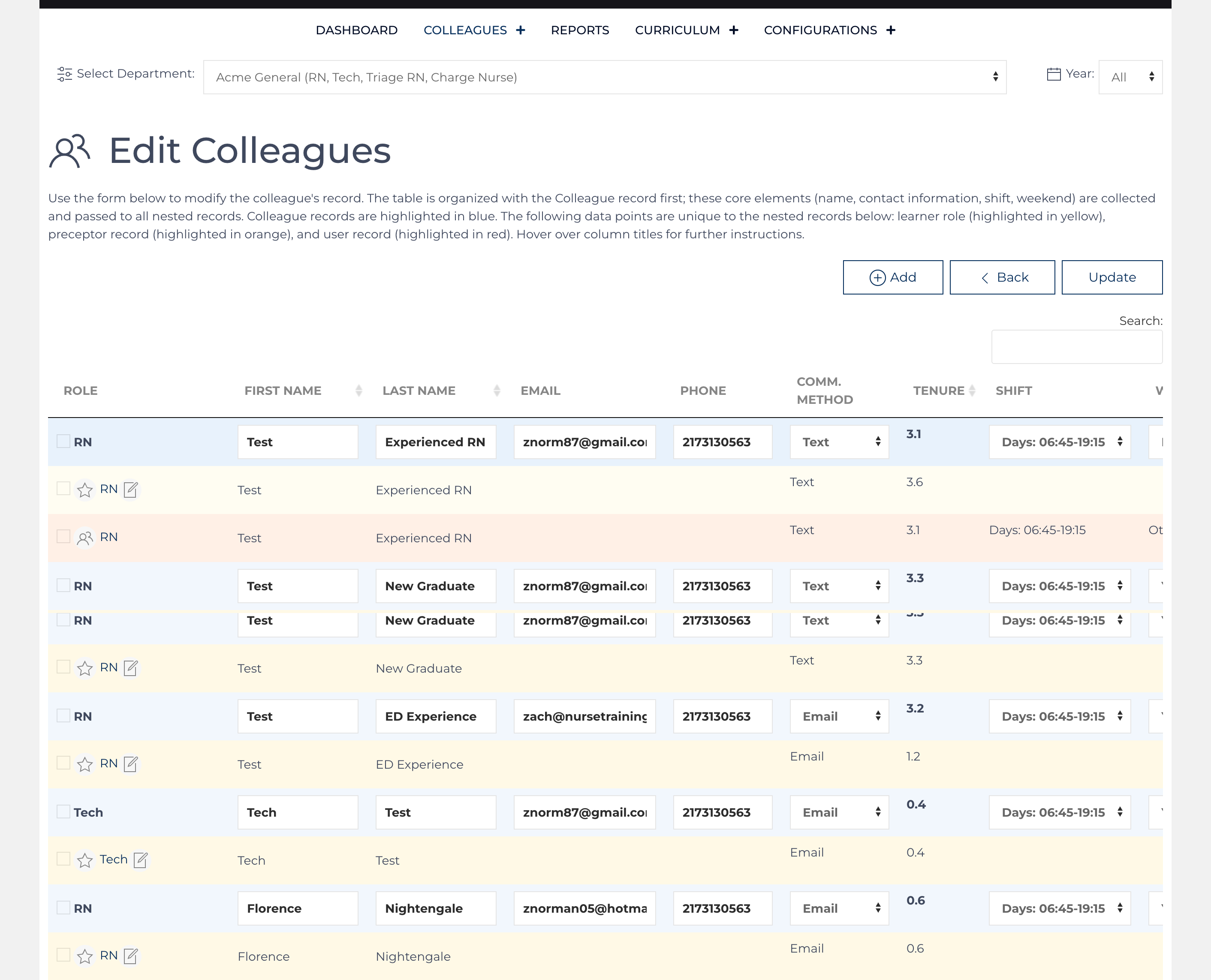
The Colleagues listing accessed from the main menu is organized into multiple list views. These list views are searchable and re-sortable. By default, it is organized by the default role title. Use the drop-downs at the top of the page to narrow the data displayed.
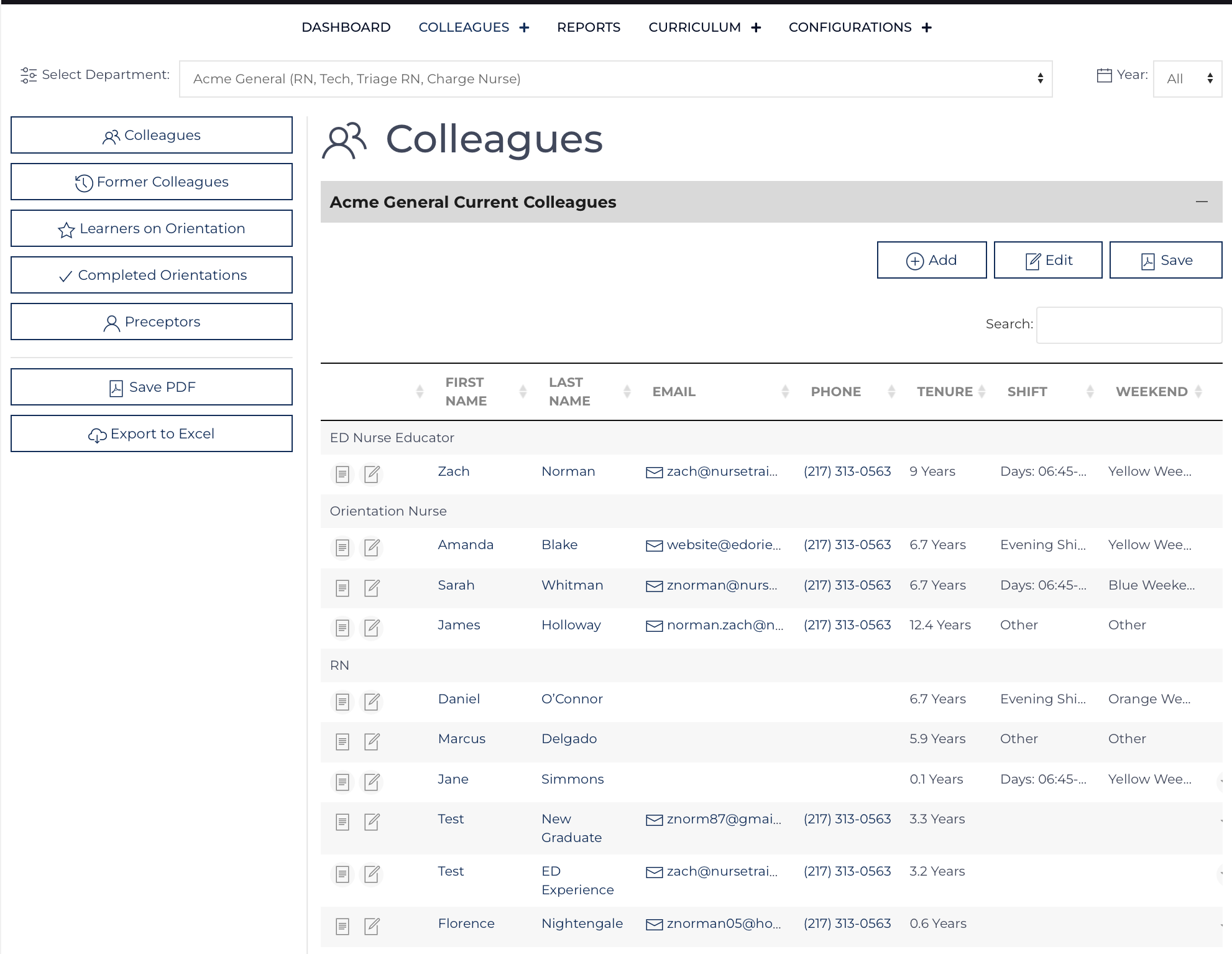
There are list views for current colleagues, former colleagues (collapsed by default), Learners on orientation[1], Learners who've completed orientation (collapsed by default), and current Preceptors. Learners whose orientation is complete are displayed on a list view below.
Refreshing the screen will reset any sorting or searches back to the normal full list of colleagues. On small screens such as cell phones, some columns will be hidden to minimize scrolling.
- Access the individual record by clicking their name or
![view icon]() [2].
[2]. - Edit the individual record by clicking
![edit icon]() .
.

 .
.Footnotes
Additional Content
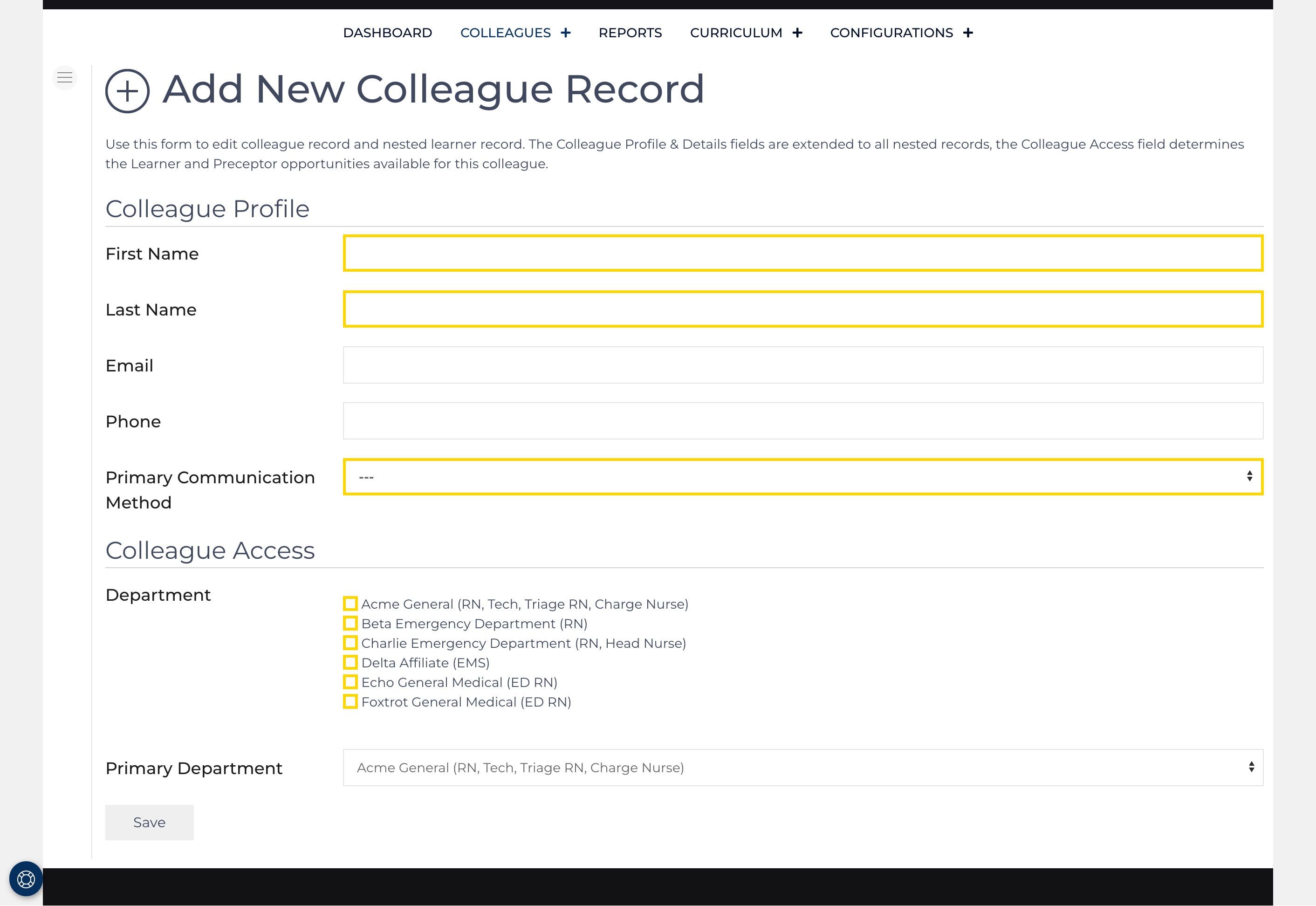
Add New Colleague
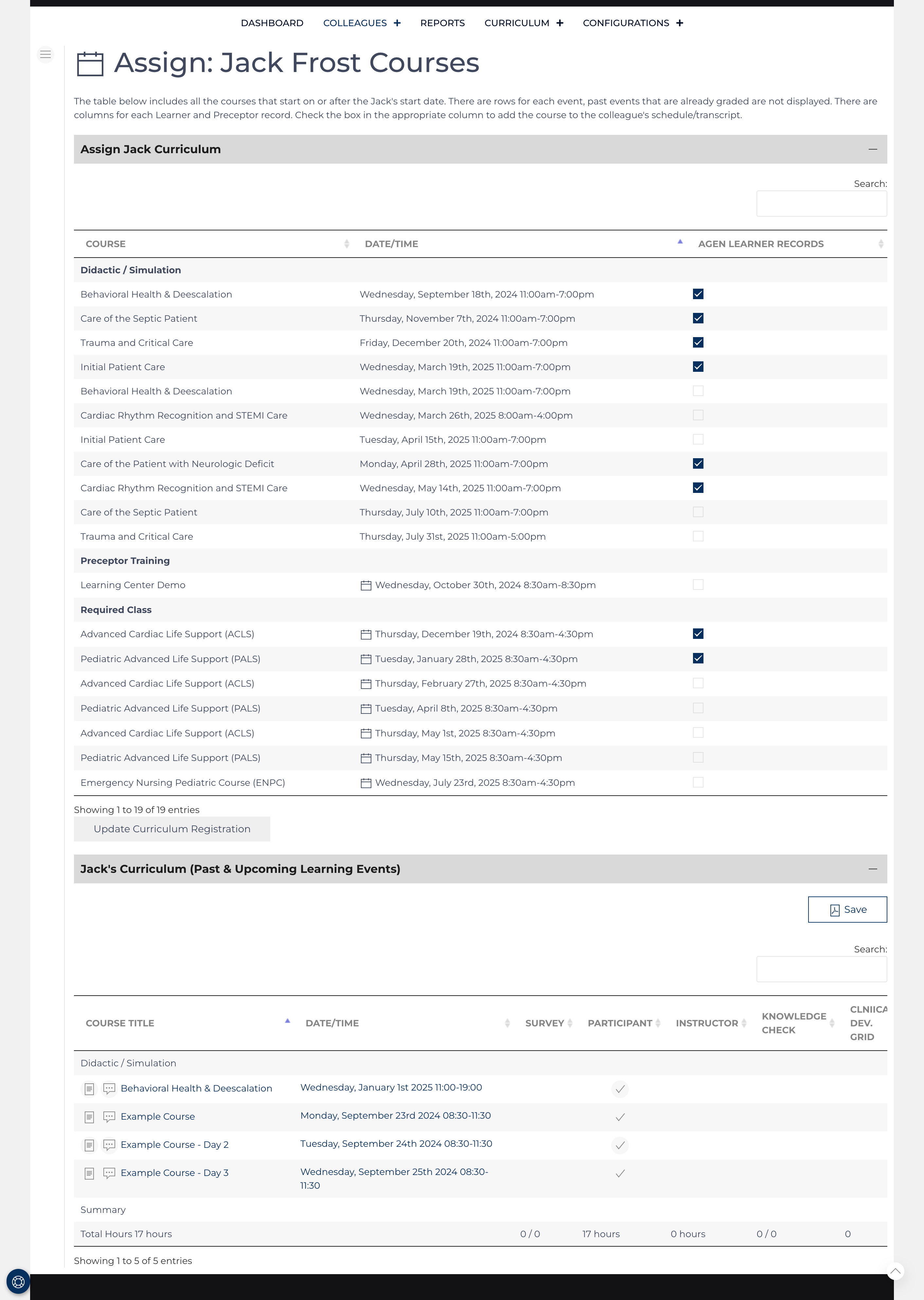
Colleague Curriculum Assignments
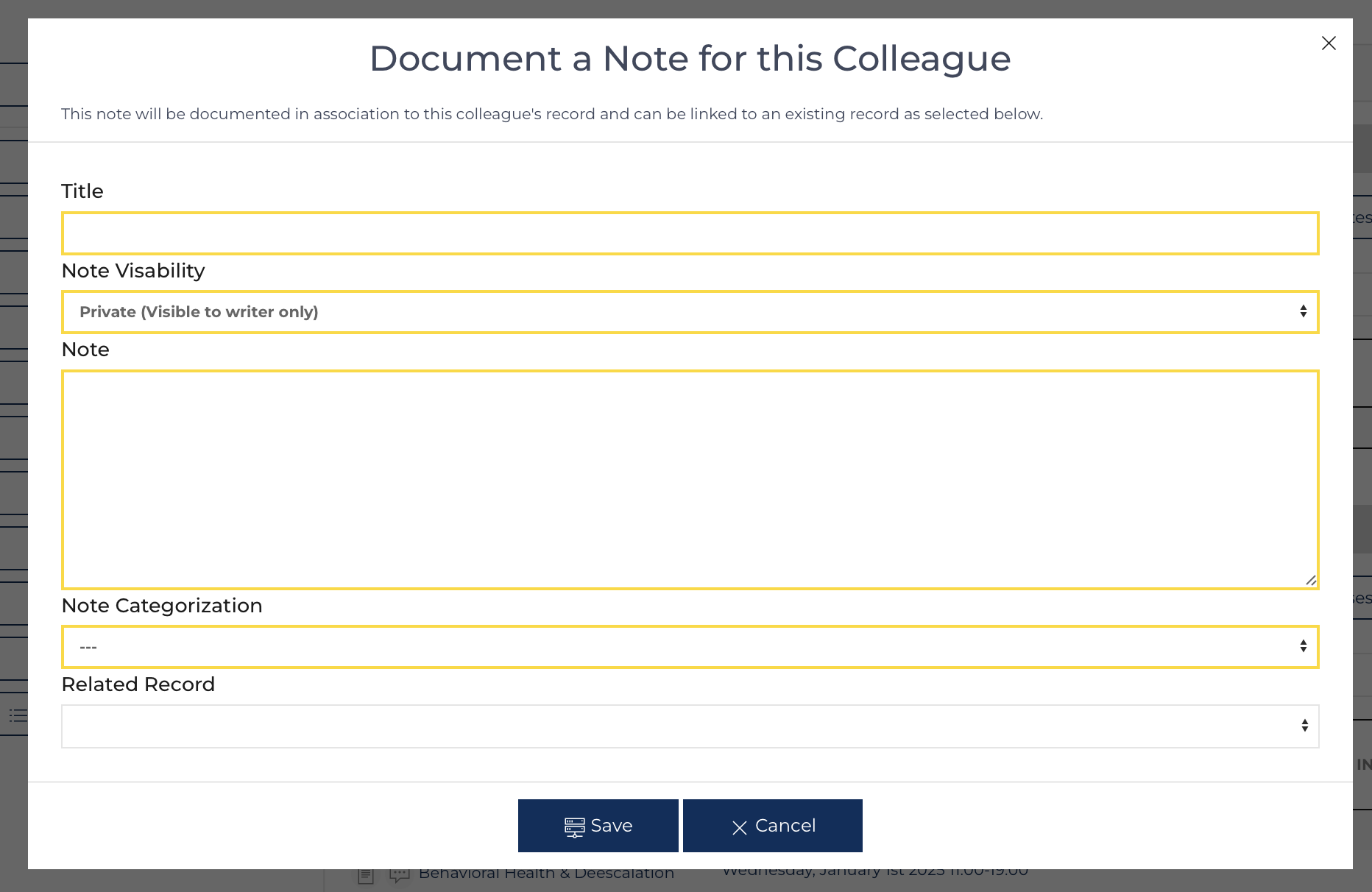
Colleague Notes
Colleague View
Edit Colleague
Edit Colleagues
Subcategories
Preceptors Article Count: 6
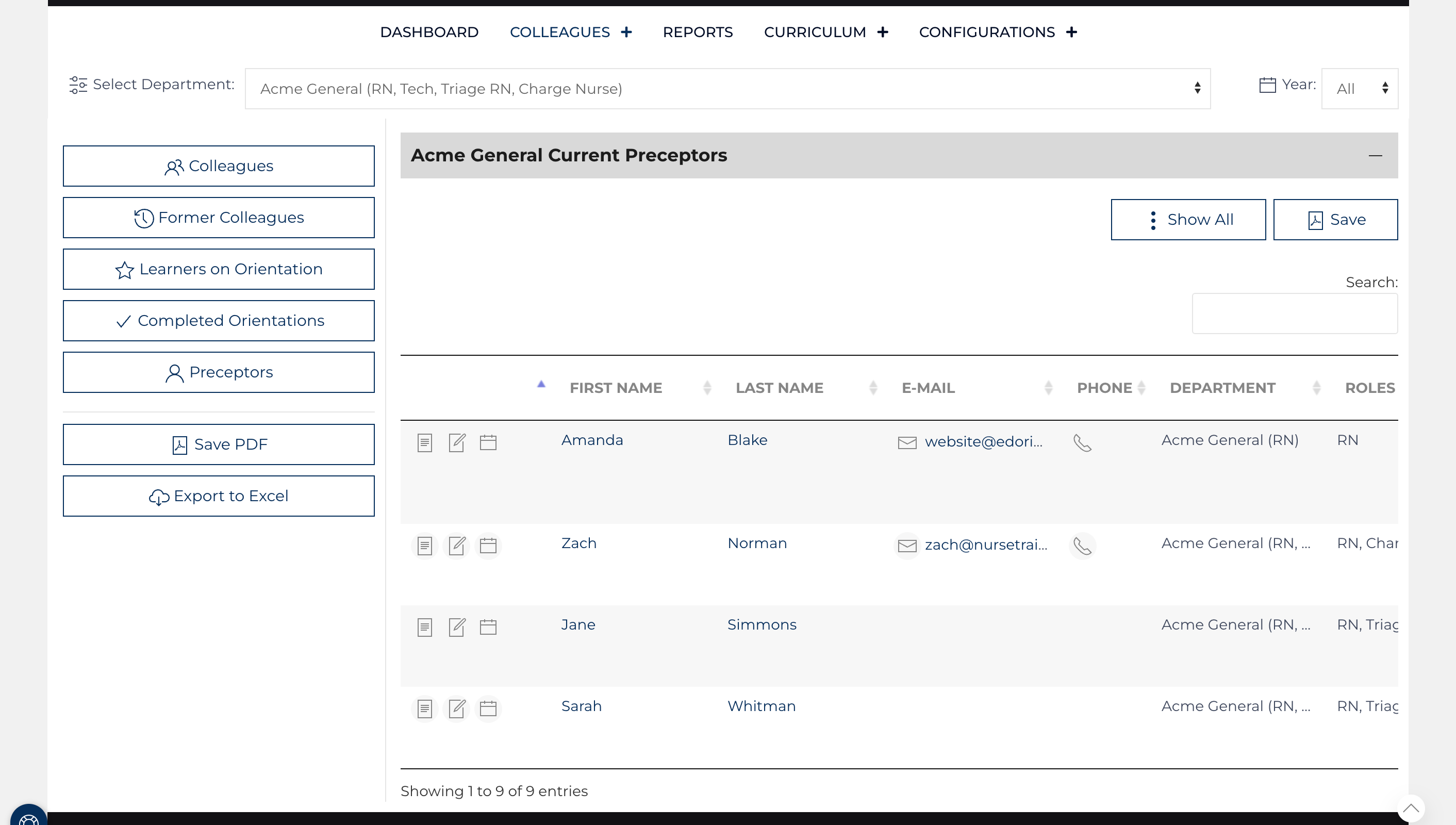
The Preceptor List can be sorted by any column heading; by default, it is organized by last name. It is divided between Preceptors who are currently eligible to teach learners and those who are former preceptors. It can also be searched by any value and sorted.
Preceptors may be a part of multiple affiliates and do not need to have roles assigned, unlike learner records. The dropdown at the top of the screen labeled "Select Affiliate/Role" allows the user to toggle the list to display Preceptors who are a part of another Affiliate.
Refreshing the screen will reset any sorting or searches back to the normal full list of preceptors. On small screens such as cell phones, some columns will be hidden to minimize scrolling.
- Clicking the Preceptor’s name or
![view icon]() will bring you to view additional details on the Preceptor's record.
will bring you to view additional details on the Preceptor's record. - Clicking the mail Icon will open an email message to that preceptor.
- Clicking
![edit icon]() will allow you to modify the Preceptor's record and nested Preceptor Comment records.
will allow you to modify the Preceptor's record and nested Preceptor Comment records.
Learners Article Count: 21
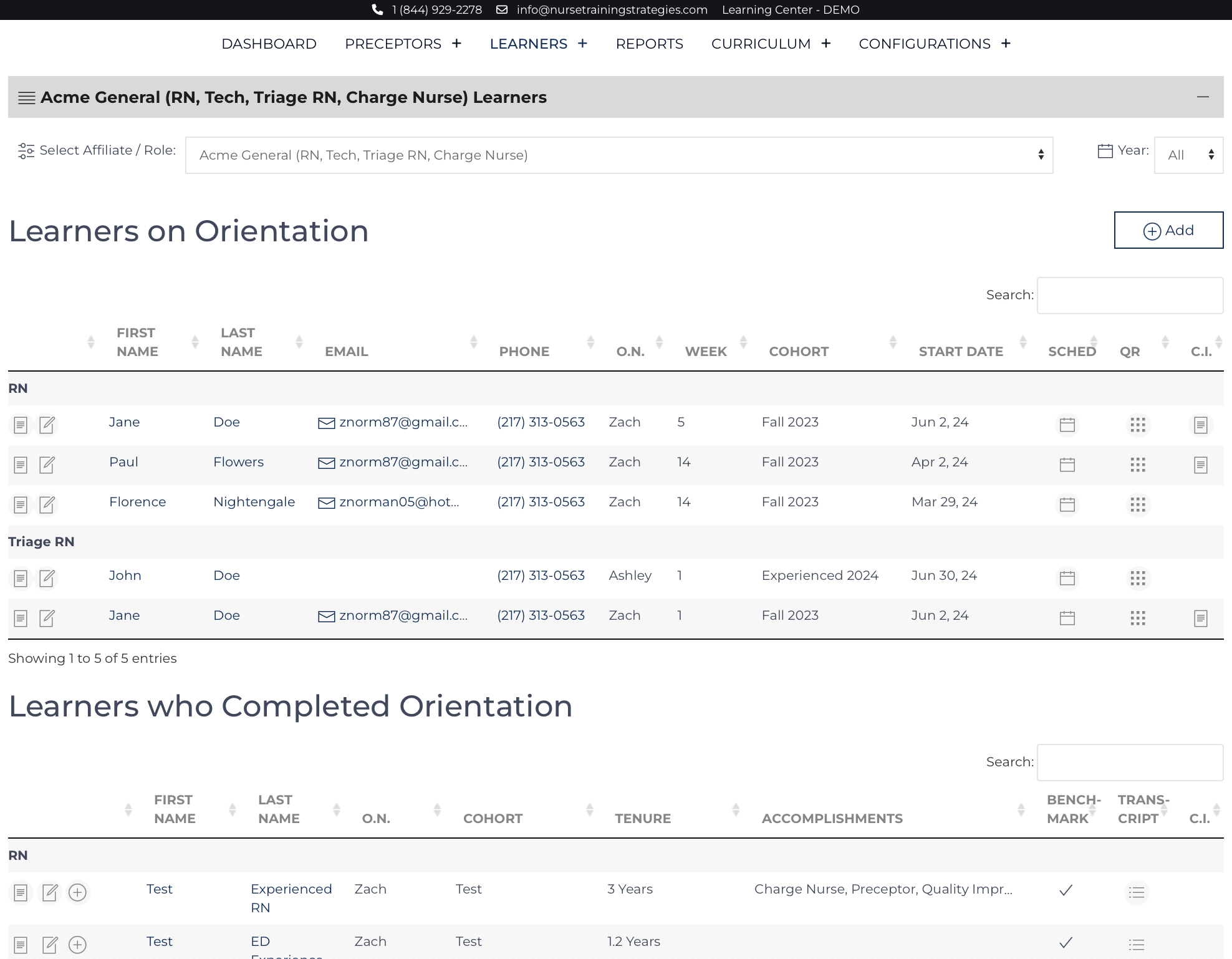
These list views are located on the Colleagues screen, are accessible by the Quick Links on the left, and are searchable and sortable. By default, it is organized by start dates: the newest learners will be on top. Learners whose orientation is complete are displayed on a list view below. The list views are separated into Learners who are orienting for a role[1] and those who have completed orienting for a role.
Refreshing the screen will reset any sorting or searches back to the normal full list of learners. On small screens such as cell phones, some columns will be hidden to minimize scrolling.
- Access the individual Learner’s record by clicking their name or
![view icon]() .
. - Edit the individual record by clicking
![edit icon]() .
. - The block icon on the right brings up a new window with that Learner’s QR codes for the public pages associated with that Learner. QR codes are only generated for Learners currently on orientation.
Evaluations Article Count: 10
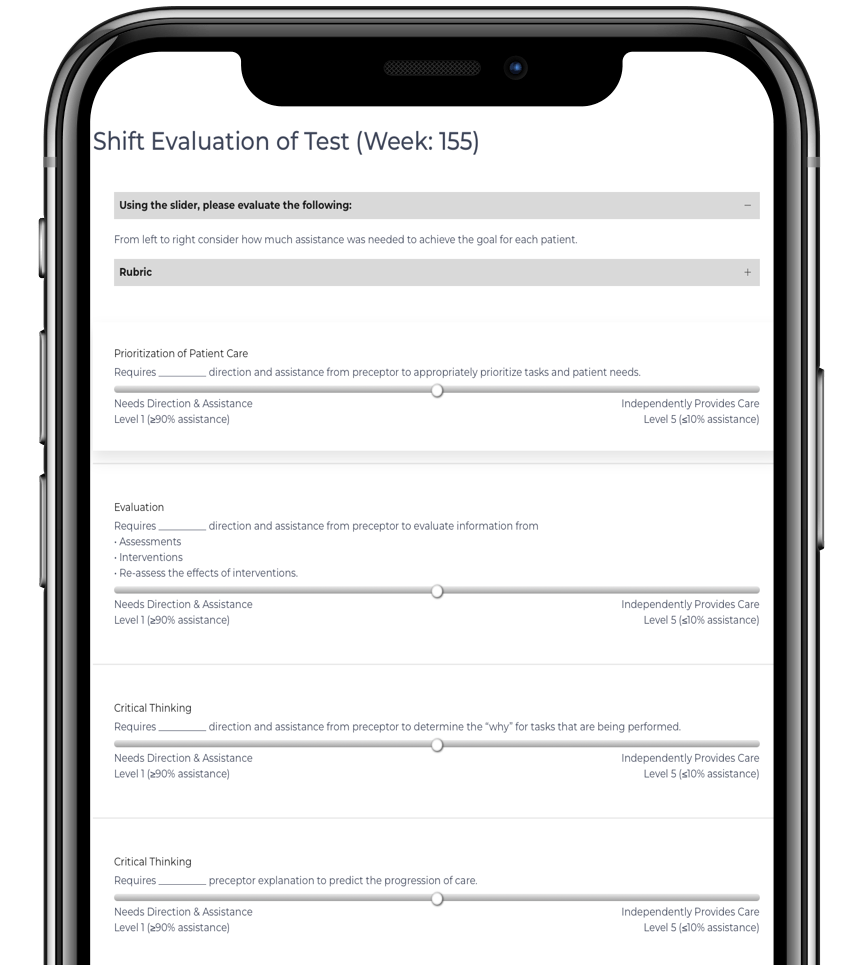
Gaining feedback via Daily Evaluations is a core feature of the Learning Center.
- Daily Evaluations are collected by sending Learners and Preceptors automated reminders to complete the evaluation 1 hour before the end of their scheduled shift.
- Provider Evaluations can be collected via QR Code by invitation.
- Regular review of these evaluations via the Report Card feature, discussion of progress and goals with the Formal Evaluation, and Updating stakeholders using the Learner Update feature.
- Results from Evaluations can be incorporated into various reports and features such as the Learner Action Plan and Leader Update.
- Evaluations are nested records under the associated Learner and linked to Event records.