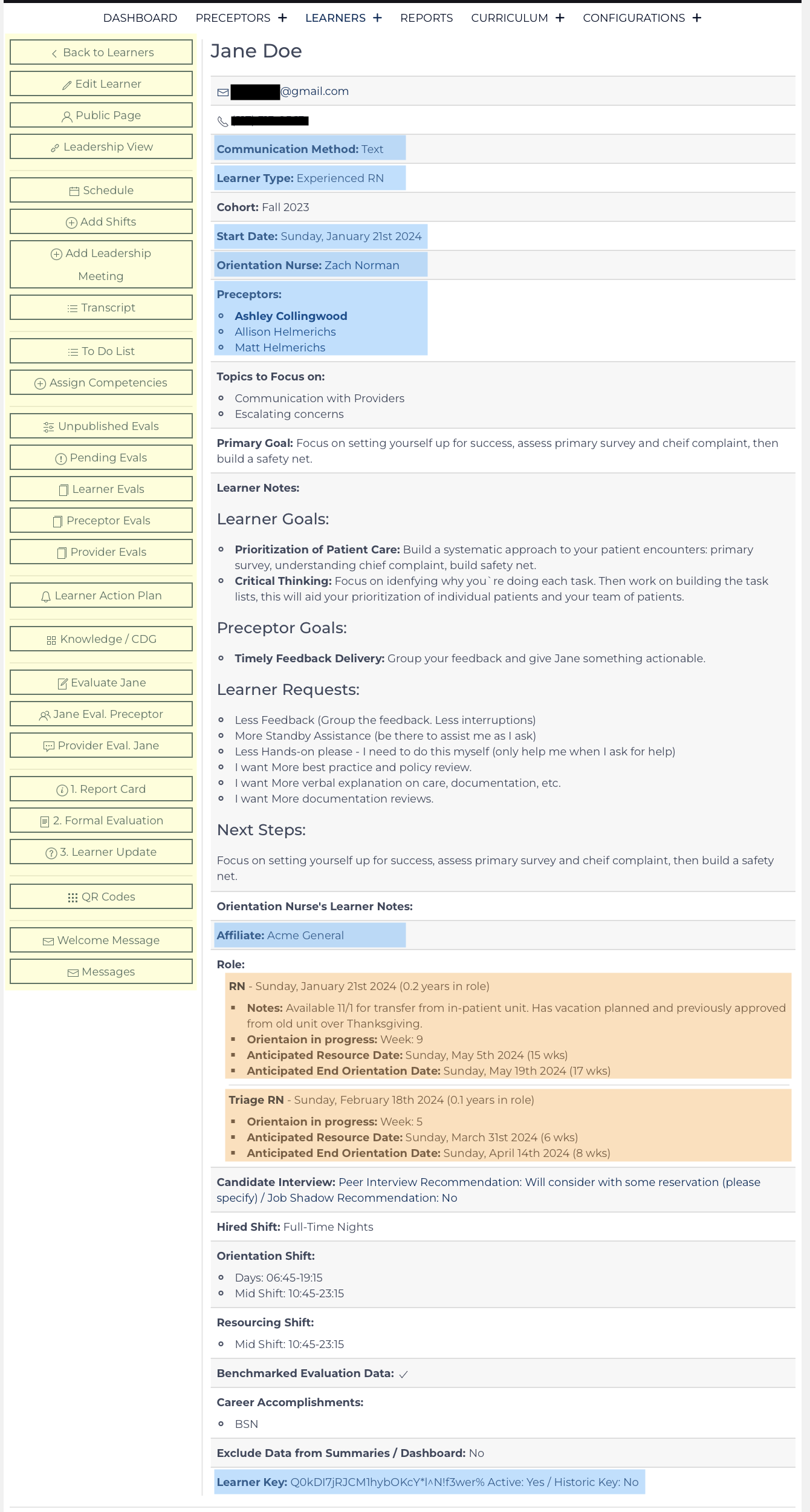
The Learner record is the hub where all other data points are linked. Once a Learner record is created, roles can be assigned for orientation, the Learner record must be maintained with up-to-date information. Each data point can be used to analyze the success/impact of orientation efforts statistically. The full benefits of the Learning Center can be enjoyed if historical learners are added. While the evaluation data won’t be present, the tenure data and outcome data can be analyzed and considered against other factors.
- The Quick Links are highlighted yellow.
- Required data points are highlighted in blue.
- Learner Roles are highlighted in orange.
Several additional List Views display data that is connected or nested under this Learner’s Record:
- Unpublished Evaluations
- Pending Evaluations
- Leader Meetings
- Learner Evaluations (Daily & Formal) – individual results, the most recent are first.
- Preceptor Evaluations (Daily & Formal) – individual results, the most recent are first.
- Provider Evaluations – individual results, the most recent displayed first, update the comments to start with the name of the provider who submitted the evaluation.
- Clinical Development Grids and Knowledge Checks - results of these learning activities.
The Learner View screen contains links to each record that is related to this learner. Any Orientation Nurse user with privileges for this Affiliate/Role can review and edit the data on this screen or related record.
Leadership Users have a similar screen that summarizes the individual details contained in the evaluations called Leader Review. From this screen, they have access to current goals, Formal Evaluations, and summarized daily evaluations, along with several list views and helpful links.
Creating a new Learner record is done on the Learner Add view. Updating the details contained on this screen is done on the Learner Edit view. This view can be accessed by Orientation Nurse Users and Leadership Users if granted the privilege in the Configuration Record.
Learner Quick Links
When in View mode these links appear on the left side of the page or at the top of the page on a mobile device. They are used to navigate around the page or to another associated page view.
| Link back to the complete Learner Listing | |
| Edit the Learner's record | |
| Open a new tab of the Public Learner Page - review the information and data visible publically to the Learner/anyone with this link. | |
| Open a new tab of the Leader Review Page | |
| Open new tab of the Learners’ Schedule. | |
| Open a new tab of the Event Add Shifts (url: &learner=##&status=schedule) | |
| Open a new tab of Leader Update to schedule a Leadership Meeting | |
| Open a new tab of the Transcript showing a complete list of learning activities and completed competencies. | |
| Open a new tab of the To-Do List | |
| Open a new tab of Competencies (&status=assignment_list), select items to assign, choose a due date, and communicate the need to complete the items. | |
| Scroll down to a list of un-published evaluations. Orientation Nurse Users can review evaluations and complete maintenance of the record here. | |
| Scroll down to a list of pending Learner Evaluations | |
| Scroll down to a list of Learner Evaluations (submitted by preceptors) | |
| Scroll down to a list of Preceptor Evaluations (submitted by the learner) | |
| Scroll down to a list of Provider Evaluations (submitted by provider) | |
| Scroll to a list of Learner Action Plans that have been reported, in progress, or resolved. | |
| Scroll down to a list of Knowledge Check and Clinical Development Grid Results | |
| Open a new tab with Learner Evaluation for the default role. | |
| Open a new tab with Preceptor Evaluation for the default role. | |
| Open a new tab with Provider Evaluation for the default role. | |
| Link to Report Card (review several weeks of evaluation results) | |
| Link to Formal Evaluation (complete w/learner, typically accessed via Report Card)[1] | |
| Link to Questions Update (update Learner’s goals, clinical development grid, and Learner Specific Questions)[2] | |
| Open a new tab with QR codes, and print this page for learners/preceptors. | |
| Opens window to review Welcome Letter, send or print. | |
| Open a new window with a listing of all messages sent to this Learner's phone number and e-mail address |
Unpublished Evaluations – List
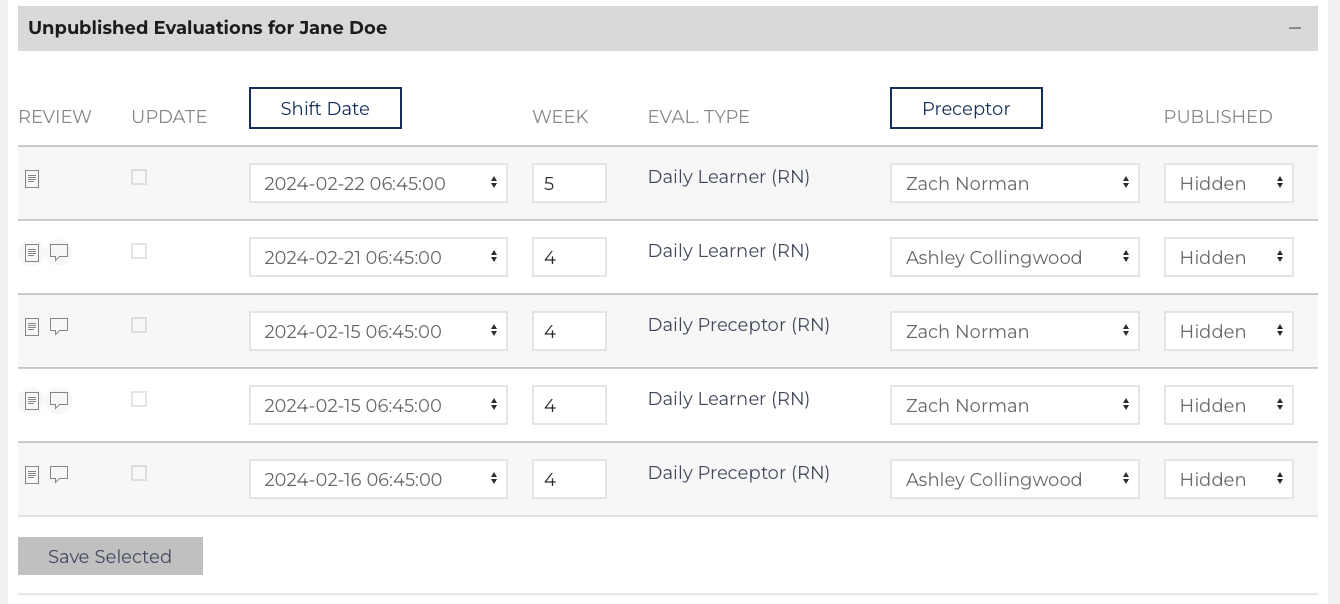
The Orientation Nurse will receive an e-mail each time a new evaluation is received. This List View is linked in the message.
- Update each evaluation on the list to associate a preceptor and publish the evaluation to the Learner Public[3] and Leader Review pages.
- Clicking on
![learner shift date button]() and
and ![learner preceptor button]() toggle the drop-down lists to a date-picker or a list of all preceptors respectively.
toggle the drop-down lists to a date-picker or a list of all preceptors respectively. - By default, the column
![learner shift date button]() has a drop-down that includes the scheduled shifts that occurred proximate to the date the evaluation was created.
has a drop-down that includes the scheduled shifts that occurred proximate to the date the evaluation was created.
- If the Learner/Preceptor utilized the link that was sent to them in the reminder, that links the event_number into the evaluation (parameter: &e=##).
- Matching the
![learner shift date button]() and
and ![learner preceptor button]() to the scheduled event.
to the scheduled event.
- The week is calculated from the learner’s start date to the shift date. It re-calculates after a shift date has been adjusted.
- The Published column has three options:
- Published (visible to Learner/Preceptor),
- Hidden (default value, invisible to Learner/Preceptor),
- Archived (send the result to Recycle Bin).[4]
- Best Practice: The Orientation Nurse should complete maintenance once per week.
- Click
![learner save selected button]() when the desired rows have been updated. The event and evaluation records are updated accordingly.
when the desired rows have been updated. The event and evaluation records are updated accordingly.
 and
and  toggle the drop-down lists to a date-picker or a list of all preceptors respectively.
 when the desired rows have been updated. The event and evaluation records are updated accordingly.
For advanced editing (changing results, adding comments, hiding a previously published result, etc.) review the instructions on Evaluation View Edit.
Pending Evaluations – List
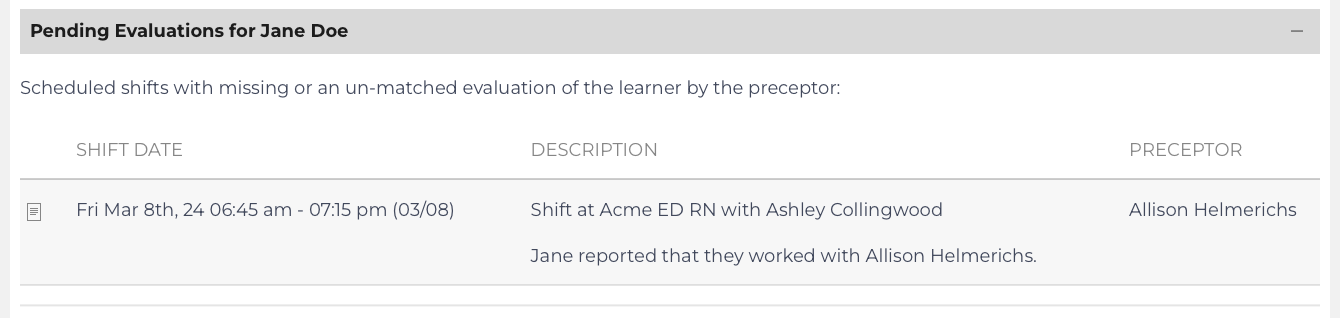
This is a list of events that should have a Daily Learner Evaluation associated. If learner evaluations were submitted by QR code, the pending evaluation needs to be matched or the Preceptor needs to be reminded to complete the evaluation.
The Preceptor has a list on the Preceptor View / Edit page that allows the preceptor to be reminded about all their pending evaluations. Click on the Preceptor’s Name to access their Preceptor View / Edit page.
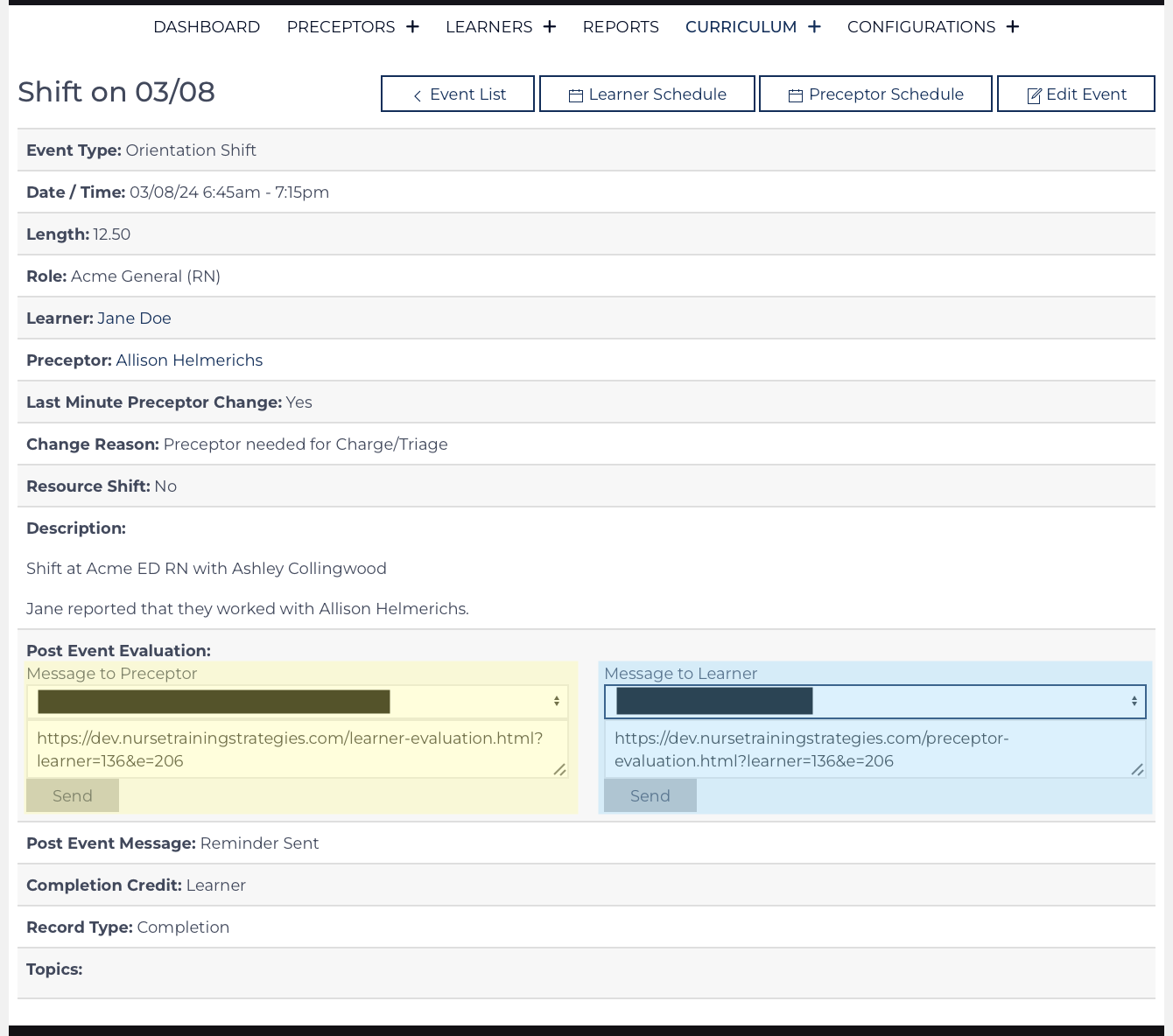
A message to remind the preceptor to submit their evaluation is highlighted yellow, and to remind the learner is highlighted blue. Clicking send manually re-sends the message that was automatically sent by the Event Convert Page.
Leadership Meeting – List
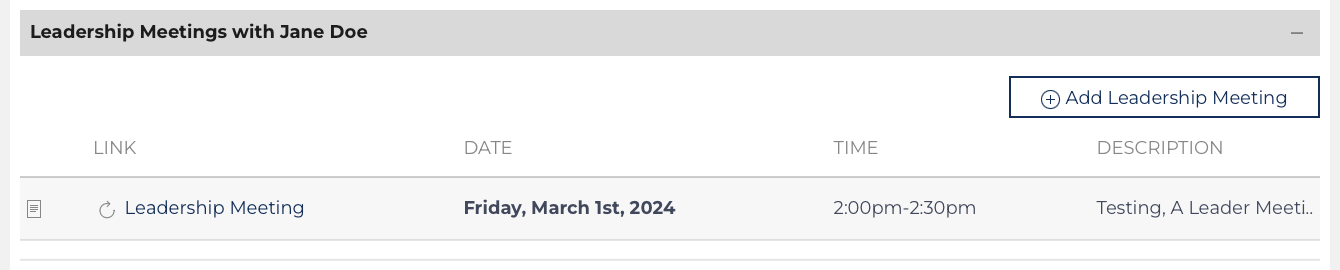
Listing of upcoming events to discuss the progress of the learner with a Leader. The intention of the meeting is for the Orientation Nurse, Learner, and Leader to come together, understand current goals, and next steps, and allow the Leader to make the operational decisions about the transition to independent practice.
Learner Evaluations – List
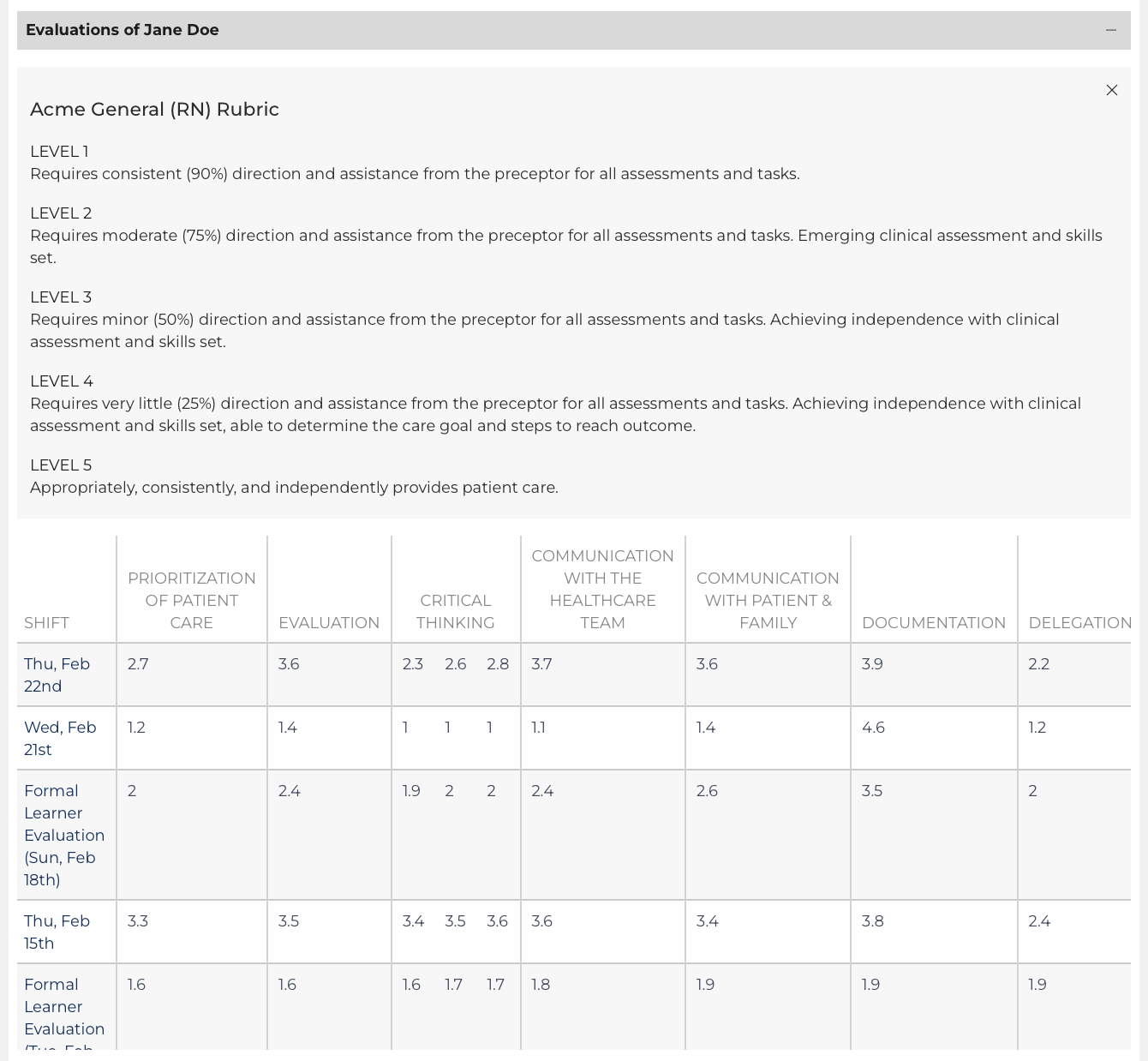
Every Learner Evaluation (Daily Learner and Formal Learner) appears on this list. Hover over the result to see the benchmark score (if available). There are several results on this list, scroll left and right/up and down to see all the results.
Click the date on the left to review the individual result on the Evaluation View/Edit page. Individual results can be exported to PDF or printed on that page view.
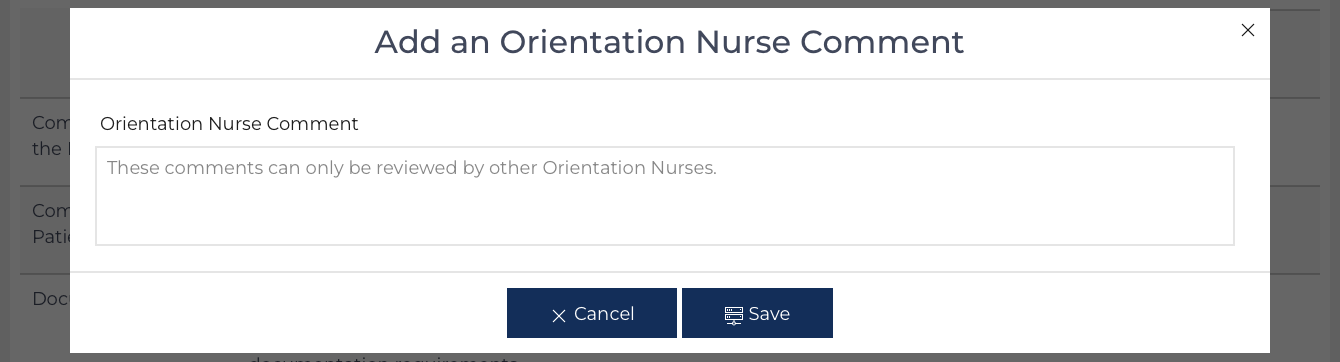
Two comment columns appear on the far right of the Learner, Preceptor, and Provider List Views. Hover over to see the comment made by the person who submitted the evaluation or an Orientation Nurse Comment on the evaluation. Click on the Comment icon to be taken to the Comment section on the Evaluation View Edit page.
Learner Action Plan
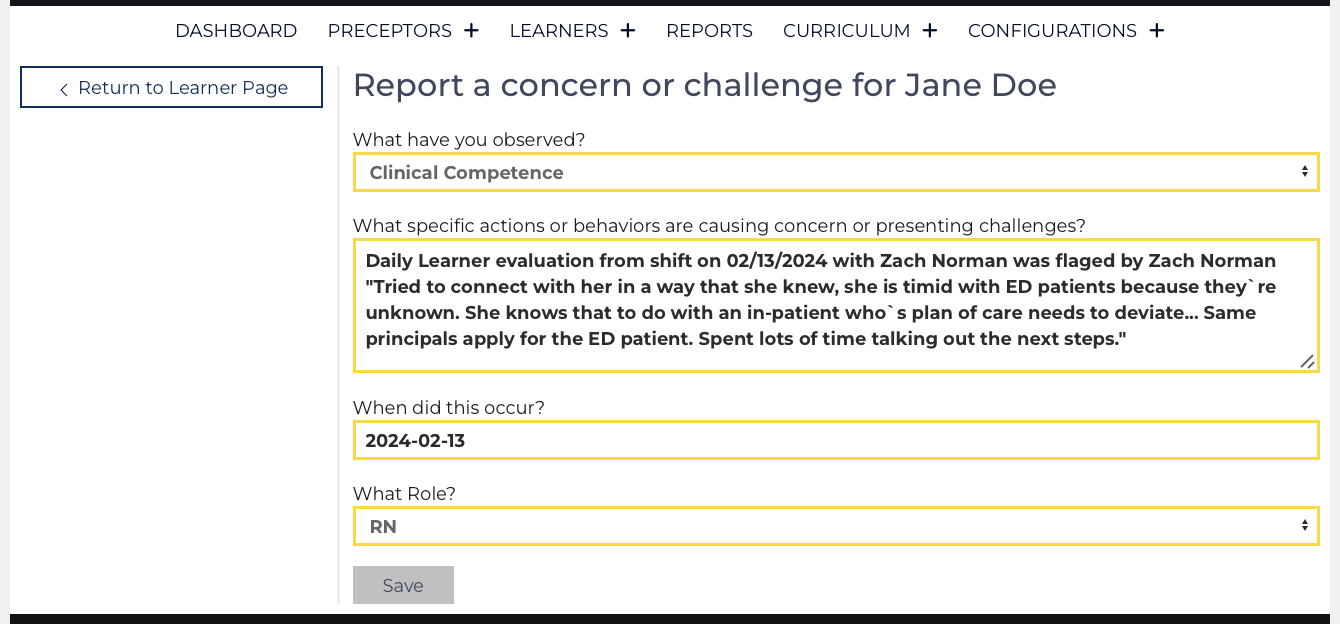
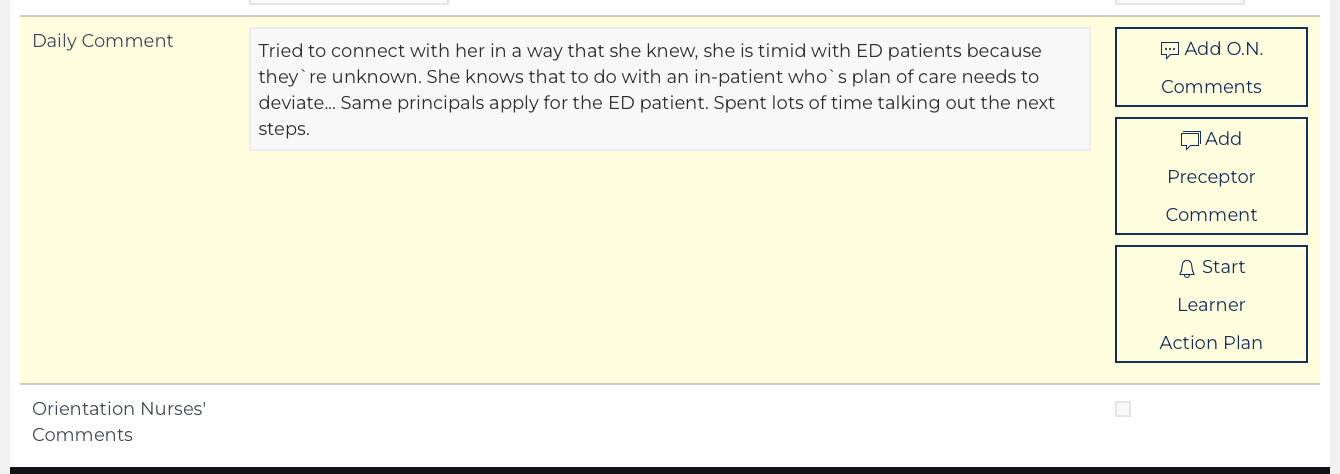
This function is designed to identify challenges, determine the root of the problem, and document the steps that are being taken to get the learner back on track.
Preceptor Evaluation – List
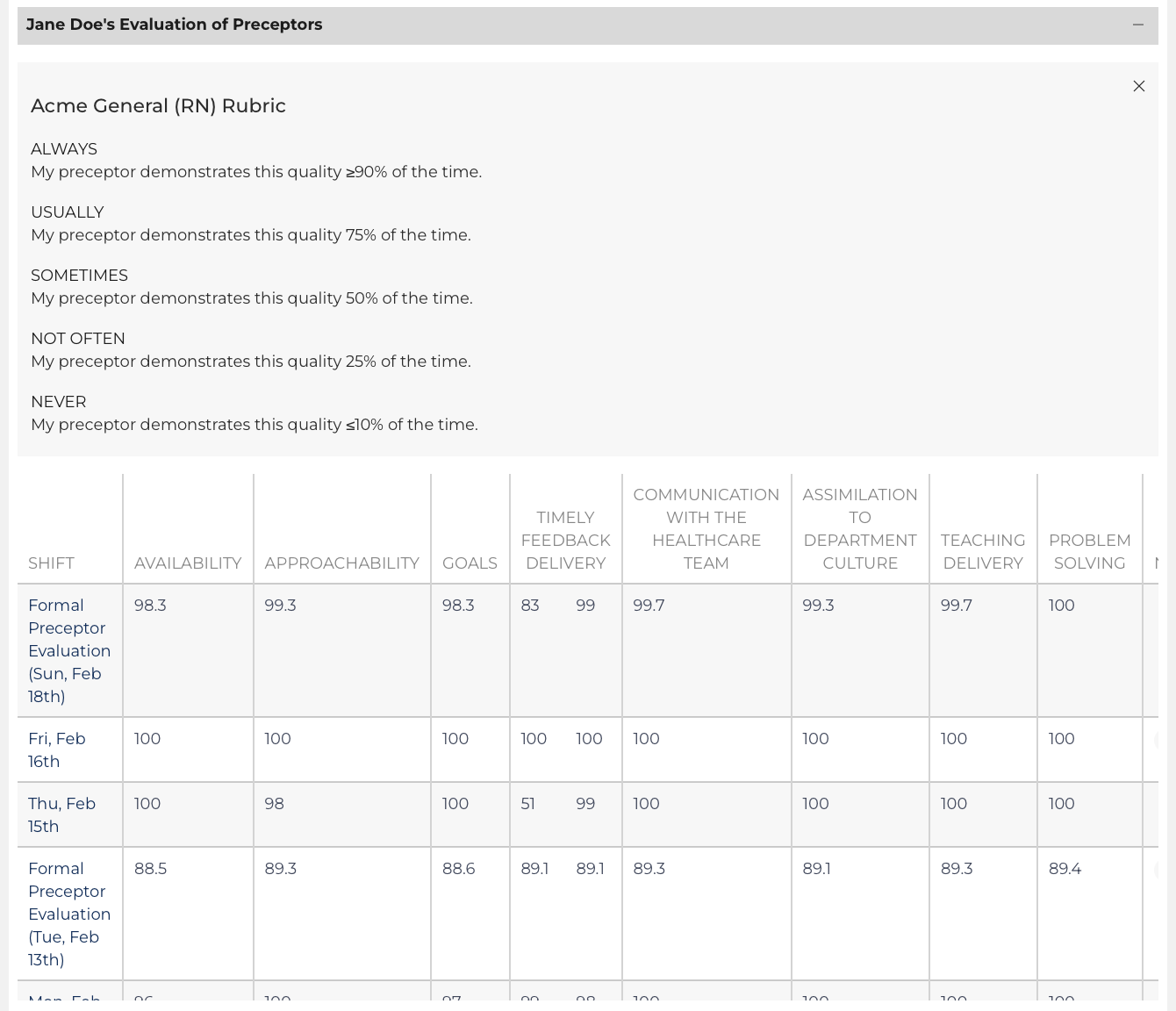
Every Preceptor Evaluation (Daily Preceptor and Formal Preceptor) appears on this list. Click the date on the left to review the individual result on the Evaluation View Edit page. Individual results can be exported to PDF or printed on that page view.
The Preceptor Evaluation List also includes two comment columns and when reviewing individual results there are three buttons as outlined above that allow for Orientation Nurse Comment and Learner Action Plans to be initiated.
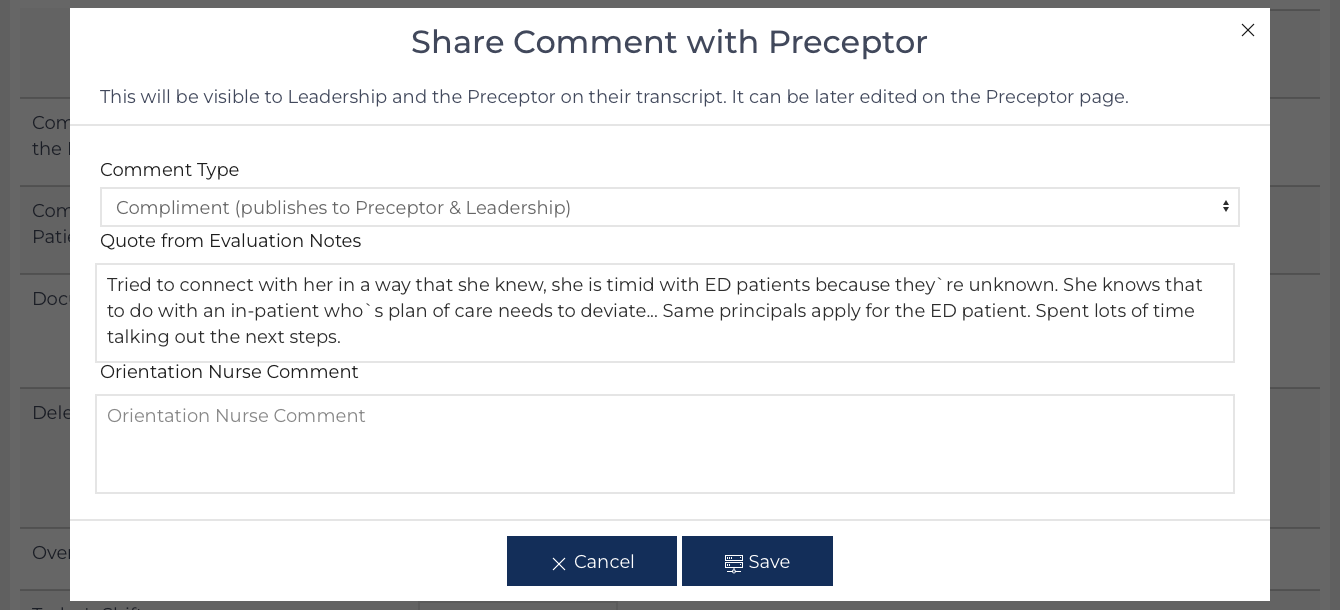
Preceptor Comments are published weekly in the weekly update to Orientation Nurse and Leadership Users who are subscribed.
Provider Evaluations – List
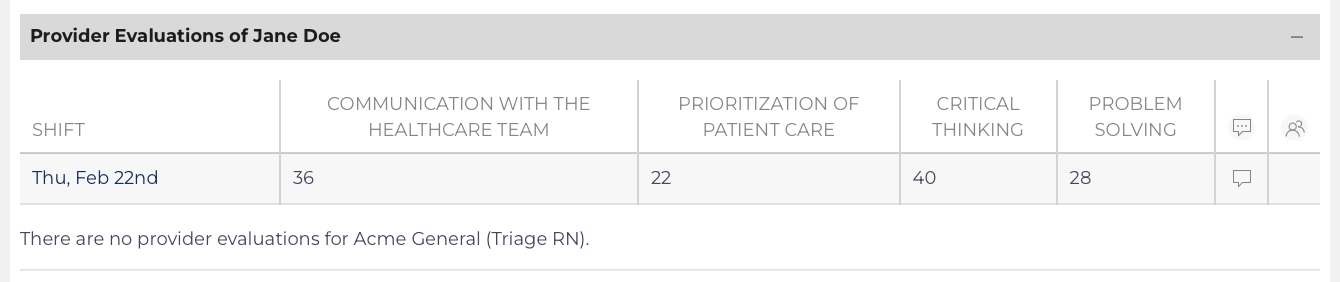
Provider Evaluations appear on this list. Provider Evaluations are intended to be completed based on the invitation of the Orientation Nurse. These results are never published to the Learner nor Preceptor but are used as information. Click the date on the left to review the individual result on the Evaluation View Edit page. Edit the result to include the provider’s name at the beginning of the comments.
Knowledge Checks and Clinical Development Grid – List
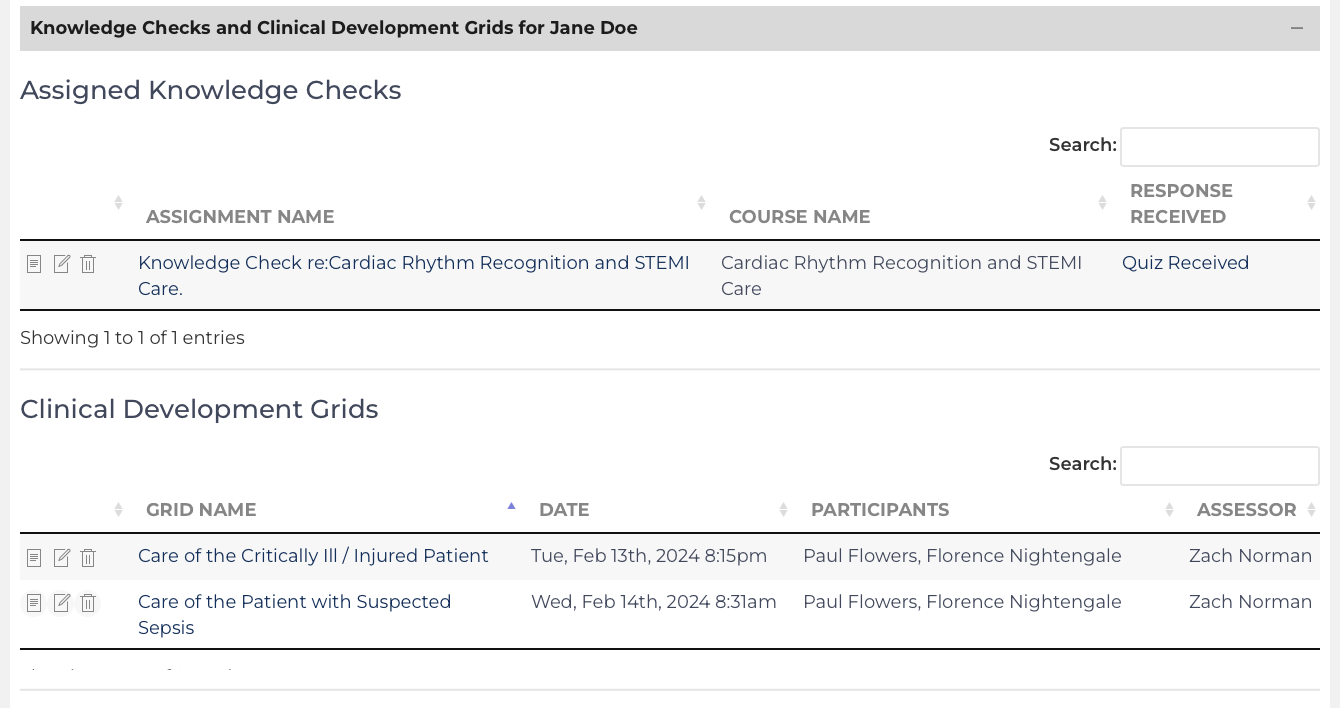
This display highlights completed Clinical Development Grids or Knowledge Checks that have been assigned to the Learner. Both represent the Learner’s overall development or evaluate their understanding of concepts. Further details on the courses they have participated in can be found on their Transcript (pg. 127).
Welcome Message
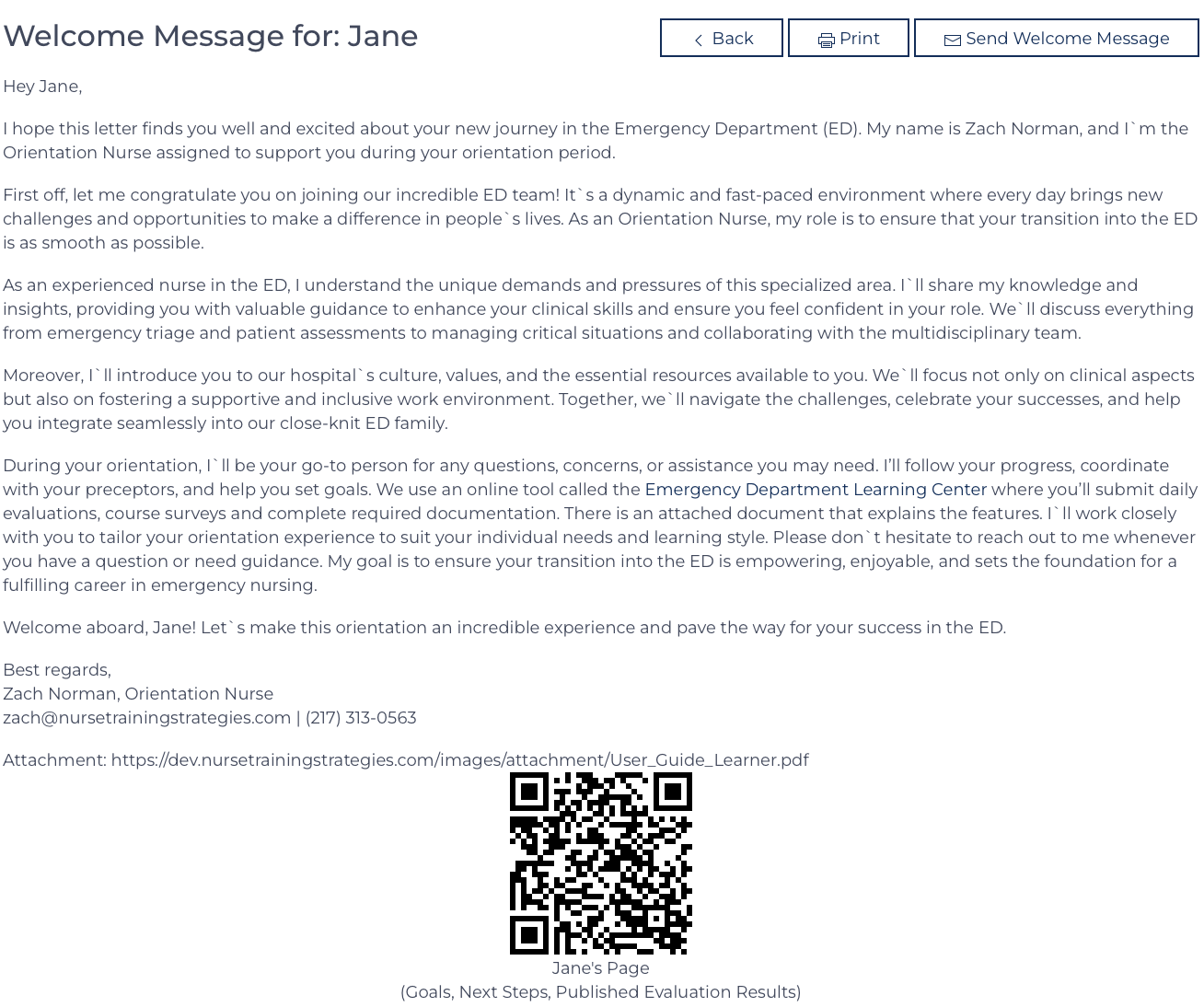
A welcome message is generated using the Communication Template Seventeen on the Configuration record for the Affiliate. The message can have an attachment that quickly explains how to utilize the features of the Learning Center. This message can be e-mailed or printed with a QR code for the Learner to access their Learner Public page.