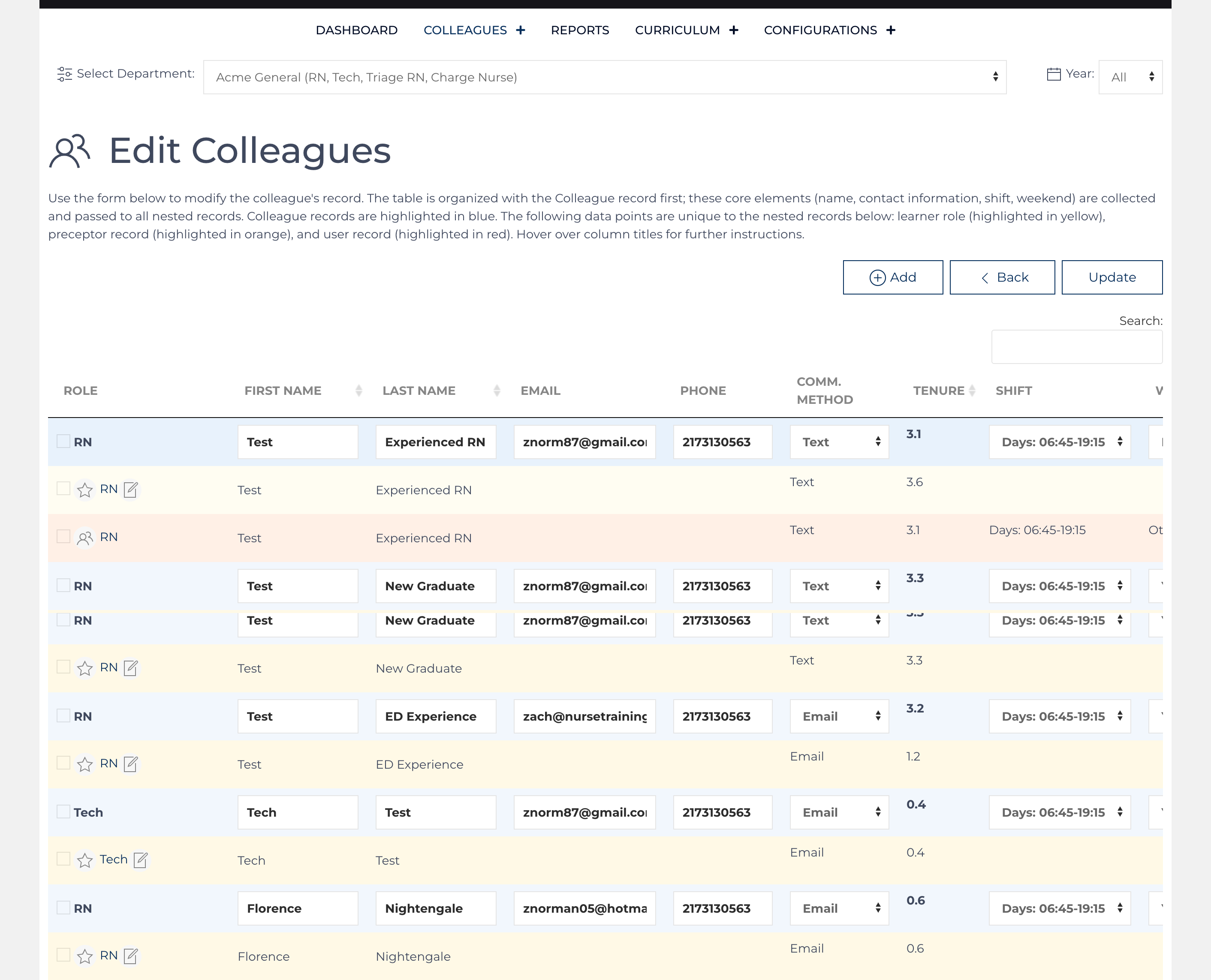
Access this screen by clicking on main Colleague screen from the Current Colleagues list view.
Use the Edit Colleagues form to modify multiple colleague, learner, learner role, and preceptor records at once. The table is organized with the Colleague record first; these core elements (name, contact information, shift, weekend) are collected and passed to all nested records.
- Colleague records are highlighted in blue.
- The nested records below:
- Learner role (highlighted in yellow),
- Preceptor record (highlighted in orange)
- User record (highlighted in red).
- Please hover over the column titles for more instructions.
Only records where changes were made are updated.