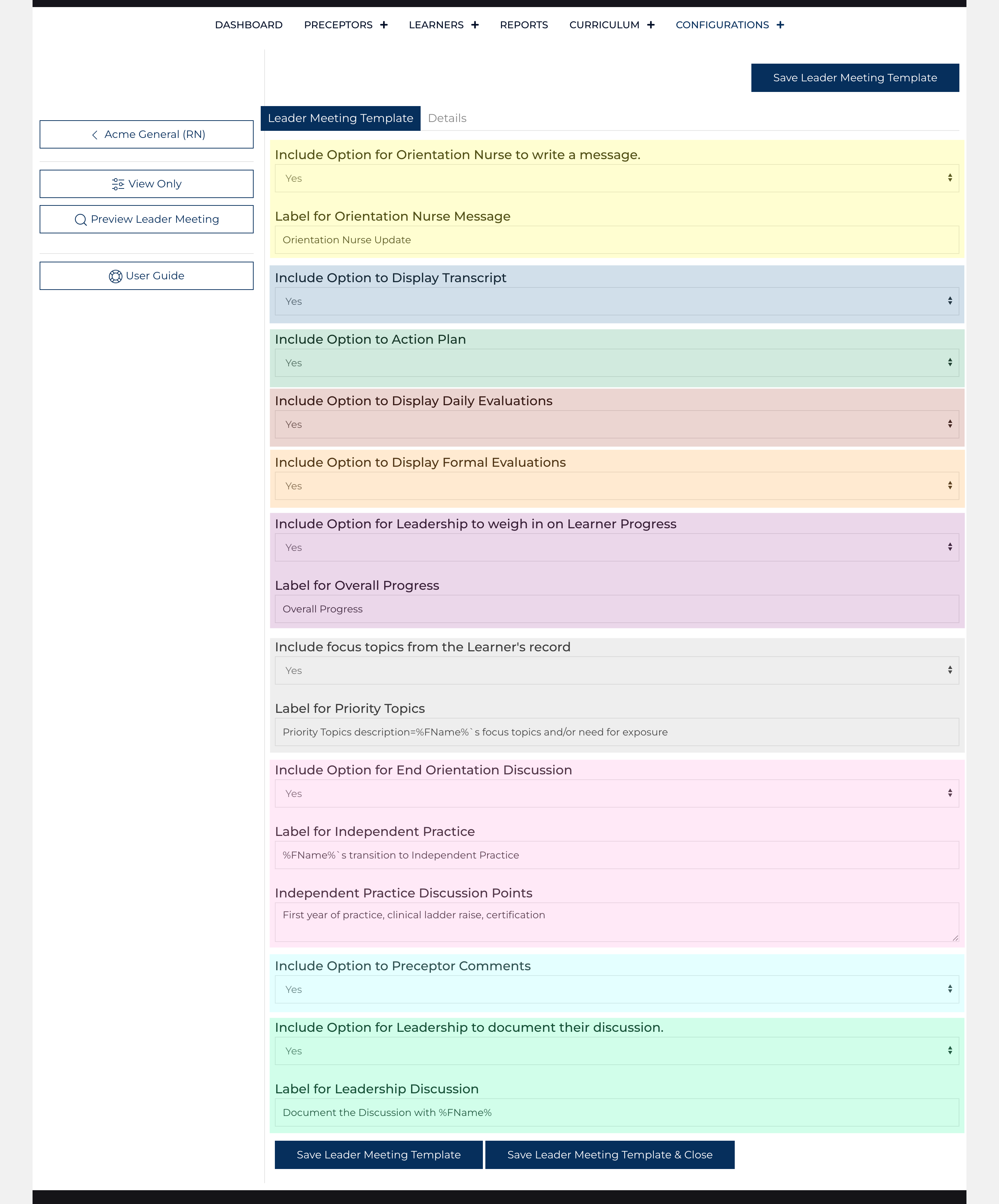
The Leader Meeting template establishes which sections can be included when planning a Leader Meeting. The process that a User follows when scheduling these meetings includes modification of the template to focus the attention of the meeting on the essential elements of the conversation.
Include Option for Orientation Nurse to write a message: Select 1:[Yes/No] (highlighted in yellow)
Label for Orientation Nurse Message: Text [Meeting Agenda]
Include Option to Display Transcript: Select 1:[Yes/No] (highlighted in blue)
Include Option to Action Plan: Select 1:[Yes/No] (highlighted in green)
Include Option to Display Daily Evaluations: Select 1:[Yes/No] (highlighted in red)
Include Option to Display Formal Evaluations: Select 1:[Yes/No] (highlighted in orange)
Include Option for Leadership to weigh in on Learner Progress: Select 1:[Yes/No] (highlighted in purple)
Label for Overall Progress: Text [Overall Progress]
Include focus topics from the Learner's record: Select 1:[Yes/No] (highlighted in grey)
Label for Priority Topics: Text [Priority Topics description=%FName%'s focus topics and/or need for exposure]
Include Option for End Orientation Discussion: Select 1:[Yes/No] (highlighted in pink)
Label for Independent Practice: Text [%FName%'s transition to Independent Practice]
Independent Practice Discussion Points: Text [First year of practice, clinical ladder raise, certification]
Include Option to Preceptor Comments: Select 1:[Yes/No] (highlighted in lightblue)
Include Option for Leadership to document their discussion: Select 1:[Yes/No] (highlighted in light-green)
Label for Leadership Discussion: Text [Document the Discussion with %FName%]
There is a details tab as well where the template name is stored.