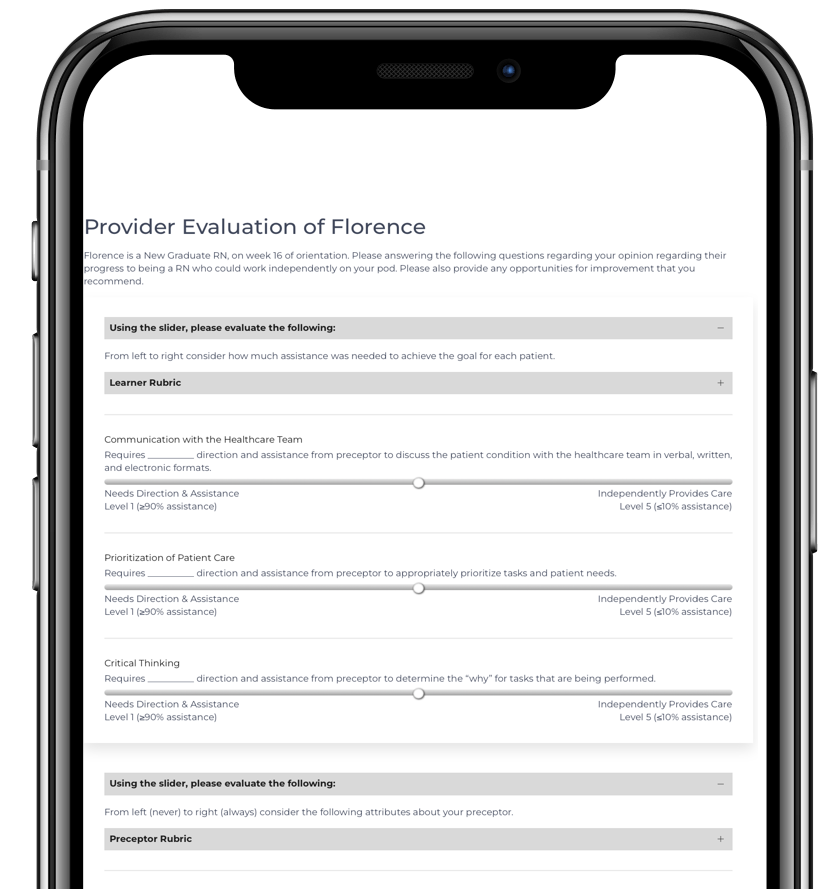
The Provider Evaluation includes a cross-section of questions that appear on the Learner and Preceptor Evaluations, asking a healthcare professional in a different role to evaluate both the learner and preceptor.
Evaluation Items
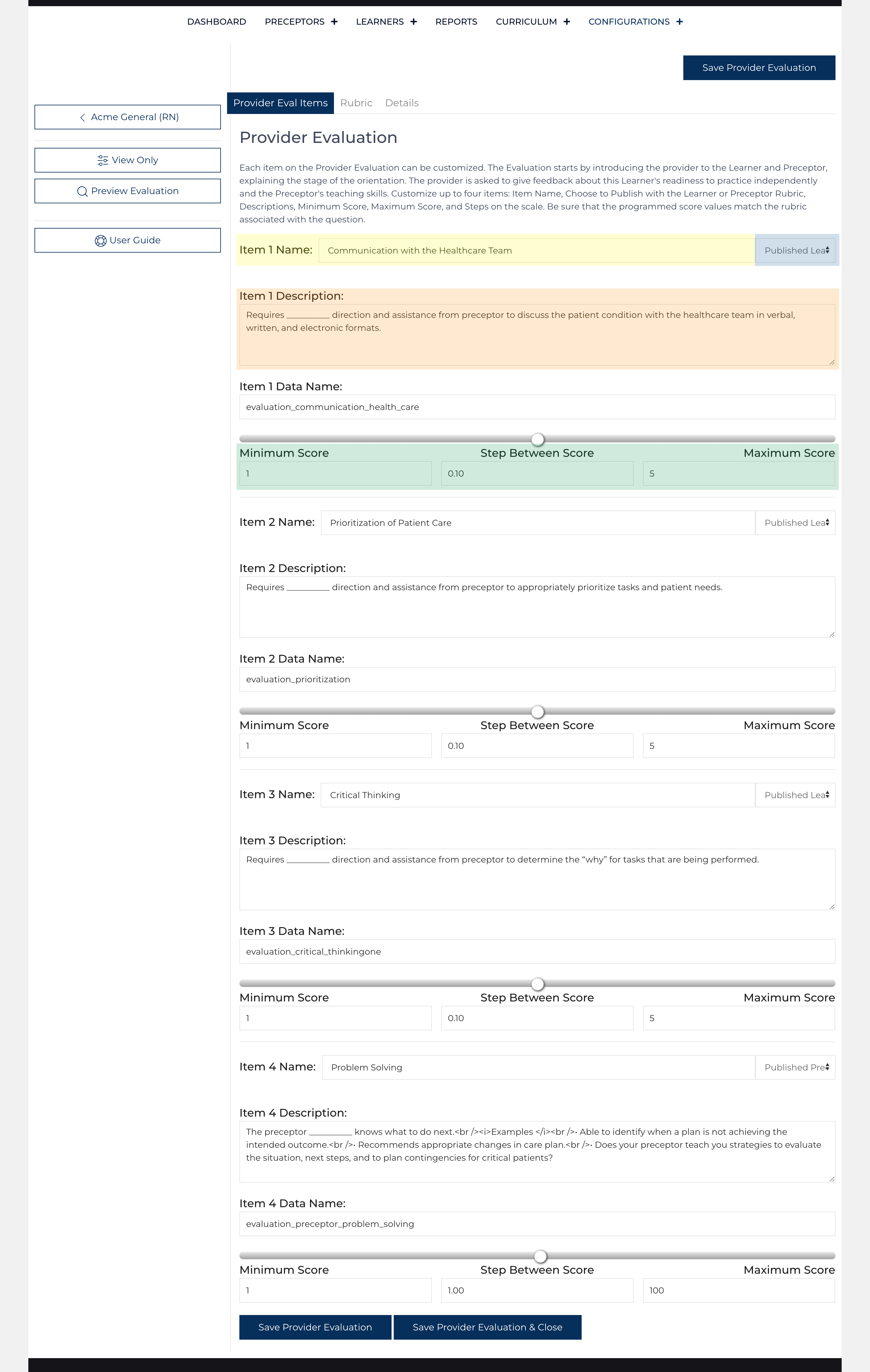
Item Name: Text (highlighted in yellow)
Item Published: Select 1: (highlighted in blue)
- Hidden
- Published Learner (Uses the Learner Rubric)
- Published Preceptor (Uses the Preceptor Rubric)
Item 1 Description: Text displayed on the item:[1]
Create a 'blank' using __________ (ten underscores), on certain Site Views the __________ will be exchanged for the value of the score using the Rubric Array.
Item 1 Data Name: (readonly field - location where data is saved)
For each item, choose the name (highlighted in yellow), what rubric the item should be published under (highlighted in blue), and a description (highlighted in orange). In the description, use __________ (10 underscores), the code will place the result in the blank.
For each item on the Provider Evaluation, place the minimum, step, and maximum value (highlighted in green) for each question. [1]
Rubric
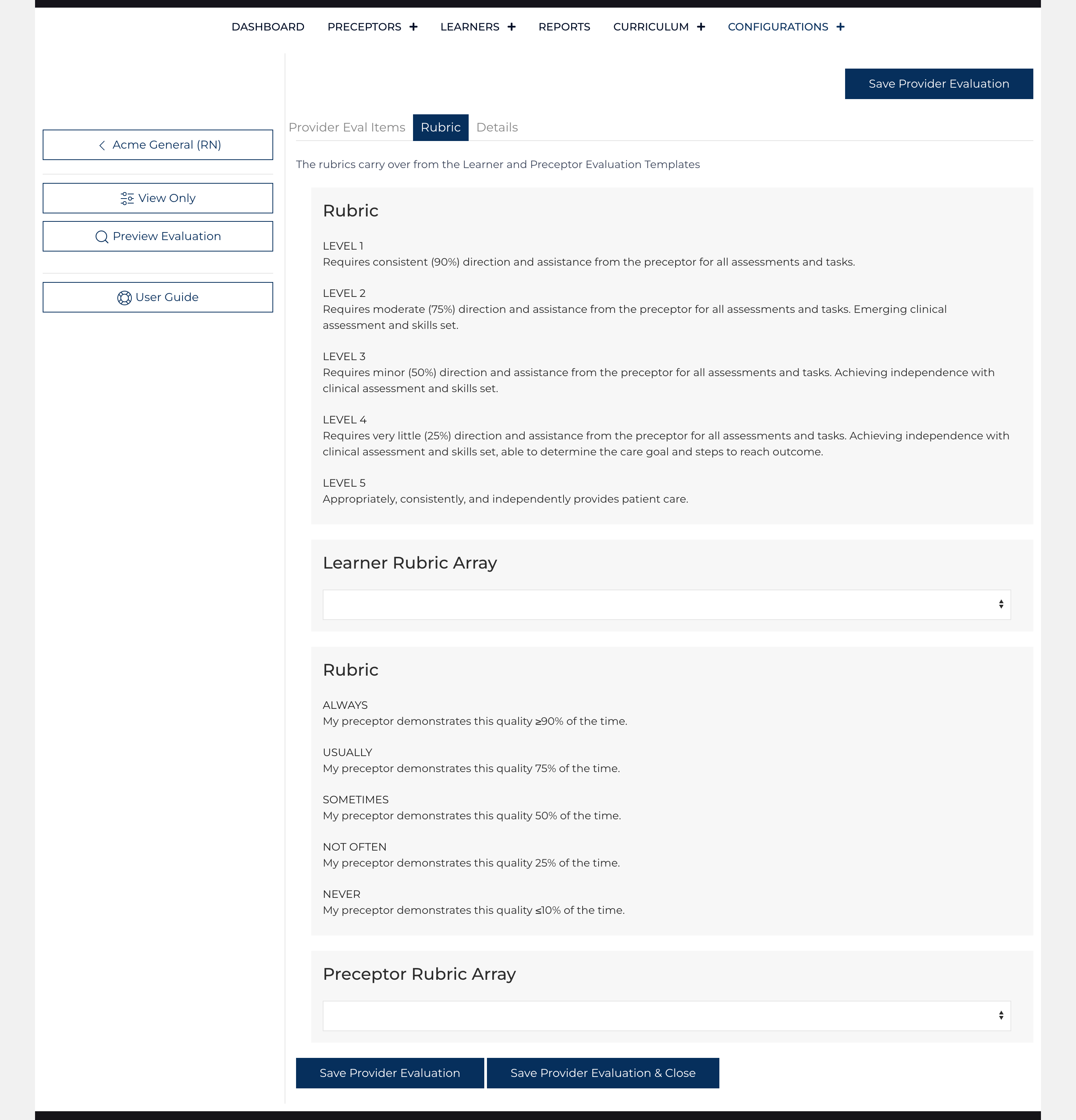
The rubic tab simply displays the selected rubric from the Learner Evaluation and Preceptor Evaluation.
Details
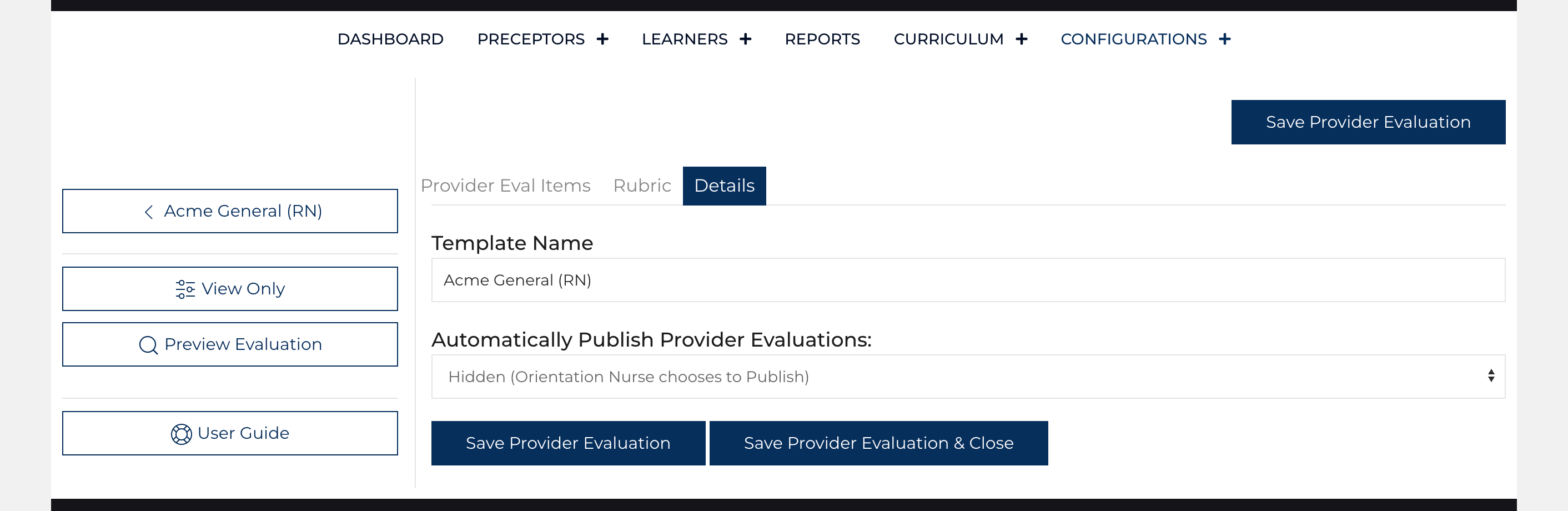
The details screen has just two fields, but controls how the form is displayed.
Template Name: Text [Acme General (RN)]
Automatically Publish Provider Evaluations: Select 1 [Hidden (Orientation Nurse chooses to Publish)/Publish Automatically][2]
Click on when satisfied with the changes and use the to see an example of how the evaluation will appear to users.